A website SEO checker scans your site and surfaces the exact issues holding your rankings back, from broken canonical tags and missing alt text to slow Core Web Vitals and thin content. Run one before you publish, after a migration, or any time traffic drops without an obvious cause. The best checkers audit 100 or more technical and content signals in a single pass, giving you a prioritized list of fixes rather than a vague diagnosis.
Quick Answer: A website SEO checker is a tool that crawls your site and tests it against known ranking factors, then reports which ones pass, which fail, and how severe each failure is. The output is a scored report covering on-page content, technical health, backlinks, and increasingly, AI search readiness.
What Does a Website SEO Checker Actually Test?
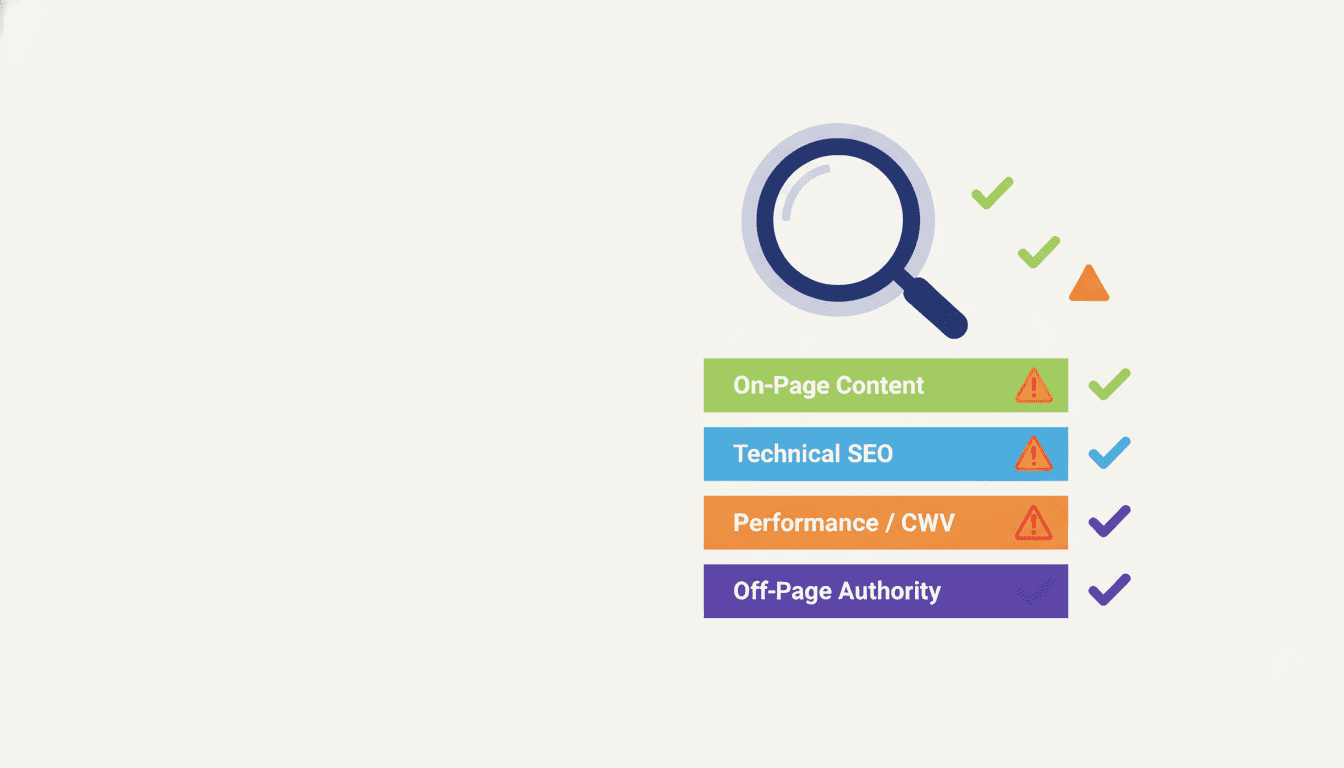
Most site owners think of SEO checkers as title-tag validators. That mental model costs them. A full-stack website SEO checker covers at least four distinct audit layers, and missing any one of them leaves real problems unfound.
On-page signals
- Title tag length, keyword placement, and duplicate titles across pages
- Meta description presence and character count (missing meta descriptions affect 40% or more of pages on sites that have never run a formal audit)
- Heading hierarchy: one H1, logical H2/H3 nesting, no skipped levels
- Image alt text coverage and file-name relevance
- Internal linking structure and anchor text diversity
- Content length relative to competing pages
- Keyword density and semantic coverage, including LSI keyword signals
- Readability scores and sentence complexity
Technical SEO signals
- Crawlability: robots.txt rules, noindex directives, and crawl budget waste
- XML sitemap validity and submission status
- Canonical tag consistency
- Redirect chains and loops (3xx status codes)
- Broken internal and external links (4xx errors)
- HTTPS enforcement and mixed-content warnings
- Structured data presence and schema validation errors
- Mobile usability flags from responsive design testing
Performance signals
- Core Web Vitals: Largest Contentful Paint, Cumulative Layout Shift, Interaction to Next Paint
- Time to First Byte and server response latency
- Render-blocking resources
- Image compression and next-gen format usage
- Caching policy configuration
Off-page and authority signals
- Referring domain count and link quality
- Domain authority or domain rating benchmarks
- Index coverage gaps (pages crawled but not indexed)
- Citation flow and trust flow scores (Majestic-style metrics)
AI search readiness signals (new in 2025-2026)
- FAQ and How-To schema presence
- E-E-A-T markers: author bios, publication dates, citations to authoritative sources
- Featured snippet eligibility based on content structure
- Brand entity mentions and Knowledge Graph association
Leading tools now flag AI search readiness separately because Google's AI Overviews and platforms like Perplexity pull from a different content profile than the classic ten blue links. If your checker does not surface these signals, you are auditing for 2022, not 2026.
The Four Categories of SEO Checker Tools
Before comparing specific products, get clear on what category of tool you are actually evaluating. These categories serve different needs, and conflating them is the most common mistake agencies make when building a client audit stack.
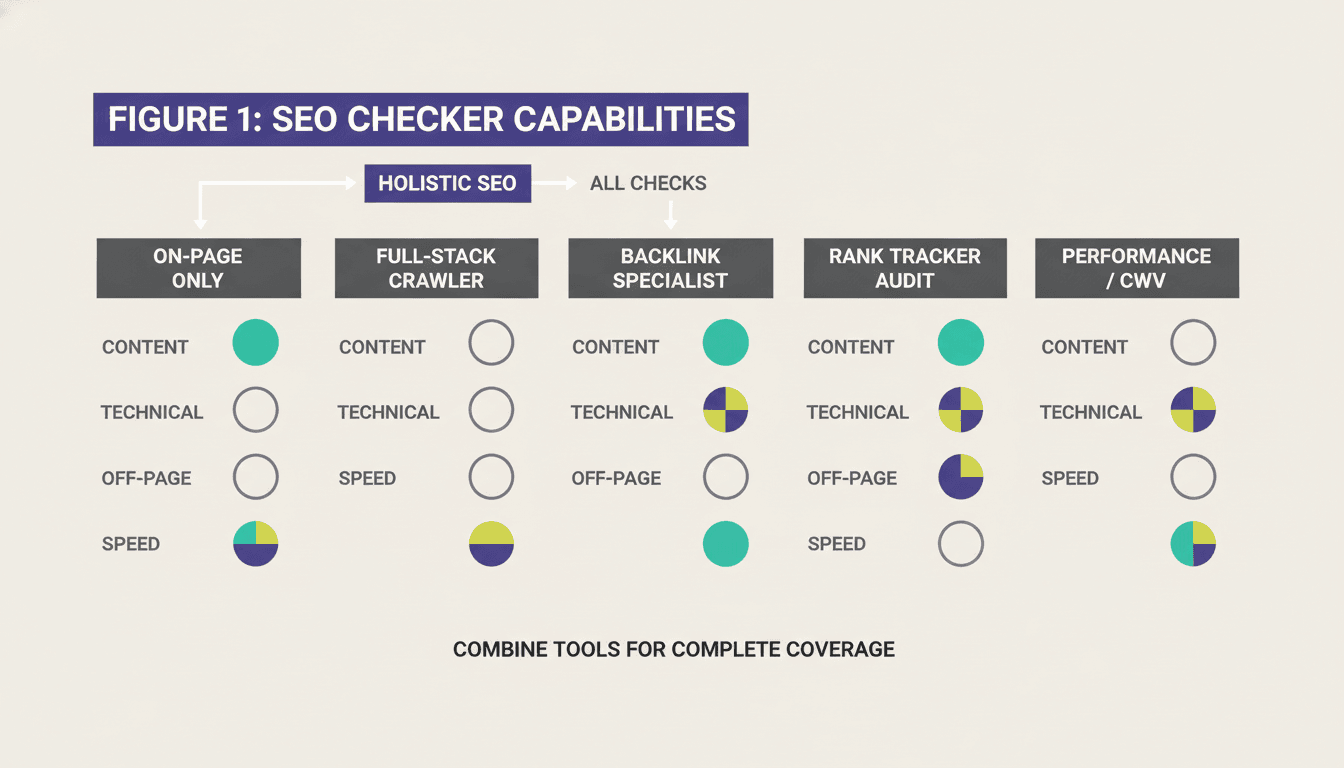
| Category | What it checks best | What it misses | Best for |
|---|---|---|---|
| On-page only | Title tags, meta, headings, alt text, content quality | Technical crawl issues, backlinks, performance | Quick content audits, blog reviews |
| Full-stack crawler | All four audit layers in one pass | Depth of backlink intelligence | Agencies auditing client sites end-to-end |
| Backlink specialist | Link profile, referring domains, anchor text | On-page content quality, page speed | Link-building campaigns, disavow work |
| Rank tracker with audit | Keyword positions over time, basic site health | Deep technical crawl, content scoring | Tracking campaign progress month-over-month |
| Performance / CWV tool | Core Web Vitals, TTFB, rendering bottlenecks | Content quality, link profile | Dev teams fixing speed regressions |
The practical takeaway: no single tool wins every category. Most serious SEO teams use a full-stack crawler for periodic deep audits, a rank tracker for weekly position monitoring, and a performance tool for speed work. Trying to find one product that does all five jobs at equal depth is how you end up with a mediocre audit stack.
How to Use a Website SEO Checker Effectively
Running the crawler is the easy part. Most teams get the report, filter for "critical" issues, fix the top ten, and then let the tool sit until someone asks for another audit six months later. That cycle wastes most of the value.
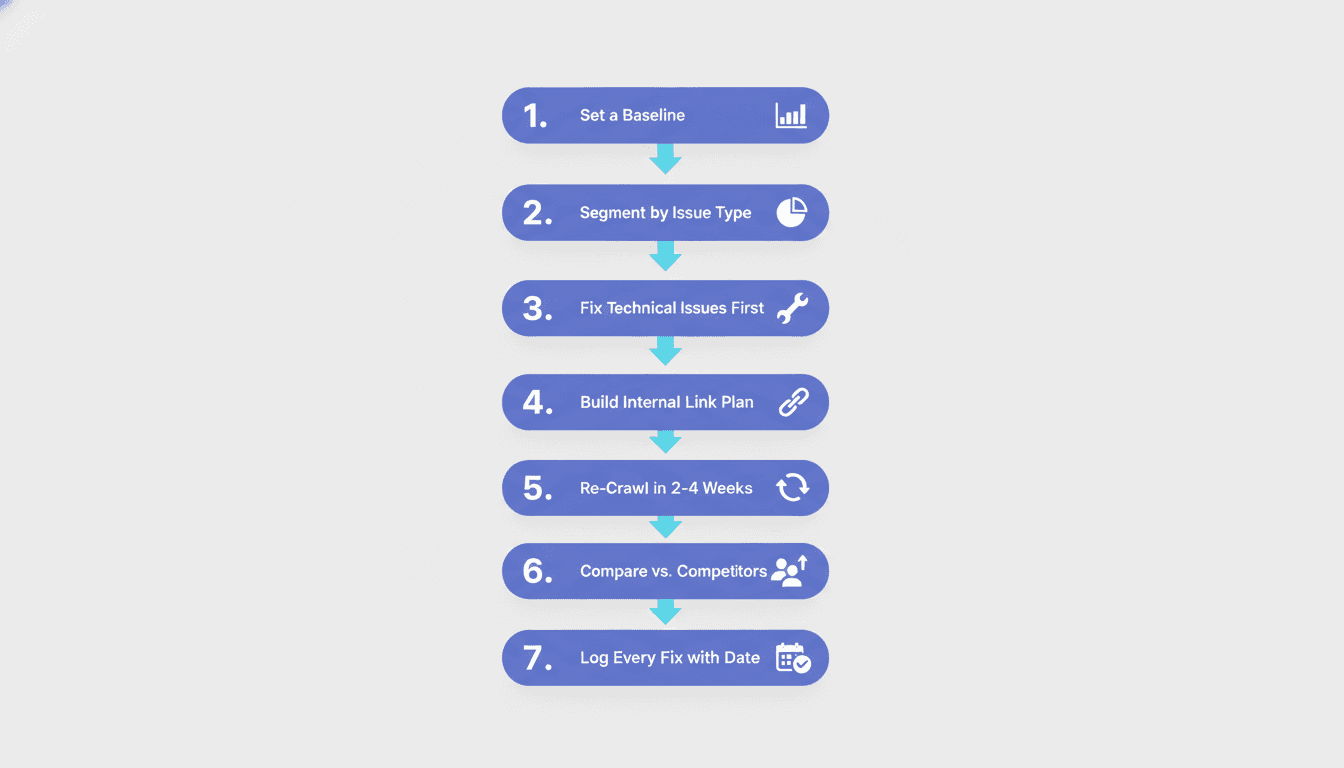
Here is a workflow that extracts more signal from each run.
- Set a baseline before you touch anything. Export the full report and save it. You cannot measure improvement without a before state.
- Segment by issue type, not just severity score. A site with 200 "low" priority issues in the same category (say, thin content under 300 words) has a systematic problem that severity scores do not always surface clearly.
- Fix technical issues first. Crawlability, indexation, and redirect problems affect every other metric. Improving on-page content on a page Google cannot crawl is wasted effort.
- Use the checker's crawl data to build an internal link plan. Most tools show you which pages have no inbound internal links. Those orphaned pages never rank regardless of content quality.
- Re-crawl within two to four weeks, not six months. Google re-crawls fast-moving sites frequently. Verifying fixes quickly confirms your changes stuck and shows clients visible progress.
- Compare scores against direct competitors, not against a generic 100-point scale. A site scoring 68 out of 100 might be stronger than a competitor scoring 74 if the competitor has worse backlink health or slower Core Web Vitals. Absolute scores mislead; relative scores guide strategy.
- Log every fix with the date and the specific issue resolved. When rankings shift, you need to isolate which change caused the movement. Without a log, you are guessing.
For a deeper walkthrough of the technical layer specifically, the technical SEO audit guide covers crawl budget, canonicalization, and structured data in detail.
When Should You Run an SEO Check?
The honest answer is: more often than you probably do now. Most brands run an audit once a year. That cadence made sense when Google updated its algorithm a handful of times annually. It does not make sense in 2026, when core algorithm updates ship every few weeks and AI-driven search features reshape the SERP layout in between.
Here is a practical frequency guide based on site type and situation.
Always run a check at these trigger points:
- Before a site launch or major redesign
- Immediately after a domain migration or URL restructure
- When organic traffic drops more than 10% week-over-week with no obvious external cause
- After installing or updating a major plugin or theme (especially on WordPress)
- Before and after a new content push to verify technical health supports the new pages
Ongoing cadence by site type:
- E-commerce with 1,000+ SKUs: weekly automated crawl, monthly deep audit
- SaaS or content-heavy site (200-1,000 pages): bi-weekly automated crawl, quarterly deep audit
- Small business or personal brand (under 200 pages): monthly automated crawl, twice-yearly deep audit
- Agency auditing client sites: full audit at onboarding, monthly health checks thereafter
For SEO services for small business clients in particular, even a monthly free checker run catches the issues that compound over time: accumulating 404 errors, slow image uploads, outdated structured data. Catching them early costs minutes; ignoring them costs rankings.
What Is the Difference Between an SEO Checker and an SEO Audit?
This question comes up constantly, and the conflation causes real problems when brands set expectations with clients or internal stakeholders.
A website SEO checker is a tool. It runs automated tests against a set of known ranking signals and returns a scored report. It is fast, repeatable, and scalable. Most checkers complete a surface-level scan in under five minutes. They are excellent at finding what is broken. They are poor at explaining why it matters in your specific competitive context or what the strategic priority should be.
An SEO audit is a process. It uses checker data as one input among many, then layers in competitor analysis, keyword gap research, user behavior data, and a human judgment call about which issues are actually limiting your rankings versus which ones are technically imperfect but commercially irrelevant. A good audit takes hours to days and results in a prioritized roadmap, not just a list of issues.
Here is the failure mode in practice: a brand runs a website SEO checker, gets a report showing 47 issues, fixes all 47, and wonders why rankings did not move. The checker found real problems. But without the audit layer, they fixed the wrong problems first. The three issues actually blocking their target keywords were buried in the medium-severity list because the scorer weighted them identically to a missing meta description on a low-traffic page.
For a full treatment of the audit process beyond what automated tools cover, the SEO audit guide is worth reading before you build a client deliverable around checker output alone.
Comparing the Most-Used Website SEO Audit Tools
The table below covers the tools agencies and in-house teams reach for most in 2026. Each has a genuine strength and a real weakness. The "best for" lines are verdicts, not marketing copy.
| Tool | Best for | Crawl depth | Backlink data | CWV / Performance | AI readiness flags | Free tier |
|---|---|---|---|---|---|---|
| Screaming Frog | Technical crawls of large sites | Excellent | Via API | Basic | No | 500 URLs |
| Ahrefs Site Audit | Agencies wanting crawl + backlink in one place | Very good | Best-in-class | Moderate | Partial | Webmaster Tools (limited) |
| Semrush Site Audit | Full-stack teams with rank tracking needs | Very good | Very good | Good | Partial | 100 pages/crawl |
| Google Search Console | Indexation, Core Web Vitals, rich result status | Index-level | None | Excellent (CWV) | Yes (rich results) | Free (full) |
| PageSpeed Insights | Performance debugging, CWV per page | None | None | Excellent | No | Free (full) |
| Moz Pro | Agencies who prefer DA-based reporting | Good | Good | Limited | No | 10 queries/month |
| Rank Math / Yoast (WordPress) | On-page checks during content creation | On-page only | No | Basic | Partial | Free core |
A few notes on using this table:
Google Search Console is non-negotiable as a baseline, regardless of what else you pay for. It is the only tool that shows you what Google actually sees, not what a third-party crawler simulates. Every other tool on this list is a supplement to Search Console, not a replacement.
For a detailed breakdown of how agency-grade tools compare on features and pricing, the SEO software for agencies comparison covers the full picture, including contract terms and white-label reporting options.
If you are choosing between Screaming Frog and a cloud-based tool: Screaming Frog wins on technical depth and speed for large crawls, but needs manual scheduling and local storage. Cloud tools like Ahrefs and Semrush win on historical comparison, collaboration, and alerts. For most agencies, the answer is both.
Identifying SEO Issues with a Checker: What the Numbers Mean
Checker scores are not grades. A site with an 82 SEO score is not "passing" any more than a site with a 61 is "failing." The score is an aggregate, and aggregates obscure the issues that actually matter.
Here is how to read checker output in a way that connects findings to real ranking outcomes.
Critical issues (fix within the week):
- Pages returning 4xx or 5xx errors that were previously indexed
- Noindex directives on pages you intend to rank
- Canonical tags pointing to wrong URLs or creating loops
- Redirect chains longer than two hops
- Duplicate title tags across more than 5% of indexed pages
High-priority issues (fix within the sprint):
- Missing or duplicate meta descriptions (these affect click-through rate even when rankings hold)
- Pages without any internal links pointing to them
- Images over 200KB without lazy loading
- Core Web Vitals failures: LCP above 2.5 seconds, CLS above 0.1
- Structured data errors on high-value page types (Product, Article, FAQ)
Medium-priority issues (add to the roadmap):
- Heading hierarchy inconsistencies
- Alt text missing on decorative versus informational images (these need different treatment)
- Thin content pages under 400 words that are not intentionally minimal
- External links pointing to 404s on other sites
Low-priority issues (batch and review quarterly):
- Meta description length slightly over or under optimal range
- Minor keyword density variations
- Suboptimal image file names
The best AI content audit tools comparison covers the content-layer analysis in more depth, including how AI-assisted tools differ from traditional keyword-density checks in identifying thin or duplicate content.
One metric worth watching that many checkers surface but few teams act on: the website SEO score checker aggregate versus the per-page breakdown. A high aggregate score with several pages scoring below 50 is more dangerous than a moderate aggregate with consistent per-page scores. A handful of severely broken high-priority pages drag rankings for the whole domain more than dozens of minor issues spread across low-traffic content.
What Is a Website SEO Rapid Index Checker?
A website SEO rapid index checker is a specialized tool that tests whether specific pages have been indexed by Google, and in some cases, how quickly new or updated pages enter the index after publication or after requesting indexing via Search Console. It is distinct from a full site audit: it does not score on-page factors or crawl technical signals. Its single job is to confirm index presence.
Practically, you use one in three situations: after publishing new content (to confirm it indexed within your expected window), after submitting a URL inspection request in Search Console (to verify the request worked), or after a migration (to confirm redirected pages did not drop from the index). Most full-stack checkers include an indexation check as one module. Standalone rapid index checkers are useful when you need to check hundreds of URLs quickly without running a full crawl.
For a deeper look at how Google indexes content and what affects indexation speed, keyword research for AI search covers how search intent and content structure affect how quickly pages get picked up and how they get classified by Google's systems.
Frequently asked questions
What is a website SEO checker and what does it audit?
A website SEO checker is an automated tool that crawls your site and tests it against established ranking signals. It audits on-page elements like title tags, meta descriptions, and heading structure; technical factors like crawlability, redirects, and structured data; performance metrics like Core Web Vitals; and off-page signals like backlink count and domain authority.
How often should you run a website SEO check?
For most sites, run an automated crawl at least monthly and a deep manual audit quarterly. E-commerce and enterprise sites benefit from weekly automated checks. Always run a check before launch, after a migration, and any time traffic drops unexpectedly. Waiting six months between checks is too long in a search landscape that updates continuously.
What is the difference between an SEO checker and a full SEO audit?
An SEO checker is a tool that produces an automated report of technical and on-page issues. An SEO audit is a strategic process that uses checker data alongside competitor analysis, keyword research, and human judgment to produce a prioritized fix roadmap. Checkers find what is broken; audits explain what matters most and why.
What is a website SEO rapid index checker used for?
A website SEO rapid index checker verifies whether specific pages are currently indexed by Google. Teams use it after publishing new content, after URL migrations, or after submitting pages for re-indexing through Search Console. It does not score content quality or audit technical issues. Its one job is confirming index presence at scale.
Which free website SEO checker is most reliable for a starting point?
Google Search Console is the most reliable free starting point because it uses Google's own crawl data, not a simulation. It shows indexation gaps, Core Web Vitals by page group, mobile usability issues, and rich result errors. Pair it with PageSpeed Insights for performance data and you have a solid free baseline before investing in a paid tool.
Can a website SEO checker improve your rankings directly?
No tool improves rankings. A website SEO checker finds the issues; fixing them improves rankings. The distinction matters because teams sometimes run audits and report "we did an SEO check" without implementing fixes. The report has no ranking value. The fixes do. Treat checker output as a work order, not an accomplishment.
Do website SEO checkers test for AI search readiness?
The leading full-stack tools now include partial AI readiness signals: FAQ and How-To schema validation, E-E-A-T content markers, and featured snippet eligibility based on content structure. Dedicated AI search optimization is still emerging as a formal audit category, but structured data coverage and authoritative content signals are the foundation, and every good checker already tests those.
Key Takeaways
- A website SEO checker audits four layers: on-page content, technical health, performance, and off-page authority. Missing any layer leaves real problems unfound.
- No single tool covers all five checker categories equally well. Most effective stacks combine a full-stack crawler for deep audits, a rank tracker for weekly monitoring, and Google Search Console as the always-on baseline.
- Checker scores are aggregates. A handful of critical issues on high-priority pages matters more than dozens of minor issues on low-traffic content.
- Run checks at defined trigger points (pre-launch, post-migration, traffic drops) and on a regular cadence, not just when something breaks.
- The gap between an SEO checker and an SEO audit is the gap between finding problems and knowing which ones to fix first. Automated tools do the former; strategic analysis does the latter.
- AI search readiness signals (structured data, E-E-A-T markers, content structure for featured snippets) are now part of a complete site health check, not a future consideration.
- Fixes improve rankings; reports do not. The value of every checker run is proportional to the quality of the work order it generates and how quickly that work gets done.
Automated checkers give you the map. But knowing which roads to take, in what order, and which detours to skip requires judgment that tools do not have. If you want expert analysis layered on top of your audit data, or a full technical and content audit managed end-to-end, get in touch with the Project Rankup team. We translate checker output into a clear, prioritized growth plan built around your actual competitive situation.