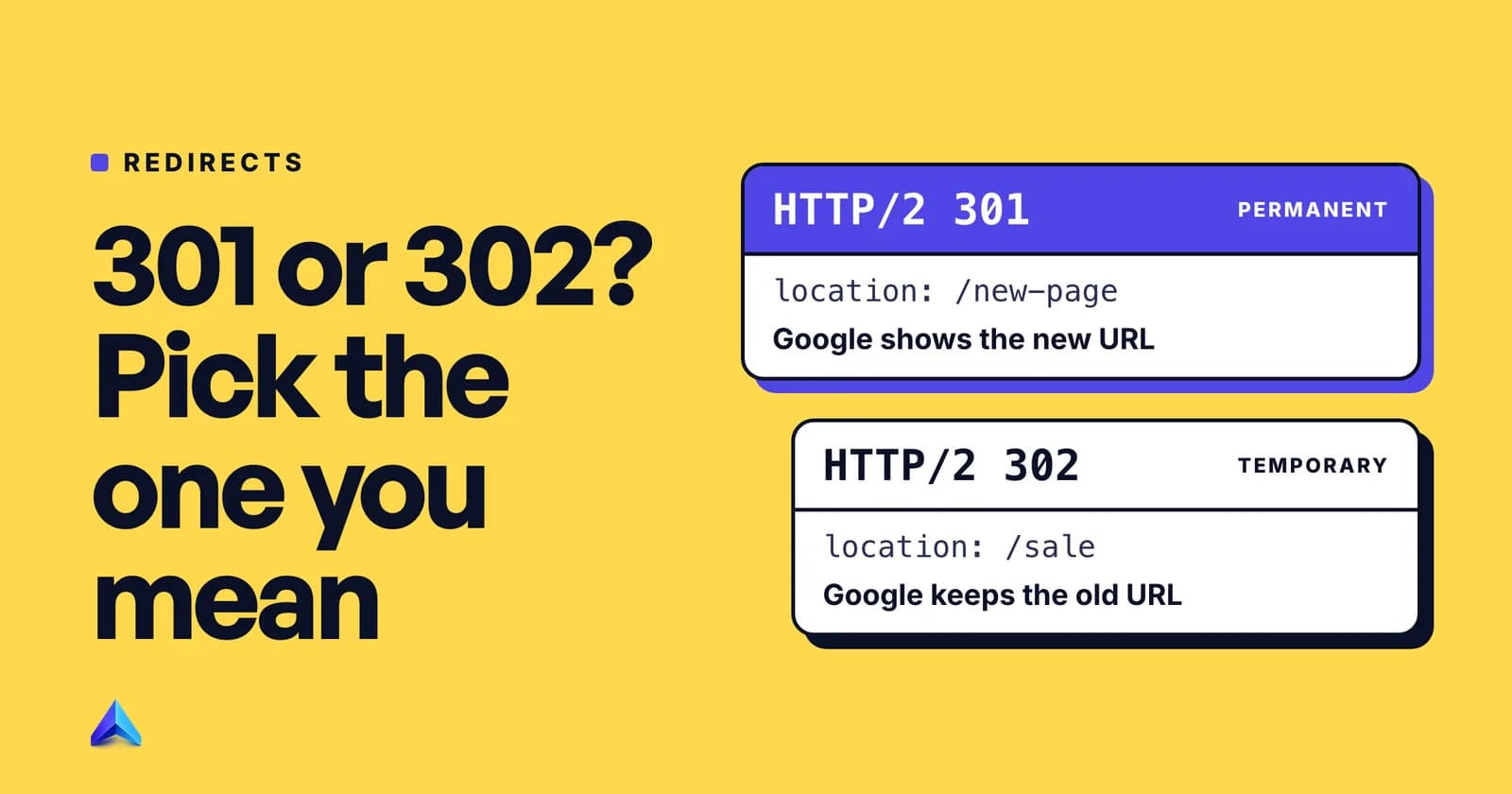
Use a 301 redirect when the old URL is never coming back: a renamed page, a move to HTTPS, a new domain. Use a 302 when the original URL will return and you want Google to keep showing it, such as an A/B test or a short-lived detour. If neither fits, you probably want a 503 (planned downtime) or a 404 (the page is gone), not a redirect.
The 301 vs 302 redirect choice looks like a technicality because visitors cannot see it. Three things can see it, though: the browser, which may cache the answer for weeks; Google, which uses it to decide which URL to show; and your analytics, which records whatever loads at the end. This guide covers what each of them does with each code, and how to set the right one on the setup you actually run.
The short answer: which redirect for which job
The deciding question is not "how long will this last?" It is "should the old URL ever load its own content again?" If the answer is no, the move is permanent. If yes, it is temporary, even if "temporary" means six weeks.
| Situation | Use | Why |
|---|---|---|
| Page renamed or slug changed | 301 | The old address is retired |
| HTTP to HTTPS, or non-www to www | 301 | One version should collect every link |
Domain change (.in to .com, rebrand) | 301, page by page | Each old URL has one new equivalent |
| Two articles merged into one | 301 | The merged page replaces both |
| A/B test that splits traffic across URLs | 302 | Google's own testing guidance says so |
| Product page sent to a "back soon" notice for a fortnight | 302 | The original returns and should keep ranking |
| A form or API endpoint that moved | 308 (permanent) or 307 (temporary) | Keeps the POST intact |
| Whole site down for maintenance | 503, not a redirect | Tells crawlers the outage is temporary |
| Page deleted with no real replacement | 404 or 410, not a redirect | A redirect to the homepage is a soft 404 |
| Visitors sent to a country or language version automatically | Neither | Show a banner or picker instead |
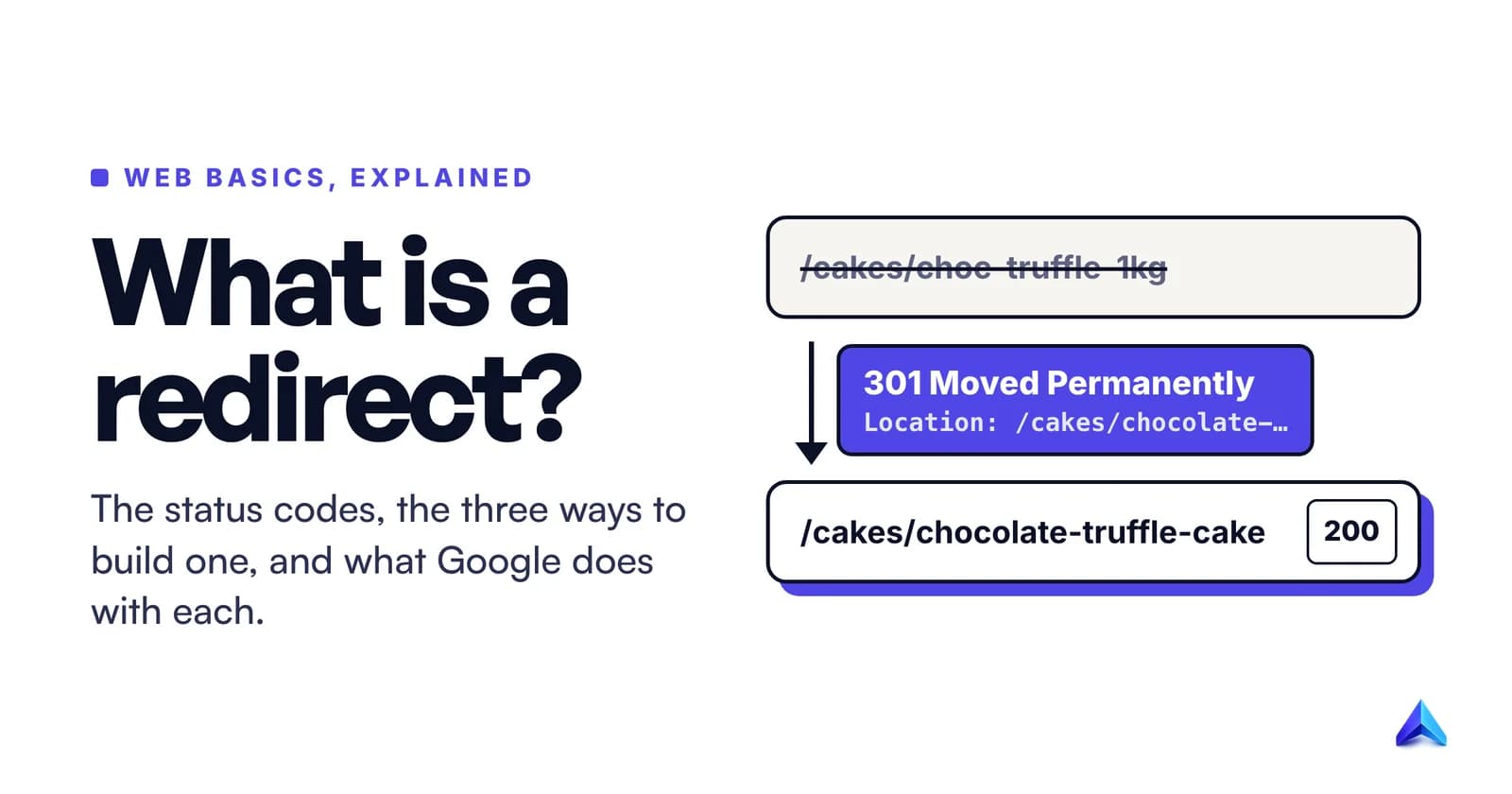
If you are new to redirects in general, our explainer on what a redirect is covers the mechanics and the full family of 3xx codes. This page assumes you know a redirect when you see one and need to pick between the two codes people argue about.
What the browser, Google and your analytics do with each
Google's documentation on redirects says users "generally won't be able to tell the difference" between redirect types. That is true on screen. Behind the screen, three systems react differently.
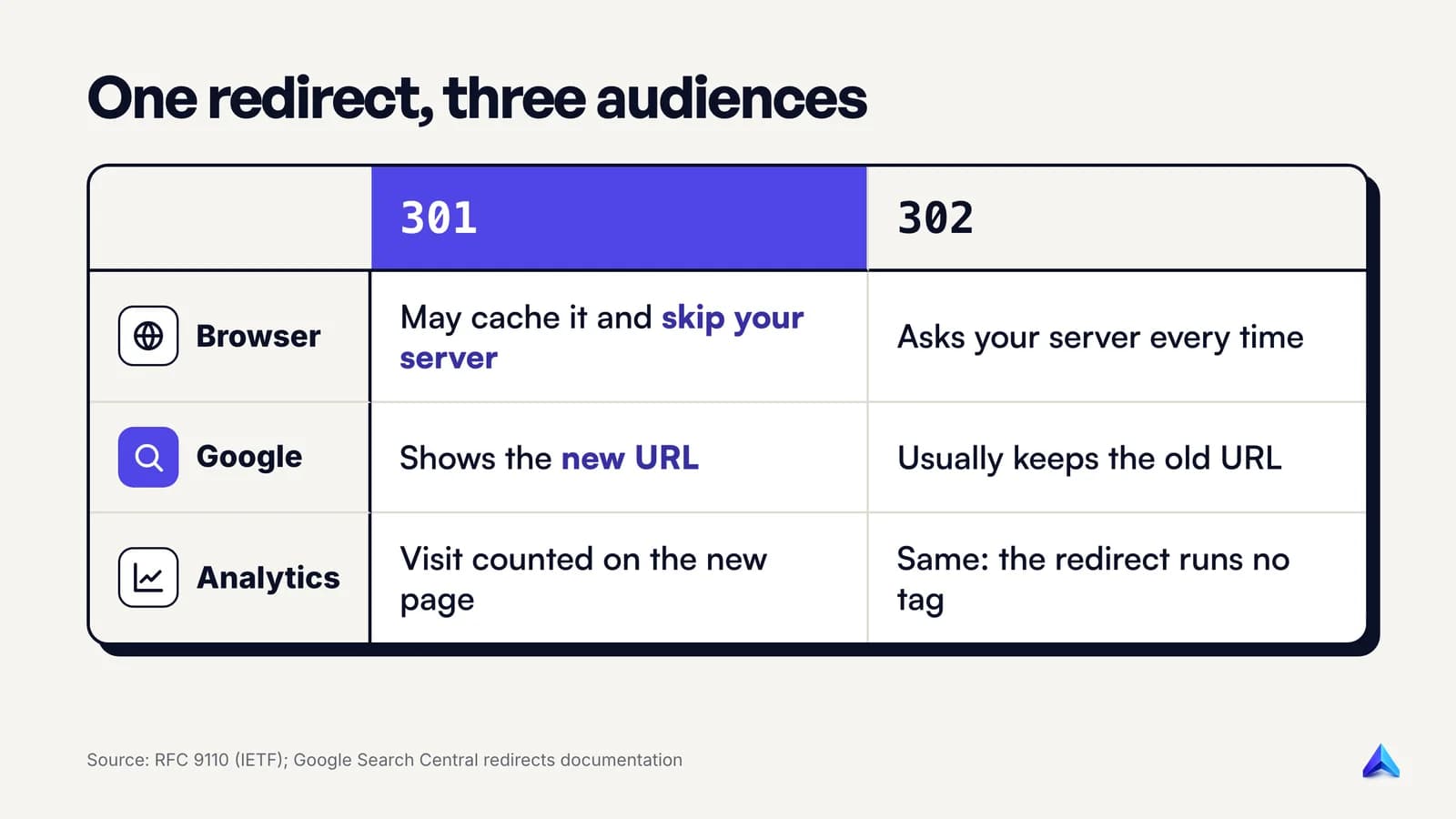
The browser follows both instantly. The difference is memory. The HTTP standard marks a 301 as cacheable by default, so a browser can store the redirect and skip asking your server next time. A 302 is not cached unless the server explicitly says so with cache headers. That makes a mistaken 301 sticky, which gets its own section below.
Google treats the two codes as different instructions about which URL to show. Its documentation puts it in two lines: permanent redirects "show the new redirect target in search results", temporary redirects "show the source page in search results". Google's page on HTTP status codes and crawling adds the strength of each signal: a 301 is a "strong" signal that the target should be processed, a 302 a "weak" one. Either way, Googlebot follows the hop, and any content the redirecting URL sends is ignored.
Your analytics sees neither code directly. A redirect response contains no page, so no tracking tag runs on it. The visit is recorded on the page that finally loads. Two side effects follow:
- Campaign tags (
?utm_source=newsletter) survive only if the redirect rule forwards the query string. Apache'sRedirectdirective does this by default; an Nginxreturnrule does only if you include$request_urior the arguments in the target. - With a 302 that stays up for months, the target page collects the traffic while Search Console keeps reporting the source URL. Reports from the two tools stop lining up, and someone eventually asks why.
Is a 302 bad for SEO, then? No. It is a different instruction, and it is bad only when you give it for a permanent move.
What the HTTP standard says, and where 307 and 308 fit
Both codes are defined in RFC 9110, the current HTTP semantics standard. The wording is short and worth reading once:
- 301 Moved Permanently: the resource "has been assigned a new permanent URI and any future references to this resource ought to use one of the enclosed URIs."
- 302 Found: the resource "resides temporarily under a different URI", and because the redirect "might be altered on occasion, the client ought to continue to use the target URI for future requests."
That last clause is the real contract. A 301 tells clients to forget the old address. A 302 tells them to keep asking it.
Both codes carry the same historical wart. The RFC notes that a browser may change the request method from POST to GET when it follows either one, which drops the submitted form data. The standard's fix is a second pair of codes:
- 308 Permanent Redirect is a 301 that must keep the method and body.
- 307 Temporary Redirect is a 302 that must keep them too.
Google treats 308 exactly like 301 and 307 exactly like 302, so for ordinary pages fetched with GET, the choice between them changes nothing in search. It matters for endpoints that receive POSTs: a checkout callback, a login form, a webhook URL. Apache's documentation is blunt about the risk: with its basic Redirect directive, "POSTs will be discarded."
Should you use 301 or 308 for normal pages? Either works for Google. We still default to 301 for pages, because every server, CMS, CDN and SEO tool understands it, and the RFC itself says 308 "might not be recognized everywhere" since it only dates from June 2014. Use 308 when something posts to the old URL.
How Google treats a 302 that never goes away
This is where most advice on the topic goes vague. You will read that Google "may" treat an old 302 as a 301, sometimes with an invented cut-off such as three months. Google's own documentation and its staff say something more precise.
The documentation says a temporary redirect is not used as a signal that the target should be canonical, but "the target page might still be indexed if other canonicalization signals are present." Redirects are one input among several.
Google's John Mueller explained the mechanism in April 2021, in posts covered by Search Engine Roundtable. Google puts the redirect source and target "into the same bucket" and then uses canonicalization to pick which to show. A 302 suggests the source is preferred, a 301 the destination. Then the important part:
"That's usually why a 302 'source-preferred' ends up being treated more like a 301 'destination-preferred' over time. For example, if all internal & external links point to the destination, probably we should pick the destination too. There's no fixed cut-off time for that."
So time is not the lever. Links are. If your internal links, sitemap and backlinks all point at the destination, Google will probably settle on the destination regardless of the 302. Mueller also said the rankings will generally be the same whichever of the two URLs is shown.
Does that mean the code does not matter? We would not go that far. It matters for the cases where your signals disagree, which is exactly when you are relying on it: an A/B test, where every link still points at the original, or a half-finished migration. And it matters for what you see in Search Console. If you meant a move to be permanent, change the 302 to a 301 now instead of waiting for Google to infer it, and point your internal links at the destination while you are there.
Why a wrong 301 is harder to undo than a wrong 302
Fixing a mistaken 302 is easy: change the rule and the next request gets the new answer, because browsers keep asking the original URL. Fixing a mistaken 301 is slower, for a reason most guides wave at without explaining.
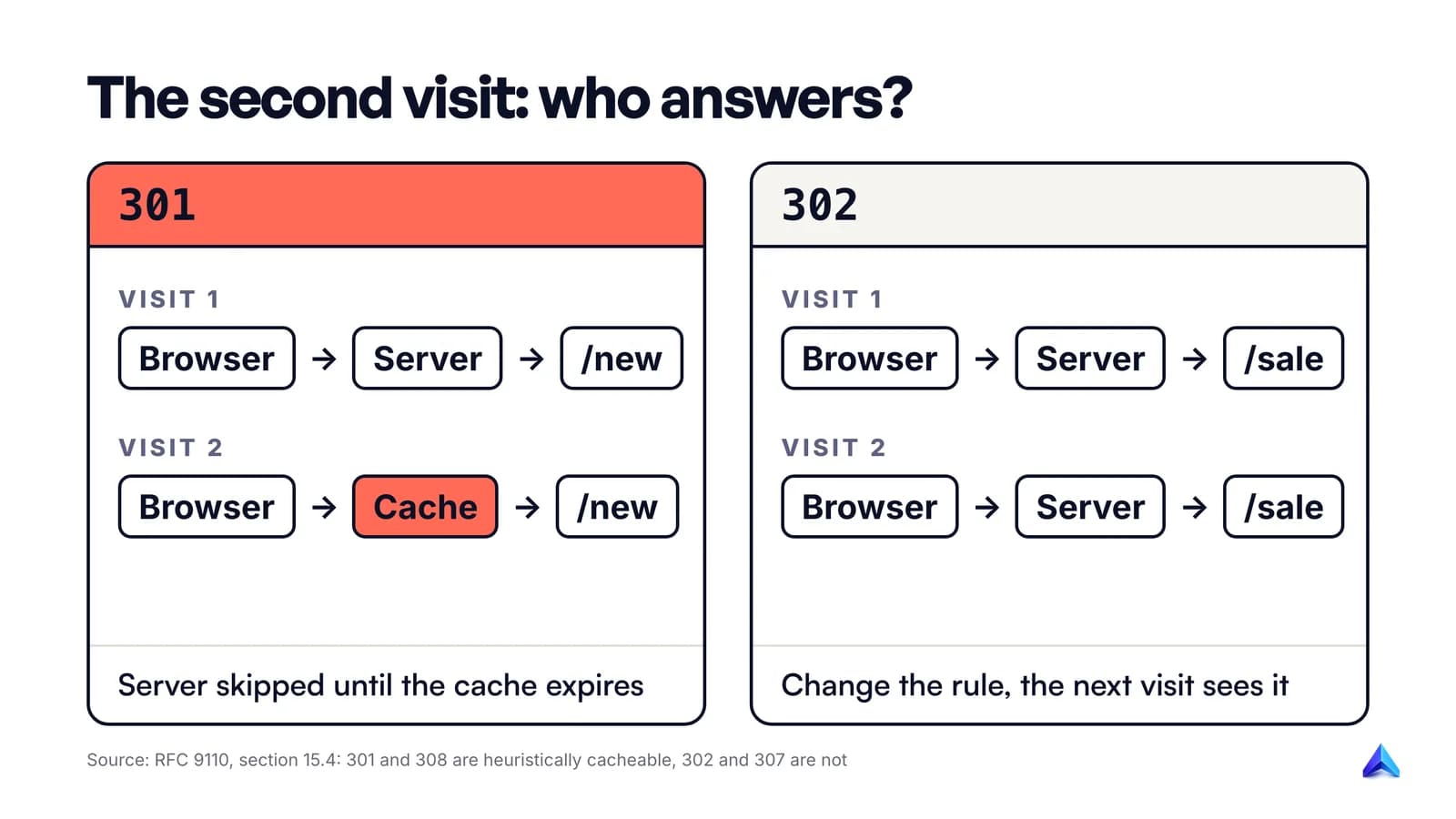
RFC 9110 lists 301 and 308 among the responses that are "heuristically cacheable". A browser can store them and reuse them without asking the server, unless cache headers say otherwise. 302 and 307 are not on that list. Many servers make the stickiness explicit. MDN's own old URL for its AJAX guide, checked on 9 October 2026, answers like this:
HTTP/2 301
cache-control: max-age=2592000,public
location: /en-US/docs/Learn_web_development/Core/Scripting/Network_requests
max-age=2592000 is 30 days. Any browser that followed that redirect may go straight to the new URL for a month without contacting MDN's server again. If MDN changed its mind tomorrow, those visitors would not see the change. Shopify's help centre warns its merchants of the same thing: a removed 301 "might continue to work in their browsers until the cache expires."
Two practical rules follow:
- When you are unsure the target is final, ship a 302 first. Check it for a day or two, then switch to 301. Google is not hurt by the brief 302; a wrong 301 can strand returning visitors.
- Never set a long
Cache-Controlon a redirect you might reverse. If you must undo a 301, point the old URL somewhere sensible again rather than letting it 404, because cached visitors will keep arriving at the destination you set first.
None of this changes how Googlebot recrawls. It affects people who already visited.
Real cases: HTTPS, slugs, A/B tests, maintenance, geo redirects
The table at the top gives the code. These are the details that go wrong in each case.
Moving to HTTPS or picking www
Use a 301 for every HTTP URL to its HTTPS equivalent, path and query string intact. curl -sI http://google.com shows the pattern on a site you know: the reply on 9 October 2026 was HTTP/1.1 301 Moved Permanently with Location: http://www.google.com/. The usual mistake is stacking rules, so one URL hops HTTP to HTTPS and then non-www to www. Collapse it into one hop. Our guide to HTTPS and SEO covers the rest of that move.
Changing a slug
A 301 from the old slug to the new one, every time. WordPress does part of this for you: its core wp_old_slug_redirect() function sends a 301 when someone requests a post's old slug. Its source code also says "Do not attempt redirect for hierarchical post types", which means pages, not posts, get no automatic redirect. Rename a page and you need a rule of your own. Better still, follow our URL slug best practices and rename less.
A/B tests on separate URLs
Google's guidance on website testing is explicit: if you redirect users from the original URL to a variation URL, "use a 302 (temporary) redirect, not a 301 (permanent) redirect." A 301 here invites Google to index your test variant in place of the page you are testing. End the test, remove the redirect, and keep the winner on the original URL where you can.
Maintenance and outages
A redirect is the wrong tool for this. Sending every URL to a maintenance page with a 302 means Googlebot sees thousands of pages pointing at one notice. Google's advice on pausing a website is to return a 503 status with an informational page if you must take the site down for one to two days, and never to return a 503 for robots.txt, because that blocks all crawling. A 302 is right for one paused service or product, sent to a page that explains the pause, as in Google's own example.
Country and language redirects
A UK retailer with a /in/ section for Indian shoppers is tempted to redirect by IP address or browser language. Google's international guidance says to "avoid automatically redirecting users from one language version of a site to a different language version." Whichever code you pick, an automatic geo redirect can hide versions of your site from Googlebot, whose default IP addresses appear to be US-based and which sends no Accept-Language header. It can even loop. Our redirect error guide shows how that loop appears in Search Console and how to trace it. Offer a banner or a country picker instead.
How to check which code a URL returns
You cannot tell a 301 from a 302 in the address bar. Use one of these.
curl (any terminal). -I asks for headers only; add -L to follow each hop:
curl -sI https://example.com/old-page
curl -sIL https://example.com/old-page | grep -iE "^HTTP|^location"
The first line of each block is the status (HTTP/2 301 or HTTP/2 302), and location: names where it points. Some servers answer HEAD requests differently from GET; if the result looks odd, repeat with -X GET, as Google does in its own curl example.
Browser DevTools. In Chrome, open DevTools, go to the Network panel, tick Preserve log so the first request is not wiped when the page changes, and tick Disable cache. That second box matters more than people think. Without it, a previously cached 301 is answered from the browser's memory and you may be looking at last month's rule, not what your server says now.
Google Search Console. URL Inspection on the old URL tells you how Google sees it. A URL that redirects shows as "Page with redirect" in the Page indexing report, which is normal and not an error. To confirm the destination itself made it into the index, use the checks in how to check if a page is indexed.
How to set a 301 or 302 on common setups
The most useful fact in this section: when you do not name a code, most tools pick 302. Apache's Redirect, Nginx's bare return URL, and WordPress's wp_redirect() all default to temporary. Many accidental 302s are simply defaults nobody changed.

Apache (.htaccess or server config)
From the Apache mod_alias documentation: "If no status argument is given, the redirect will be 'temporary' (HTTP status 302)." Always state it:
# Permanent (301)
Redirect permanent "/old-page" "https://example.com/new-page"
# Temporary (302)
Redirect temp "/sale" "https://example.com/diwali-sale"
RedirectPermanent and RedirectTemp are exact equivalents. Apache's Redirect appends extra path and query parameters to the target automatically, so ?utm_source=... survives.
Nginx
Nginx uses return with an explicit code. A return with only a URL is a 302, so do not rely on the short form:
location = /old-page {
    return 301 https://example.com/new-page;
}
location = /sale {
    return 302 https://example.com/diwali-sale$is_args$args;
}
$is_args$args carries the query string across; $request_uri holds the full original URI "with arguments" if you want the whole path. In rewrite rules, the permanent flag gives a 301 and redirect a 302.
WordPress
Core WordPress has no redirect screen. Posts get the automatic 301 described above; everything else needs a redirect plugin, your host's redirect tool, or code. If you write code, pass the status, because wp_redirect() defaults to 302:
wp_redirect( 'https://example.com/new-page', 301 );
exit;
Then check the result with curl. Redirect plugins and host dashboards each choose their own default code, so read the setting before you save the first rule.
Shopify
In the Shopify admin, open the URL Redirects screen (View URL Redirects, then Create URL redirect) and enter the old path and the new one. Shopify's help page treats these as 301s and warns that browsers cache them. Two limits catch people out: you can only redirect from URLs that are broken (if the old URL still loads a page, the redirect will not fire), and stores can create up to 100,000 redirects, or 20,000,000 on Shopify Plus. Plan temporary detours with that in mind, because the redirect screen is built for permanent moves.
Webflow
Go to Site settings > Publishing > 301 redirects, add the old path and the new one, then publish the site. Webflow requires a paid site or workspace plan for this, and, as the menu name says, the rules it creates are 301s. Our Webflow SEO guide covers rule order and wildcard patterns.
Whatever the platform, finish the same way: run curl -sI on the old URL and read the first line. If it says 302 and you meant 301, the default won.
Frequently asked questions
Are 301 redirects permanent?
They are meant to be, but you can remove or change one at any time on your server. The catch is caching: browsers that already followed a 301 may keep going to the old destination until their cache expires. Search engines recrawl and pick up the change, though Google advises keeping redirects from a site move for at least a year.
Does a 302 redirect pass PageRank?
Google has not published a different PageRank rule for 302s. Its documentation says a temporary redirect is a weak signal that the target should be canonical, and John Mueller has said rankings are generally the same whichever URL Google shows. What a 302 changes is which URL Google is likely to display, not whether link value counts.
What does a 307 or 308 redirect mean?
They are the strict versions of 302 and 301. A 307 is temporary and a 308 is permanent, and both oblige the browser to repeat the same request method and body at the new address, so a POST stays a POST. Google processes 307 like a 302 and 308 like a 301.
Can I change a 302 to a 301 later?
Yes, and you should once a move turns out to be permanent. Edit the rule on your server, CDN or CMS so it returns 301, check it with curl, and update internal links to point at the destination. Nothing is lost by having started with a 302.
Should I redirect deleted pages to the homepage?
No. If a page is gone with no close replacement, return a 404 or 410. Google's help page on 404s says not to redirect them to your homepage and calls such pages soft 404 errors. Visitors also land somewhere that does not mention what they wanted. Our guide to the 404 error explains which missing pages to leave alone.