A redirect is an instruction that sends a browser or search engine from the URL it asked for to a different URL, automatically. On the web, it is usually a server response with a status code in the 300s and a Location header that names the new address. You use one when a page moves, so that old links, bookmarks and search results still land somewhere useful.
The details matter because there are several kinds of redirect, and Google treats them differently when it decides which URL to show in search. This guide covers them in the order a newcomer needs them.
What happens when a page redirects
Your browser asks a server for a URL, and the server answers with a status code. A 200 means "here is the page". A redirect means "not here, try this address instead".
MDN's guide to HTTP redirections describes the mechanics in one line: redirect responses have status codes that start with 3, and a Location header holding the URL to go to. The browser immediately requests the new URL, and apart from one extra round trip, visitors rarely notice.
A worked example
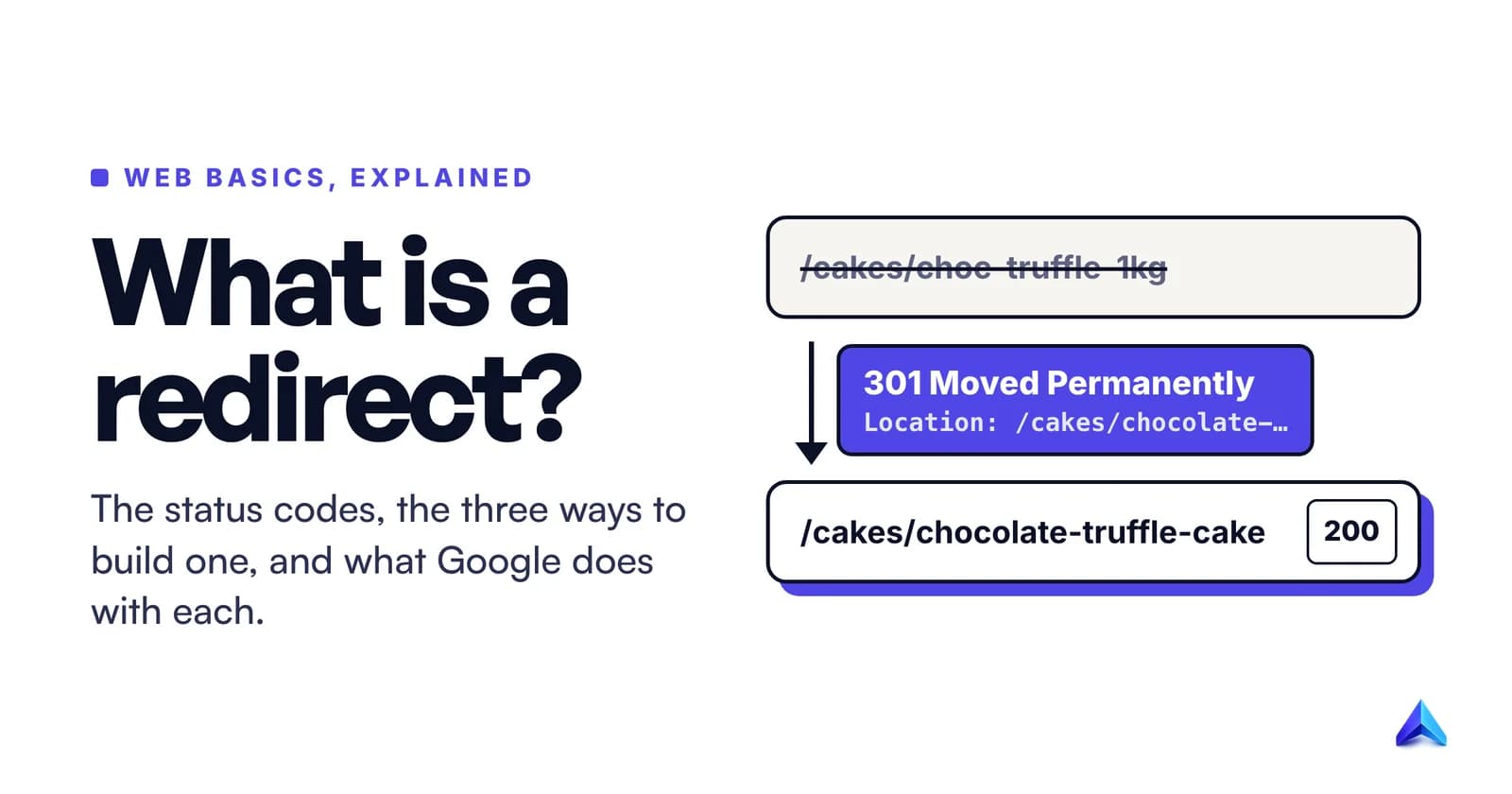
Take a bakery in Pune that sells cakes online. Its old product page lived at /cakes/choc-truffle-1kg. The owner renames it to /cakes/chocolate-truffle-cake because the new slug reads better and matches what people search for. Without a redirect, every Instagram bio link, WhatsApp forward and Google result pointing at the old URL now shows a 404 page.
With a permanent redirect in place, a request to the old URL gets this answer from the server:
HTTP/2 301
location: https://pune-bakery.example/cakes/chocolate-truffle-cake
content-type: text/html
There is no cake page in that response, only a forwarding note. The browser makes a second request to the new URL and gets the real page:
HTTP/2 200
content-type: text/html; charset=utf-8
Two requests, one page. Googlebot sees the same two steps and learns that the page has a new permanent home. A well-chosen slug would have avoided the redirect entirely, which is why our guide to URL slug best practices argues for writing a slug once and leaving it.
The redirect status codes: 301, 302, 303, 307 and 308
HTTP is defined by a standard, RFC 9110, which says the 3xx class means "further action needs to be taken by the user agent in order to fulfill the request". Five codes in that class are true redirects you will meet on websites. They differ on two questions: is the move permanent, and does the browser keep the original request method?
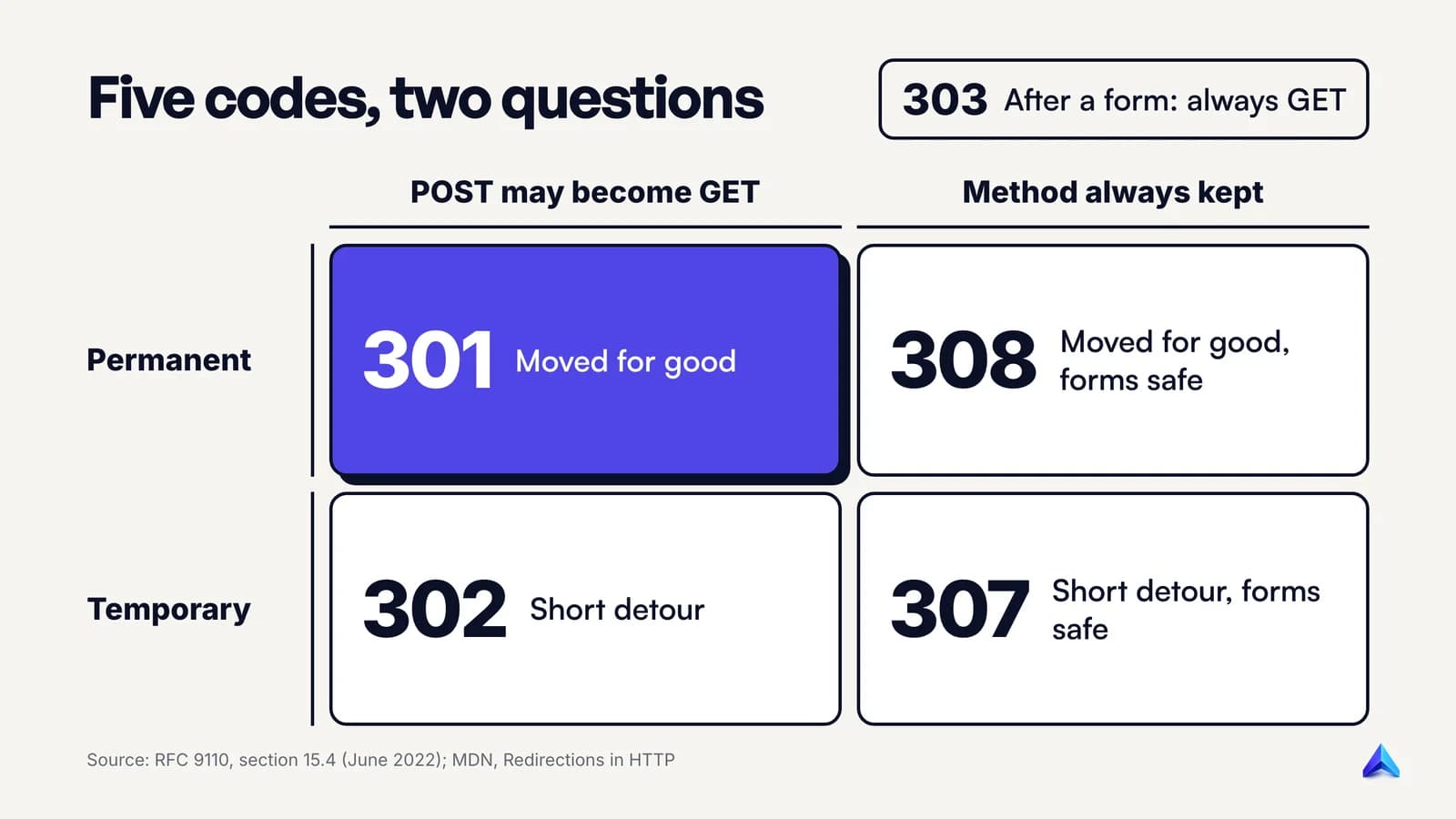
| Code | Name | Permanent? | Keeps the method? | Typical use |
|---|---|---|---|---|
| 301 | Moved Permanently | Yes | Usually, but POST may become GET | A page or site moved for good |
| 308 | Permanent Redirect | Yes | Always | A permanent move where forms or API calls hit the old URL |
| 302 | Found | No | Usually, but POST may become GET | A short-term detour |
| 307 | Temporary Redirect | No | Always | A short-term detour on URLs that accept POST |
| 303 | See Other | No | No, always becomes GET | Sending a user to a result page after a form submission |
The "method" column needs a sentence of history. Early browsers disagreed on what to do when a form submission (a POST) hit a 301 or 302. RFC 9110 records that practice eventually converged on switching to GET, which quietly drops the form data. So the standard added 307 and 308 as unambiguous versions that must keep the method. 308 is the youngest, dating from June 2014, and the RFC still warns that it might not be recognised everywhere.
For normal pages the method rarely matters, because browsers request them with GET. It matters for checkout forms, login endpoints and APIs. If a payment gateway posts back to a URL you have moved, a 301 can turn that POST into an empty GET, and the order confirmation never arrives. Use 308 there.
303 is the odd one out. It does not say the page moved. It says "your request worked, now go and look at this other page". MDN gives the classic case: after a form submission, a 303 sends the visitor to a result page, so pressing refresh does not submit the form a second time. Two other 3xx codes, 304 Not Modified and 300 Multiple Choices, are not redirects in the everyday sense.
Server-side, meta refresh and JavaScript redirects
Status codes are one way to redirect. There are two more, and they run at different moments of a page load.
- Server-side (HTTP) redirect. The server answers with a 3xx code and a
Locationheader. No page is sent at all. You set these in your web server configuration (.htaccesson Apache, areturn 301rule in Nginx), in your CDN, or with a redirect plugin or setting in your CMS. - Meta refresh. The server sends a normal
200page whose HTML head contains<meta http-equiv="refresh" content="0; url=https://example.com/new">. The number is a delay in seconds. - JavaScript redirect. The page loads and a script sets
window.locationto the new address.
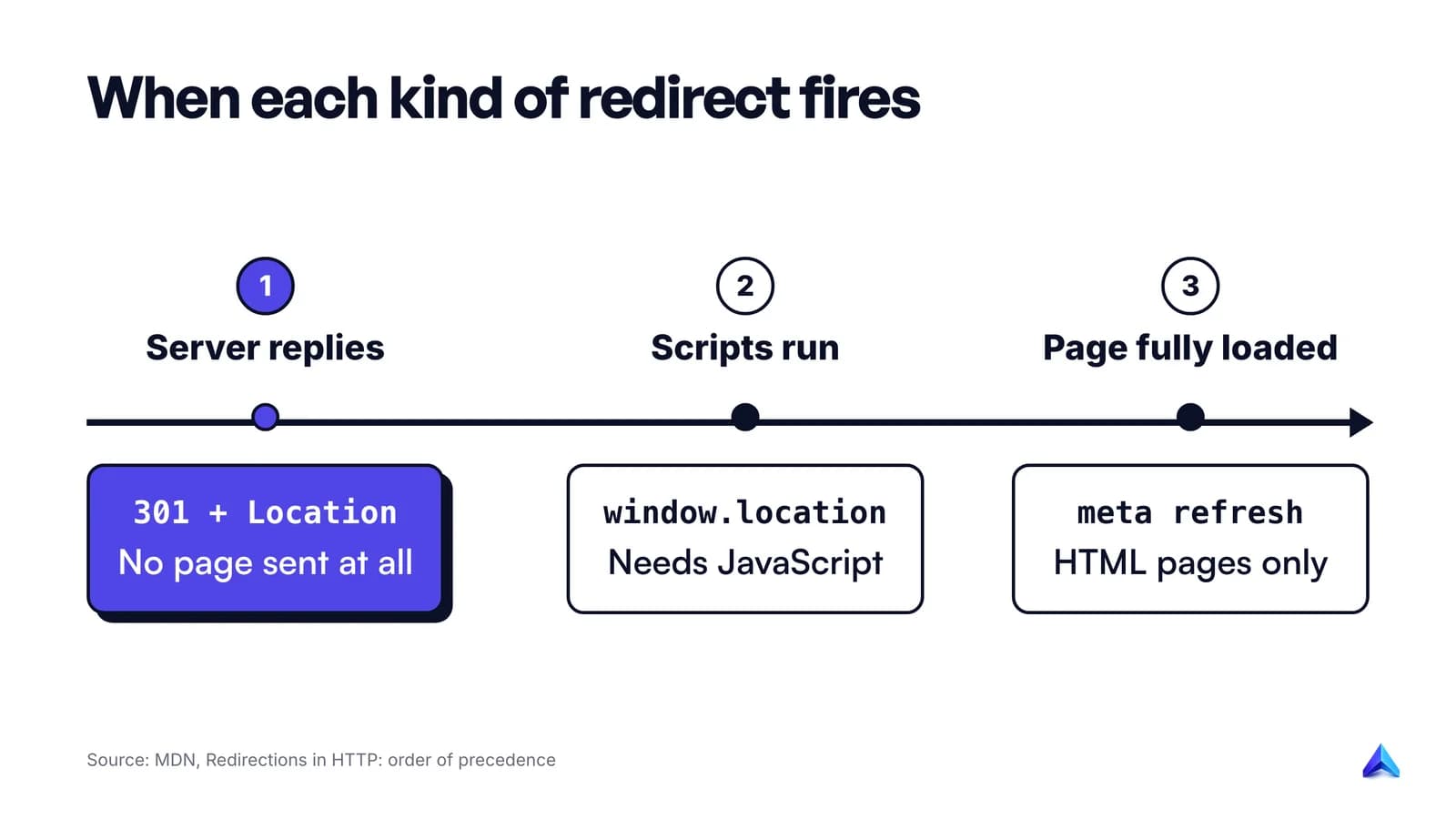
MDN spells out the order of precedence, and one part of it surprises people. HTTP redirects always run first, because they happen before any page exists. JavaScript redirects run next. Meta refresh comes last, because it fires only after the page has fully loaded, which is after every script has executed.
The practical ranking is simple: use a server-side redirect whenever you can. MDN calls HTTP redirects "the best way to create redirections" and suggests meta refresh only when you have no control over the server. Meta refresh only works for HTML documents, so it cannot redirect an image or a PDF, and MDN says to always set its delay to 0 for accessibility.
JavaScript redirects are the least robust of the three. They only work for clients that run JavaScript, and a search engine has to render the page before it sees them. Their one advantage is logic: a script can redirect only when certain conditions are true. That flexibility is also where a lot of accidental loops come from.
Never stack two mechanisms for the same move. MDN warns that if someone later changes the HTTP redirect but forgets the meta tag, the two disagree, and you can end up with a loop.
What Google does with each type of redirect
Visitors cannot tell redirect types apart. Google can, and the difference decides which URL appears in search results. Google's documentation on redirects splits them into two groups:
| Google treats it as | Redirect types | Which URL Google tends to show |
|---|---|---|
| Permanent | 301, 308, meta refresh with 0 seconds, JavaScript location, crypto redirect | The new URL (the target) |
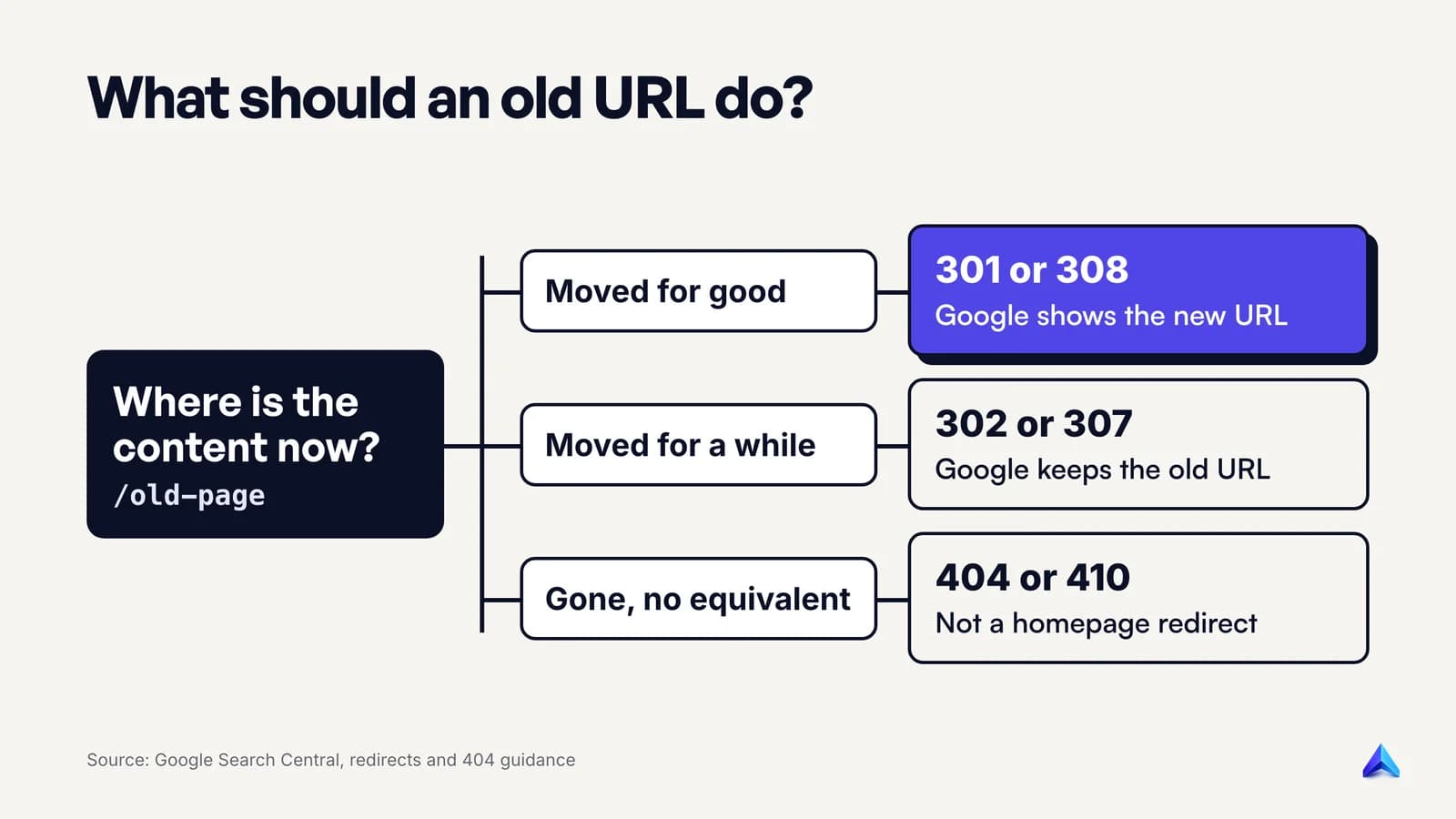
| Temporary | 302, 303, 307, meta refresh with a delay | The old URL (the source) |
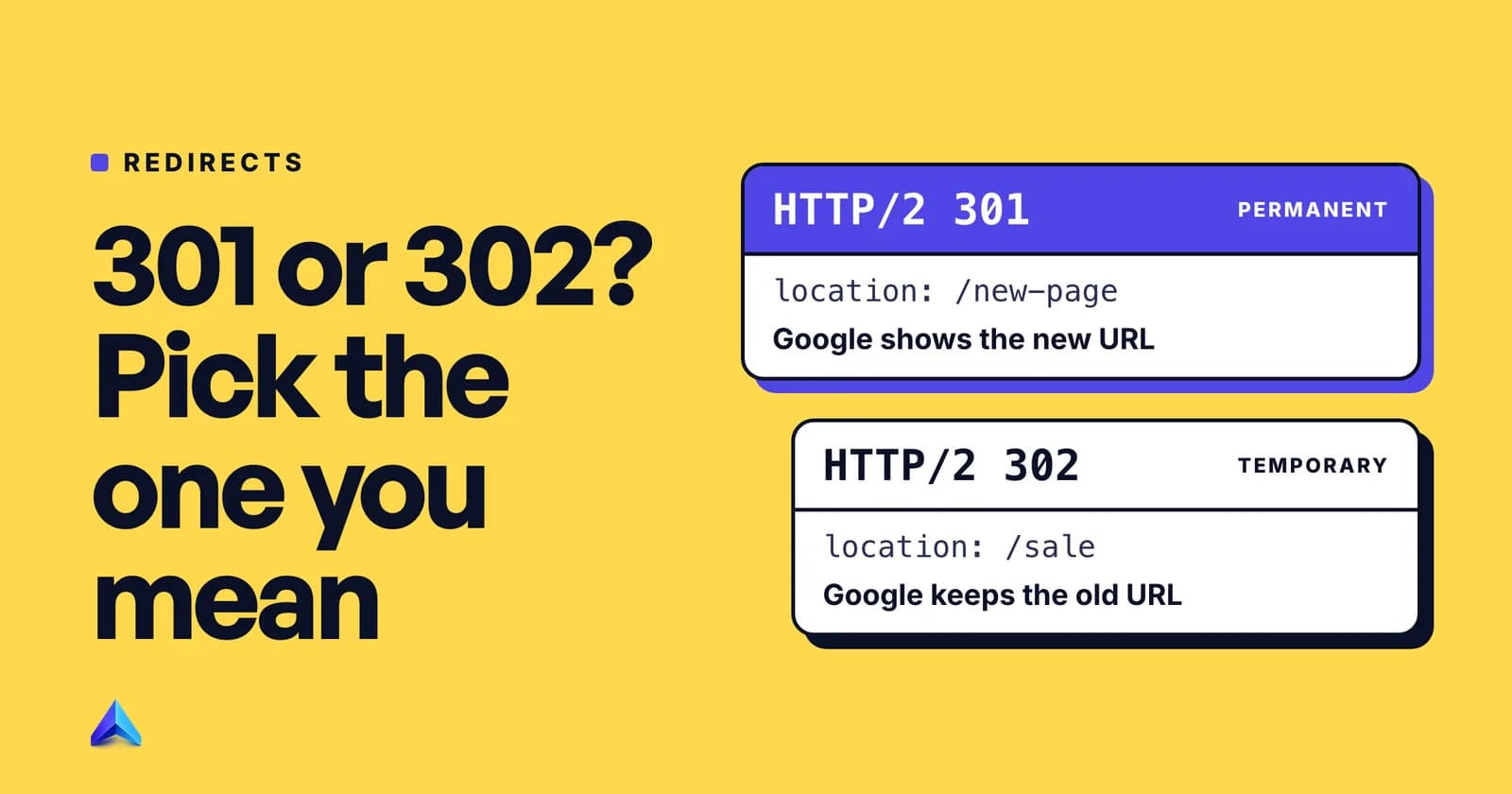
Google's own wording is that permanent redirects are "a signal that the redirect target should be canonical", while temporary ones are not. In other words, a 301 says "index the new page instead", and a 302 says "keep the old page in results, I am only borrowing this address for a while".
Google also lists these methods in order of how reliably it interprets them, and server-side redirects come first. Meta refresh works, but Google has to fetch and parse the HTML. JavaScript redirects work too, but only after Google's Web Rendering Service has executed the page, which happens after the initial crawl.
A few more details from Google's documentation on how status codes affect crawling are worth knowing:
- Signal strength. A 301 is a "strong" signal that the target should be processed; a 302 is a "weak" one. A 308 is treated the same as a 301, and a 307 the same as a 302.
- Content on the redirecting URL is ignored. Whatever the old URL returns alongside the redirect, Google discards it and processes the final target instead.
- Ten hops, then it stops. Googlebot follows up to 10 redirects in a row for normal web crawling.
- Inspection tools are different. Google's documentation says Google Inspection Tools do not follow redirects. Search Console's help adds that the live URL Inspection test does follow them and tests the final URL, without saying it did.
- No ranking toll for permanent moves. Google's site-move guide states plainly that 301 and other permanent redirects do not cause a loss in PageRank.
There is also the "crypto redirect": a plain link on the old page saying the content has moved. Google says it may treat that as a redirect, and compares its existence to the Loch Ness monster. Treat it as a last resort for platforms that allow nothing else.
Why the old URL sometimes still shows up
After a redirect, Google keeps track of both URLs. One becomes canonical and the other becomes an "alternate name". Google says that after a domain move it is very likely to keep showing old URLs occasionally, even once the new ones are indexed, and that this is normal. In Search Console, the old URL will usually sit under "Page with redirect" in the Page indexing report, which means the redirect is working.
When to use a redirect
Use a redirect whenever a URL that people or search engines already know stops being the right address for its content. The common cases:
- You changed a slug.
/blog/seo-tips-2023became/blog/seo-tips. Permanent redirect from old to new. - You moved domains. A UK firm rebrands from
oldname.co.uktonewname.co.uk, or an Indian startup moves from.into.com. Every old URL should redirect permanently to its exact equivalent on the new domain, page by page. - You moved to HTTPS. MDN lists forcing HTTPS as a standard use case: requests to
http://redirect tohttps://. - You picked www or non-www.
example.comandwww.example.comare two different hosts. Pick one and redirect the other to it, so links and signals collect on one version. - You merged pages. Two thin articles on the same topic become one strong one. Both old URLs redirect to the merged page.
- Something is temporarily unavailable. Google's example: a service your site offers is paused, so you send visitors to a page explaining what is going on, with a temporary redirect that keeps the original URL in search results.
Site migrations and HTTPS moves need more than redirects; separate guides on site migration SEO and HTTPS cover the rest.
When not to redirect
A redirect is a promise that the same content lives somewhere else. Breaking that promise is the most common redirect mistake.
If you delete a page and have no close replacement, let it return a 404 or 410. Google's help page on 404 errors says exactly that, and warns that redirecting users to another page, such as the homepage, instead of returning a 404 "can be problematic". Google calls such pages soft 404s. Redirect 300 discontinued product URLs to the homepage and Google will likely treat them as missing anyway, while visitors land on a page that does not mention what they wanted.
Our explainer on what a 404 error is covers which 404s to fix and which to leave alone. The rule of thumb: redirect when there is a genuine equivalent, or a clear successor that answers the same need. Return a 404 when there is not.
Two other cases where a redirect is the wrong tool:
- Duplicate URLs you still need. Tracking parameters and filtered category pages often need to stay reachable. A canonical tag suits them better than a redirect. Our guide to self-referencing canonical tags covers how canonicals and redirects should agree.
- Your own internal links. If your menu links to an old URL that redirects, fix the link. MDN notes that every redirect costs an extra HTTP request and recommends correcting internal links instead of relying on redirects.
Permanent or temporary: the short version
Ask one question: will the old URL ever come back?
- No. Use a 301. Use a 308 if the URL receives form submissions or API calls.
- Yes, soon. Use a 302. Use a 307 if the URL receives form submissions or API calls.
- It is a form result page. Your framework's 303 is fine.
The mistake people make most often runs in one direction: a 302 used for a move that is actually permanent, because it was the default. Apache's Redirect directive, for example, sends a 302 unless you add permanent or 301, as MDN notes. Google will still follow the redirect, but it is a weaker signal and the old URL is the one it tends to keep showing. A separate guide on 301 vs 302 redirects goes deeper into the edge cases.
One caution in the other direction. RFC 9110 says 301 and 308 responses are cacheable by default, so a browser that has seen a permanent redirect may remember it and skip asking your server next time. If you set a 301 by mistake and then remove it, some returning visitors can keep getting redirected until their cache clears. Test with a 302 if you are unsure, then switch to a 301 once the move is final.
How to see a redirect yourself
You cannot judge a redirect from the address bar, because the browser follows it before you can blink. Three ways to see what is really happening:
- The command line.
curl -sI https://example.com/old-pageprints the status code and headers of the first response only, so you see the 301 or 302 and theLocationheader. Add-Lto follow every hop and print each response in turn. Google's own site-move guide recommends command-line tools or scripts for testing redirects in bulk. - Browser developer tools. In Chrome, open DevTools, go to the Network tab, tick "Preserve log" and load the old URL. Each hop appears as its own row with its status code. Without "Preserve log", the list clears on every hop and the redirect disappears from view.
- Search Console. The URL Inspection tool shows how Google sees a URL. Remember the quirk above: the live test follows redirects and reports on the final URL, so compare the URL you entered with the URL it tested.
For a whole site, a crawler such as Screaming Frog lists every redirecting URL, its status code and its final destination. If you already have a regular technical SEO audit, add a "redirects" line to it: count of 3xx URLs, longest chain, and any internal links that point at a redirect.
How long to keep a redirect, and what to clean up
Longer than you think. Google's guide to site moves says to keep redirects for as long as possible, "generally at least 1 year", so Google can recrawl the old URLs and reassign links from other sites. For visitors, it suggests keeping them indefinitely.
What you should change sooner is everything you control:
- Internal links. Point menus, footers and in-article links straight at the new URLs.
- Canonical tags and sitemaps. They should list only final URLs that return 200, never URLs that redirect.
- Chains. If A redirects to B and B now redirects to C, update A to go straight to C. Google recommends redirecting to the final destination directly and, where that is impossible, keeping chains ideally to no more than 3 hops.
- High-value external links. If a major site or partner links to your old URL, ask them to update it. Google recommends updating your own links and high-volume links from other sites, because redirects are slow for users.
Google's site-move guide also says it frequently sees people redirecting to the wrong, non-existent URLs on a new site. After any batch of redirects, check that every target actually returns a 200. Once the redirects are in, you can confirm the new URLs made it into Google with the checks in our guide on how to check if a page is indexed.
Mistakes that turn a redirect into a problem
Most redirect trouble comes from a few patterns, some covered above.
- Chains that grew over the years. HTTP to HTTPS, then non-www to www, then a migration, then a slug change. Each was sensible on its own. Collapse them so every old URL reaches its final page in one hop.
- Loops. A sends you to B, and B sends you back to A. Browsers give up with an error page, and Search Console reports a redirect error. Loops usually come from two systems, such as a CDN and a CMS plugin, each adding its own rule. A separate guide on redirect loops covers the common patterns.
- Redirects to dead pages. The target itself returns a 404, often because a new site launched with slightly different URLs than the redirect map assumed.
- Homepage dumping and wrong defaults. Removed URLs sent to
/, or a 302 left where a permanent move was meant.
If Search Console already shows "Redirect error" in the Page indexing report, our guide to fixing a redirect error walks through tracing each hop and confirming the fix. If you audit content in Project Rankup, its Content Audit Studio pre-flights each URL first, so dead pages are flagged as broken before any scoring is spent on them.
Frequently asked questions
Can you give me an example of a URL redirect?
Typing http://example.com and landing on https://www.example.com/ is a redirect: the server answered the first request with a 301 and a Location header naming the HTTPS, www version. Another everyday example is a shop renaming /products/blue-kurta-m to /products/blue-cotton-kurta and sending the old URL to the new one, so existing links keep working.
How do I redirect a link?
You redirect the URL, not the link. On a CMS such as WordPress or Shopify, use the built-in URL redirect setting or a redirect plugin and enter the old path and the new URL. On your own server, add a rule in the configuration, such as Redirect 301 /old-page https://example.com/new-page on Apache or return 301 in an Nginx location block.
How do I get rid of redirects?
First find where each redirect is set: your server configuration, your CDN, your CMS or redirect plugin, or a meta tag or script in the page. Remove the rule there. If browsers keep redirecting after you remove a 301, clear the browser cache, because permanent redirects can be cached. Only remove redirects for URLs nobody links to any more.
Do redirects hurt SEO?
A correct permanent redirect does not. Google states that 301 and other permanent redirects do not cause a loss in PageRank. Redirects hurt when they are wrong: chains longer than Googlebot will follow, loops, redirects to unrelated pages that Google treats as soft 404s, or a temporary code used for a permanent move.
What is the difference between a redirect and a canonical tag?
A redirect sends every visitor and crawler to another URL, so the old page cannot be viewed. A canonical tag leaves the page reachable and tells search engines which version you prefer to have indexed. Use a redirect when the old URL should stop existing; use a canonical when duplicate versions need to stay available.