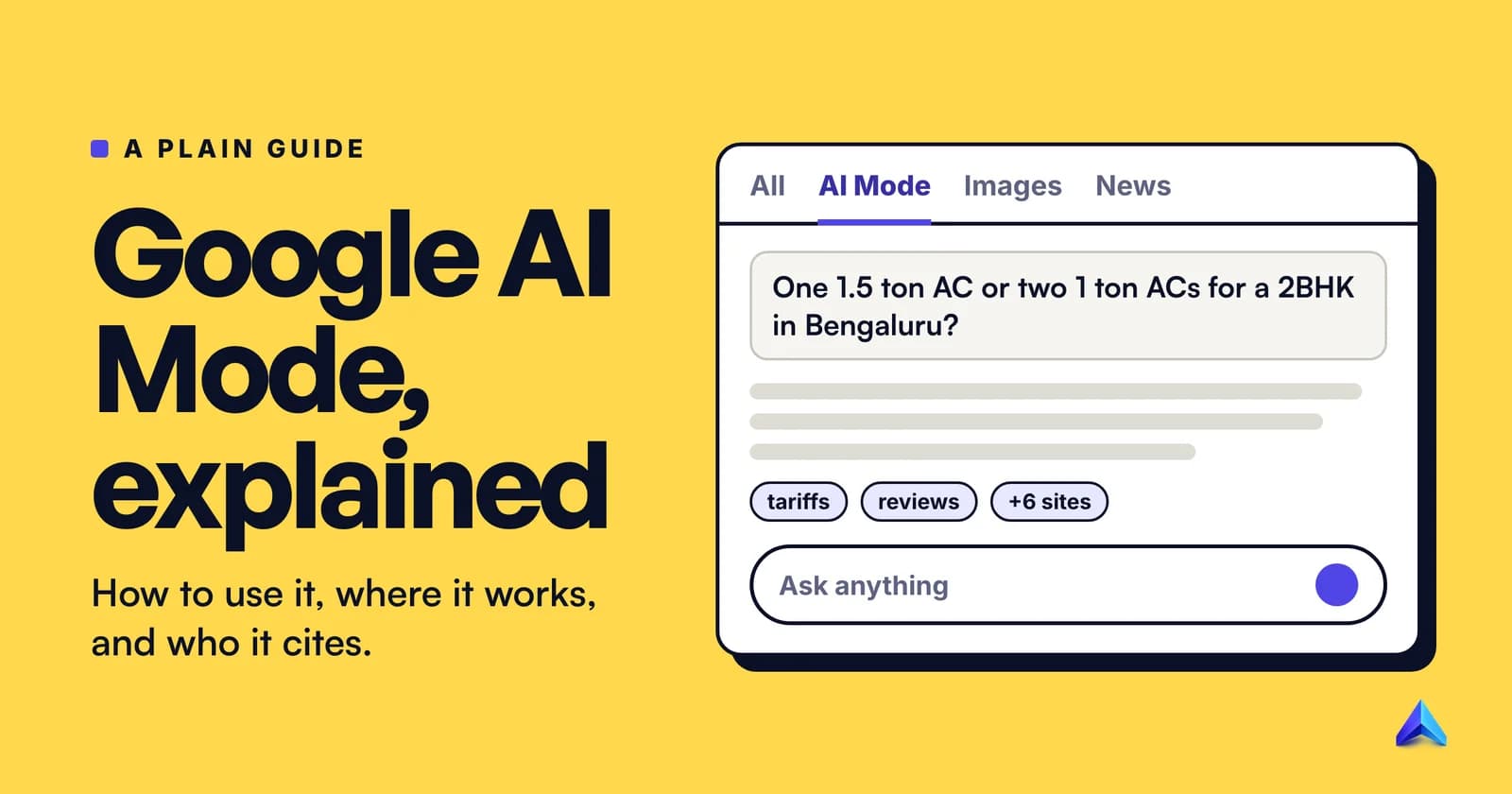
Google AI Mode is a conversational search mode inside Google Search. You ask a full question, Google splits it into smaller searches, runs them at the same time and writes one answer with links to the pages it used. It is free, opens at google.com/ai, and works in 98 languages, including Hindi, Tamil, Bengali and eight more Indian languages.
This guide starts with what searchers ask: how to open it, what it costs, where it works and how to hide it. The last third is for site owners, because AI Mode changes which pages get cited.
What is Google AI Mode?
AI Mode is a separate tab of Google Search that answers in paragraphs instead of a list of ten links. Google's AI Mode help page calls it "Google's most powerful AI search experience" and describes three things it does that a normal search does not: it reasons over your question, it lets you ask follow-ups in the same thread, and it accepts photos, voice and files as input.
The part that matters most is how it searches. Google says AI Mode uses a "query fan-out" technique, "dividing your question into subtopics and searching for each one simultaneously across multiple data sources". It then writes one response from what those searches found. So a question that would have taken you five searches and a dozen open tabs becomes one question and one answer.
Three details are worth knowing before you rely on it:
- It is built on Gemini, but it is not the Gemini app. Since May 2026, Gemini 3.5 Flash has been the default model in AI Mode for everyone. A "Pro" option uses Gemini 3 Pro for harder questions.
- It answers from Google's index. Responses carry links to the web pages behind them, and when Google is not confident in an AI answer, it shows ordinary web links instead.
- It is very widely used. At Google I/O in May 2026, Google said AI Mode had passed one billion monthly users a year after its US debut.
How to open AI Mode
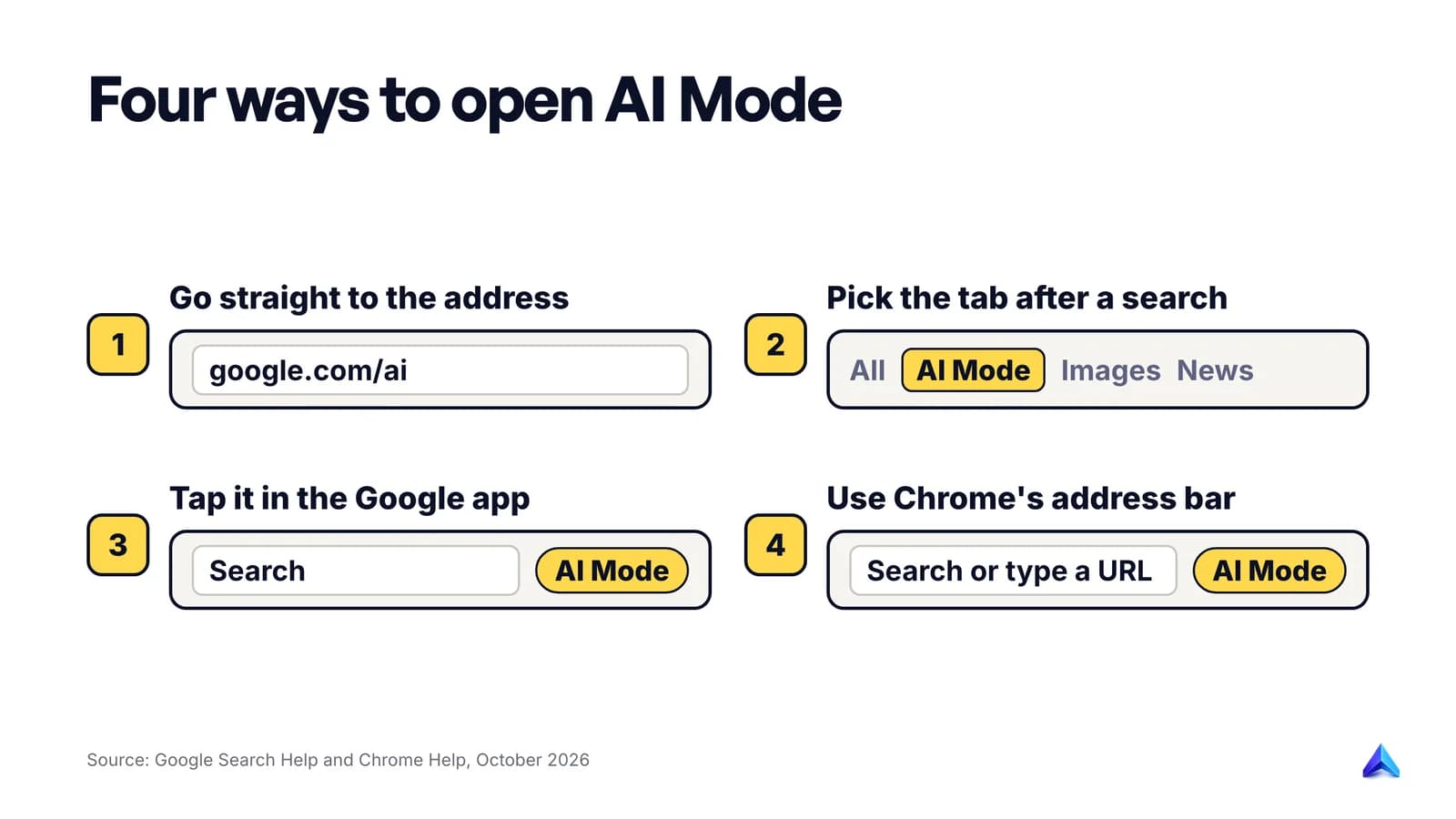
Google lists three ways in, and Chrome adds a fourth.
- Go to google.com/ai. This opens AI Mode directly. Google's own "Try it" links use the address
google.com/search?udm=50, which does the same thing and is handy as a browser bookmark. - Search on google.com, then pick the AI Mode tab. Type your question as usual and tap AI Mode in the row of tabs under the search box.
- Tap AI Mode in the Google app. On Android and iPhone it sits in the search bar on the app's home screen.
- Use the AI Mode button in Chrome. In supported versions of Chrome, an AI Mode option appears on the right of the address bar and on the New Tab page. Google notes it is still reaching people outside the US and in other languages, so it may not appear for you yet.
There is also a back door from AI Overviews. On a normal results page, when an AI Overview appears, you can type a follow-up under it and you land in AI Mode with your first search's context intact. Google rolled this out on mobile worldwide in January 2026 and on desktop in May 2026.
You no longer need to join Search Labs. Labs now only carries early experiments.
What you can ask, and how
AI Mode is most useful for questions you would struggle to fit into a few keywords: comparisons, plans with constraints, or anything where the answer is "it depends". You can ask in five ways:
| Input | How | Good for |
|---|---|---|
| Text | Type in the "Ask anything" bar | Long, detailed questions |
| Voice | Tap the microphone | Questions on the go, or in Hindi or Tamil when typing is slow |
| Image | Tap Lens (Android) or the menu, then upload or take a photo | "What is this plant and how do I repot it?" |
| Files | Upload PDFs, local files or Google Drive files | Asking questions about a document |
| Web page | Paste a URL and ask about it | Summarising or checking a page |
India has a particular reason to care about the image and voice options. Google says more people use Google Lens every month in India than in any other country, and Google brought Lens into AI Mode from the Indian launch onwards.
Search Live goes further: you talk to AI Mode and point your phone camera at the thing you are asking about. India got it in October 2025, in English and Hindi, as the first country outside the US.
Write questions the way you would ask a person
Google's Indian launch post says early testers asked questions two to three times longer than normal searches, and that is the right instinct. Compare these:
- Keyword search:
1.5 ton ac electricity bill - AI Mode question:
We're a family of four in Bengaluru. Is one 1.5 ton inverter AC cheaper to run than two 1 ton ACs for a 2BHK, and what should we expect on the monthly bill?
The second version gives AI Mode the constraints it needs to split the question well: city, household size, flat size and the actual decision. You can then follow up with "which star rating is worth the extra cost?" without repeating yourself.
A few more features show up depending on where you are and how you ask:
- Interactive visuals. Ask explicitly for "an interactive diagram", "a calculator" or "a simulation" and AI Mode can build one you adjust with sliders. Google says this is available to signed-in users in English.
- Personal Intelligence. If you are 18 or over and allow it, AI Mode can use your past searches, and, if you connect them, Gmail, Google Calendar and Google Photos, to tailor answers.
Is Google AI Mode free?
Yes. Using AI Mode costs nothing, and Google's help page lists no subscription requirement for the standard experience. Signing in to a Google account is what lets it keep your history and personalise answers.
Paid Google AI plans change a few limits at the edges:
| What | Free | Google AI Plus, Pro or Ultra |
|---|---|---|
| AI Mode with the default (Fast) model | Yes | Yes |
| "Pro" model (Gemini 3 Pro) in English | Yes, with a daily limit | Higher limits |
| Personal Intelligence | Yes, no subscription needed | Yes |
| Information agents that monitor topics for you | Not at launch | Pro and Ultra first |
The Pro model is the one to watch. Google says it "has daily usage limits": once you hit yours, you wait for a refresh or upgrade. Google describes the default Fast model as helpful "on most questions", and for everyday use it is enough.
Which countries and languages have AI Mode?
Almost all of them now. Google's help page lists 248 countries and territories and 98 languages, including the US, the UK and India. That is a fast spread for something that began as an invitation-only experiment in March 2025.
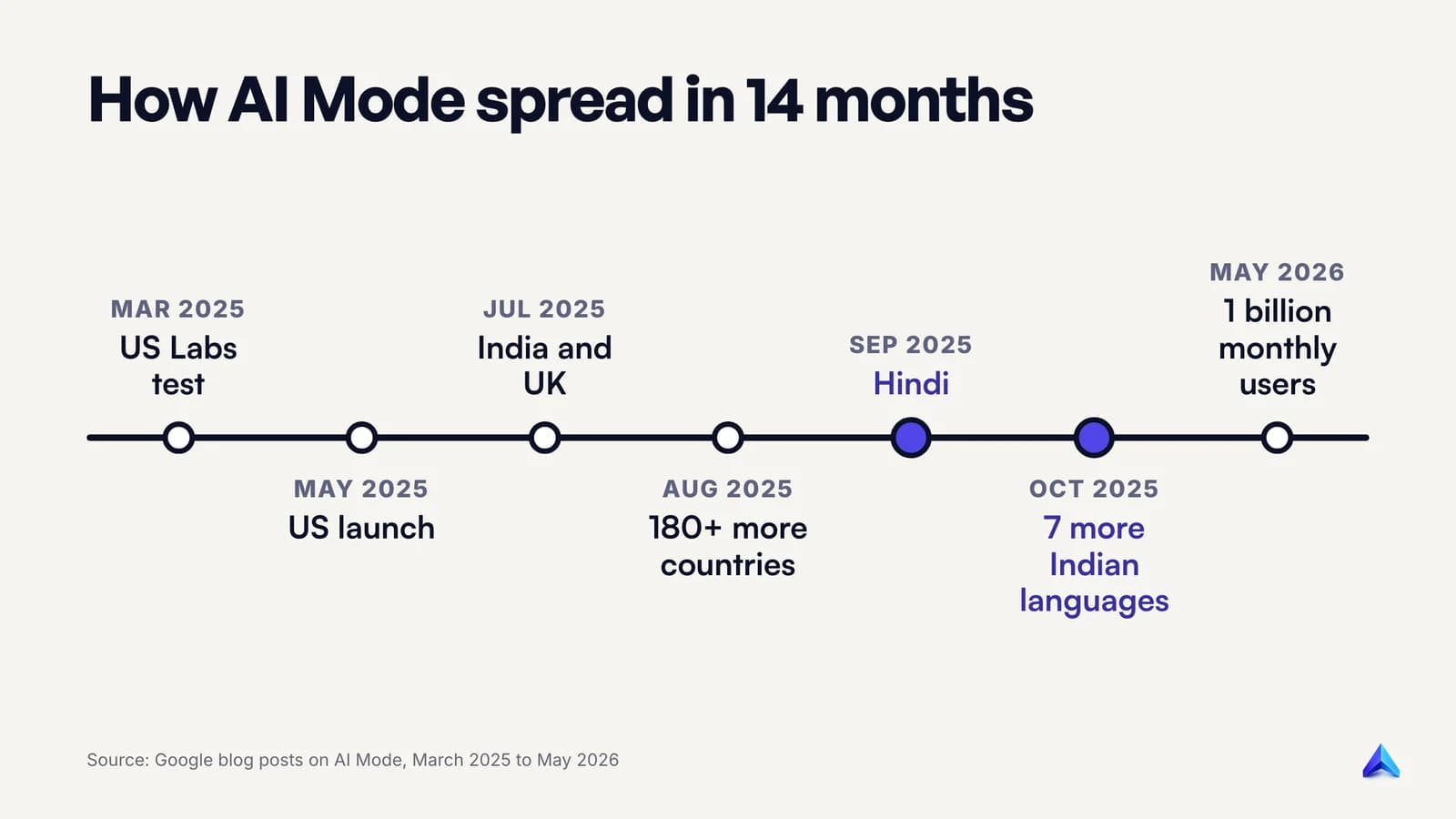
| Date | What changed |
|---|---|
| 5 Mar 2025 | AI Mode starts as an opt-in Search Labs experiment in the US |
| 20 May 2025 | Rolls out to everyone in the US, no Labs sign-up |
| 24 Jun 2025 | India gets it as a Labs experiment, in English |
| 8 Jul 2025 | Rolls out to everyone in India, in English |
| 28 Jul 2025 | Rolls out in the UK |
| 21 Aug 2025 | Expands to more than 180 new countries and territories, in English |
| 8 Sep 2025 | Hindi arrives, alongside Indonesian, Japanese, Korean and Brazilian Portuguese |
| 7 Oct 2025 | 35+ new languages and 40+ new countries, over 200 in total |
| 8 Oct 2025 | Bengali, Kannada, Malayalam, Marathi, Tamil, Telugu and Urdu added for India |
| May 2026 | Passes one billion monthly users |
Indian languages in AI Mode
Google's current language list includes Hindi, Bengali, Gujarati, Kannada, Malayalam, Marathi, Odia, Punjabi, Tamil, Telugu and Urdu, plus Nepali and Sindhi. Google announced the seven-language expansion in a post on the Google India blog, saying the model goes beyond simple translation to "grasp the subtleties of local languages".
To get answers in your language, ask in that language. Google's own Hindi launch examples are questions and follow-ups written entirely in Hindi, including one asking it to compare Vietnam and Sri Lanka for an October family holiday.
Not every feature reaches every language at once. The Pro model is English only for now, interactive visuals are English only, and Search Live started in English and Hindi. If you see AI Mode but not a specific feature, language is the usual reason.
How to turn off or hide AI Mode
There is no switch that removes AI Mode from Google Search. It is a tab you choose, so the simplest way to avoid it is not to click it. Google takes the same line on AI Overviews, whose help page says "Features cannot be turned off."
What you can do:
- Go back to normal results. In AI Mode on Android, Google's help page says to tap All at the top of the screen to switch back to the regular results page.
- Hide the button in Chrome. Google's Chrome help page says to right-click the address bar and unselect Always show AI Mode. That removes the button from the address bar.
- Leave the Labs experiment. If you joined the "AI Mode" experiment in Search Labs, open Search Labs, choose Manage and toggle it off. This removes the experimental extras only. The standard AI Mode tab stays.
- Stop it saving what you ask. AI Mode threads are saved in your Search Services History. Turn that off at myactivity.google.com/search-services/settings if you do not want them kept.
- Delete past threads. Open AI Mode, click AI Mode history on the left, and delete one thread or use More, then Delete all.
One quirk catches people out. If you start from an AI Overview and continue in AI Mode, Google saves two entries: your original search and the AI Mode thread. Deleting the thread from AI Mode history leaves the original search in your Search history, so delete it there too.
AI Mode vs AI Overviews vs Gemini
These three get mixed up because all of them write answers with Google's models.
| AI Overviews | AI Mode | Gemini app | |
|---|---|---|---|
| Where | Top of a normal results page | Its own tab in Search | A separate app and website |
| When it appears | Only when Google judges it helpful | Whenever you choose it | Whenever you open it |
| Follow-up questions | Hands you over to AI Mode | Yes, in one thread | Yes |
| Answers built from | Google's search index | Google's search index, with fan-out searches | The Gemini model and its own tools |
AI Overviews and AI Mode are now designed to work as one flow: a short summary on the results page, then a conversation if you want one. Google's Search Central documentation adds that they "may use different models and techniques, so the set of responses and links they show will vary". The same question can cite different pages in each. Our explainer on what an AI Overview is covers the summary side in detail.
How AI Mode builds an answer
Fan-out is the reason AI Mode cites a wider spread of sites than a normal results page. Take the Bengaluru AC question from earlier. As an illustration, a question like that could be split into sub-searches such as:
1.5 ton vs 1 ton inverter ac power consumptionbescom domestic electricity tariffac size for 2bhk room5 star vs 3 star inverter ac savings
Each sub-search returns its own top results, and the response draws on the best of them. Google's guide to AI features for site owners says this process lets it "display a wider and more diverse set of helpful links" than a classic web search.
Deep Search, for research-heavy questions, pushes the same idea further: Google says it can "issue hundreds of searches".
That design has a consequence most explainers miss. The pages cited in AI Mode are often not the pages ranking for the question you typed. They are the pages ranking for the hidden sub-questions.
What AI Mode means for your website
Google's rules for site owners are short.
Who gets cited
Google says there are "no additional requirements to appear in AI Overviews or AI Mode, nor other special optimizations necessary". To be eligible as a supporting link, a page must be indexed and allowed to show a snippet. You do not need special schema, an llms.txt file or an "AI version" of your pages.
Google also says AI Mode is "particularly helpful for queries where further exploration, reasoning, or complex comparisons are needed". In practice that means comparison pages, buying guides, how-to pages with real constraints, and anything that answers "which one should I choose?"
How Search Console counts AI Mode
AI Mode traffic shows up in your normal Performance report, inside the Web search type, mixed in with the rest of your Google traffic. The Search Console counting rules are specific:
- A click on your link inside AI Mode counts as a click.
- Position follows normal results page rules. This is different from AI Overviews, where the whole overview occupies one position and every link in it shares that position.
- Every follow-up is a new query. If someone asks three follow-ups and your page appears in the third answer, Search Console records it against the third question, not the first.
- Search Labs experiments are excluded. Experimental AI Mode features do not appear in your data at all.
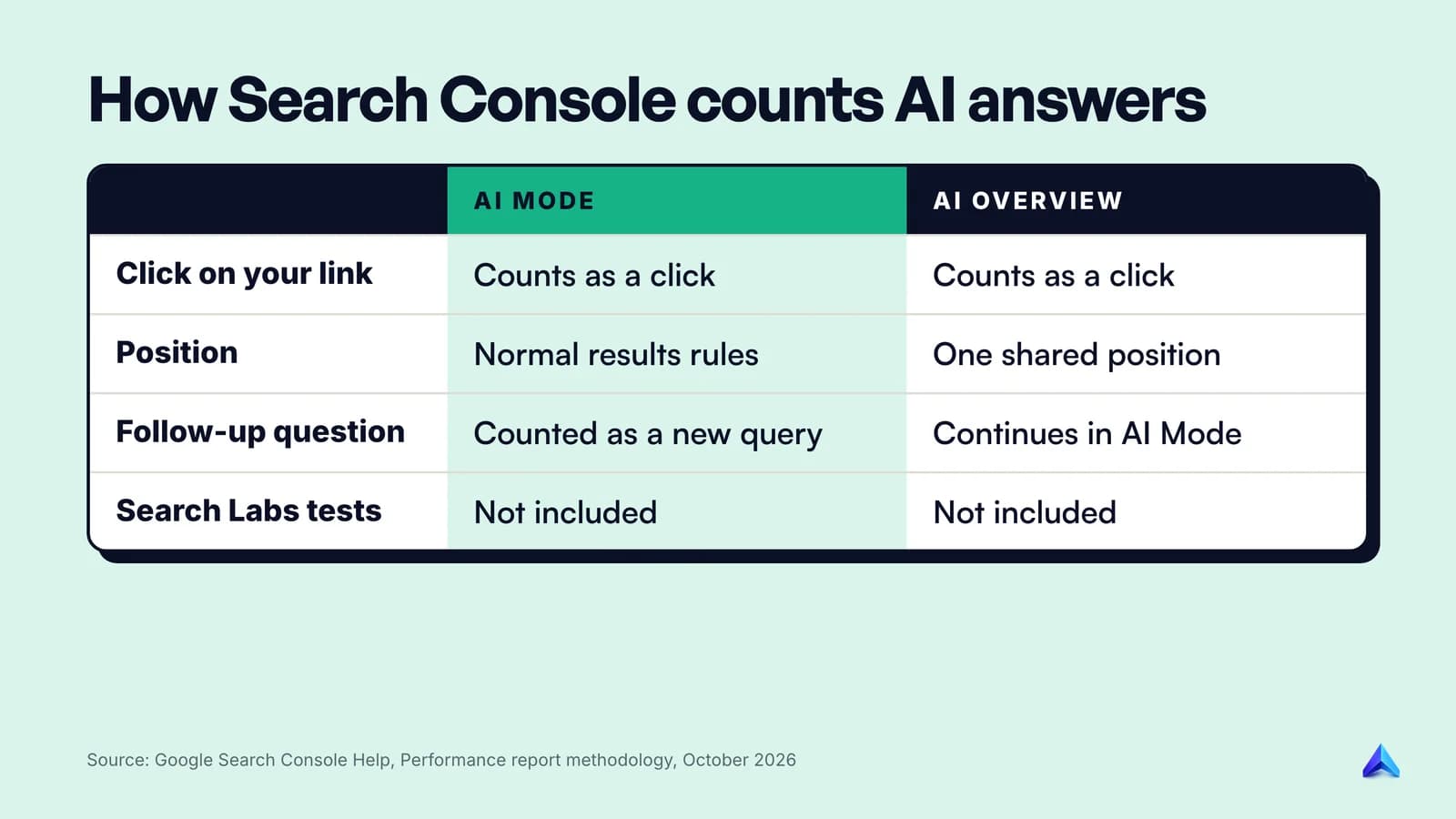
The follow-up rule explains some odd queries in your reports. Long, conversational queries that nobody would type into a search box are often follow-ups from inside AI Mode.
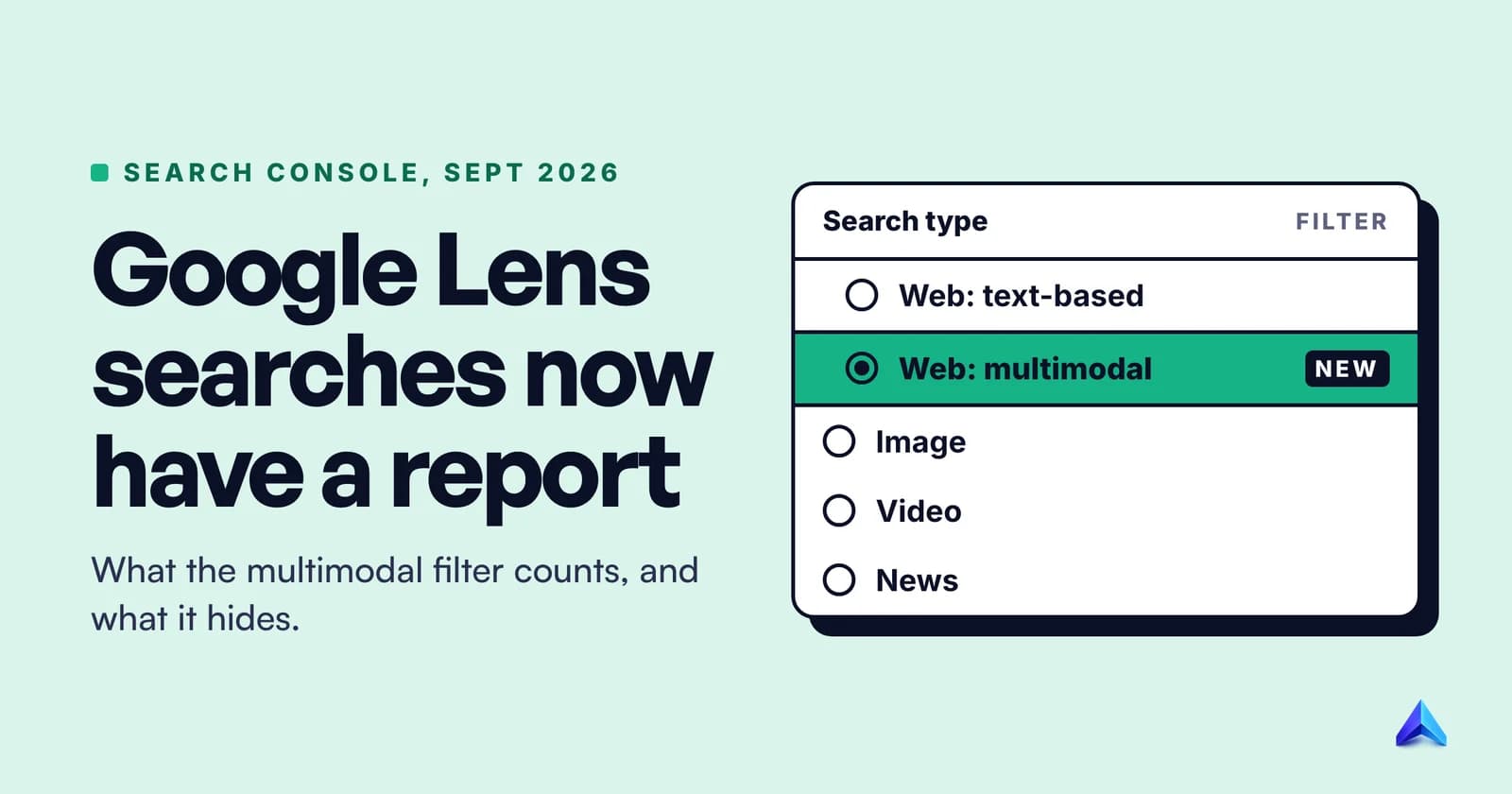
Since 31 August 2026, every site also has a Generative AI performance report in Search Console. It shows impressions from AI Overviews and AI Mode together, by page, country, device and date. It shows impressions only, so use it to see which pages are being surfaced, then check the main Performance report for clicks. It can also be split into text searches and multimodal searches, such as camera searches, which our guide to the Google Lens Search Console report explains.
Can you opt out?
Yes, for the whole site. The Search generative AI control under Settings in Search Console lets you exclude your property from AI Overviews, AI Mode and Discover's generative features. Google says excluding means "You won't receive any traffic or impressions from these features", and that the setting is not used as a ranking signal elsewhere in Search. Other sites will still answer the question, so for almost every business, staying included is the right call.
How to get cited in AI Mode when you cannot rank for the head term
Our view follows directly from how fan-out works. Most sites will never rank for a head term like "google ai mode" itself. Ahrefs rates it at a keyword difficulty of 75, and in India the top results are Google's own pages. Our guide to keyword difficulty explains what that score means for a new site. AI Mode does not change that. What it changes is how much the narrow, specific pages are worth.
When AI Mode splits a big question into sub-questions, each sub-question is a smaller search with less competition. A Bengaluru appliance dealer's page that clearly answers "how many units does a 1.5 ton inverter AC use per hour" competes for that sub-question, not for "best AC for my flat". If it is the clearest answer, it can be cited in an answer to a question the site would never rank for directly.
So the work looks like this:
- List the sub-questions behind your customers' big questions. What would a careful expert look up to answer them? Those are your fan-out queries.
- Answer each one plainly, near the top of a page. Lead with the number, the rule or the recommendation, then explain it. Our guide on optimising content for ChatGPT answers shows how to structure an answer that can be lifted cleanly.
- Add something the other results do not have. Local prices, your own measurements, a table nobody else built. A page that repeats the top ten has no reason to be picked over them.
- Check that the page is indexed and can show a snippet. A
nosnippettag or a page stuck outside the index rules you out before quality is even considered. - Watch the Generative AI performance report. Pages that start gaining impressions there are the ones fan-out is finding.
The strongest counterpoint is Google's own: there are no special optimisations for AI Mode, so "AI Mode SEO" is just SEO. We agree with the rule and draw a different lesson from it. Nothing about the page changes. What changes is which questions are worth writing for. The AEO vs SEO breakdown covers where answer-engine work and ranking work overlap.
Frequently asked questions
Why can't I see AI Mode?
Try google.com/ai directly, and update the Google app. AI Mode now covers 248 countries and territories, so location is rarely the cause. The Chrome button is still rolling out gradually, and some newer extras, such as the Pro model and interactive visuals, are English only, so they may be missing in other languages.
Can AI Mode give wrong answers?
Yes. Google's help page says AI Mode "doesn't always get it right" and can misread web content or miss context. Google recommends checking important information in more than one place, opening the cited links and rephrasing your question. Treat answers on health, money and legal matters as a starting point, not a verdict.
Does Google save my AI Mode searches?
If Search Services History is on, yes. Your AI Mode threads appear in AI Mode history and in My Activity. You can delete single threads or all of them from the AI Mode history panel, and items deleted there are removed from My Activity within 24 hours.
Will AI Mode reduce traffic to my website?
Google says AI features in Search send "billions of clicks to websites every week", but it does not say how those clicks are shared between sites. Pages that answer specific sub-questions well can be cited for broad questions they never ranked for. Use Search Console's Generative AI performance report to see what is happening on your own site.