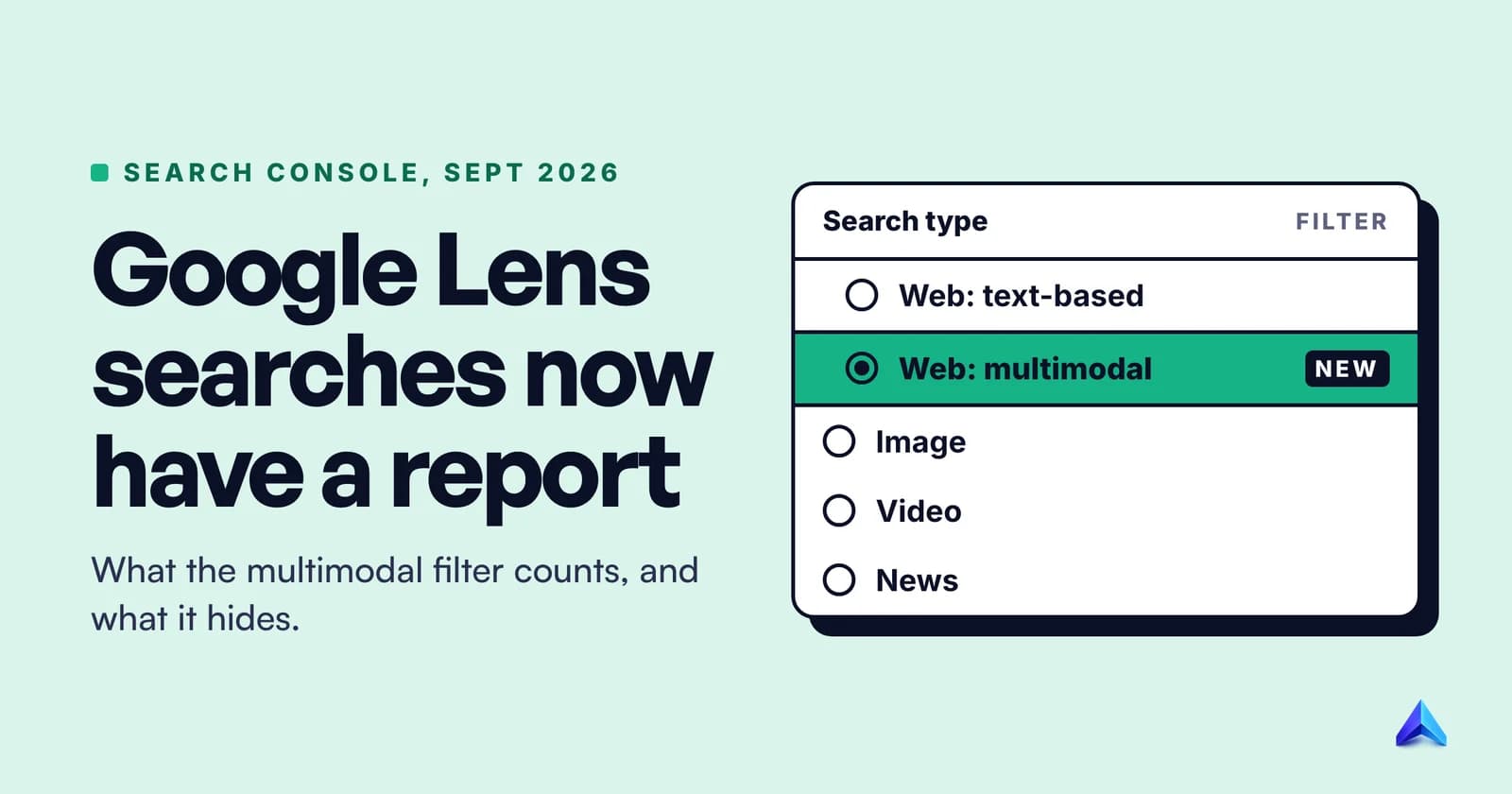
On 24 September 2026, Google added a multimodal search type to Search Console, so you can now see how often your pages appear and get clicked when someone searches with Google Lens, Circle to Search, an uploaded image or Chrome's "Search this image". The data sits in the Performance report and the Generative AI performance report, under the Search type filter, as Web: multimodal.
It is the first time Search Console has counted camera and screenshot searches at all. Google's John Mueller confirmed the numbers are new, not old Web traffic moved into a new bucket. The catch is that you get pages, countries, devices and dates, but no queries, because there is no typed query to show.
This post covers where to find the report, how to read it without fooling yourself, which businesses should look first, and what Google has not said yet.
What Google added on 24 September
Google announced the change on its Search Central blog, in a post written jointly by the product leads for Google Lens and for Search Console. It names four sources that feed the new data: Lens, Circle to Search on Android, image uploads to Google Search, and the right-click "Search this image" option in Chrome. The rollout started globally the same day.
The Web search type is now split in two. The Performance report documentation defines each option:
| Search type | What it counts | Typical example |
|---|---|---|
| Web: text-based | Searches typed into the standard Google search bar | Someone types "linen kurta set" on their phone |
| Web: multimodal | Searches that start from an image | Someone points Lens at a kurta in a shop window |
| Image | Results shown in the Google Images tab | Someone types a query, then taps the Images tab |
The third row causes most of the confusion. The Image search type has existed for years and is about where a result appeared: the Images tab. The new multimodal type is about how the search started: with a picture instead of words. A Lens search can send a shopper to your product page through a normal web result, and that visit lands in Web: multimodal, not in Image.
There is also a reason to look at the Generative AI performance report again. Google has built AI Mode into both Lens and Circle to Search, and the same text-based and multimodal split now appears in that report. If you have not opened that report yet, our explainer on how AI Overviews work covers what it measures and the opt-out control that arrived with it.
How to find Google Lens data in Search Console
The path is short. The one trap is that the Search type filter is already set, so you change it rather than add a new filter.
- Open Search Console and pick your property.
- Go to Performance, then Search results in the left sidebar.
- Click the Search type filter at the top of the report. Google's help page notes that the Search type and date filters are always present and cannot be removed.
- Choose Web: multimodal and click Apply. The chart and table now show only image-led searches.
- Set the date range to cover 24 September onward. Use Compare if you want a before and after view.
- Switch the table to Pages. The Queries tab is unavailable for this search type, so Pages is your main view.
- Click Export to download the chart and table data for your own analysis.
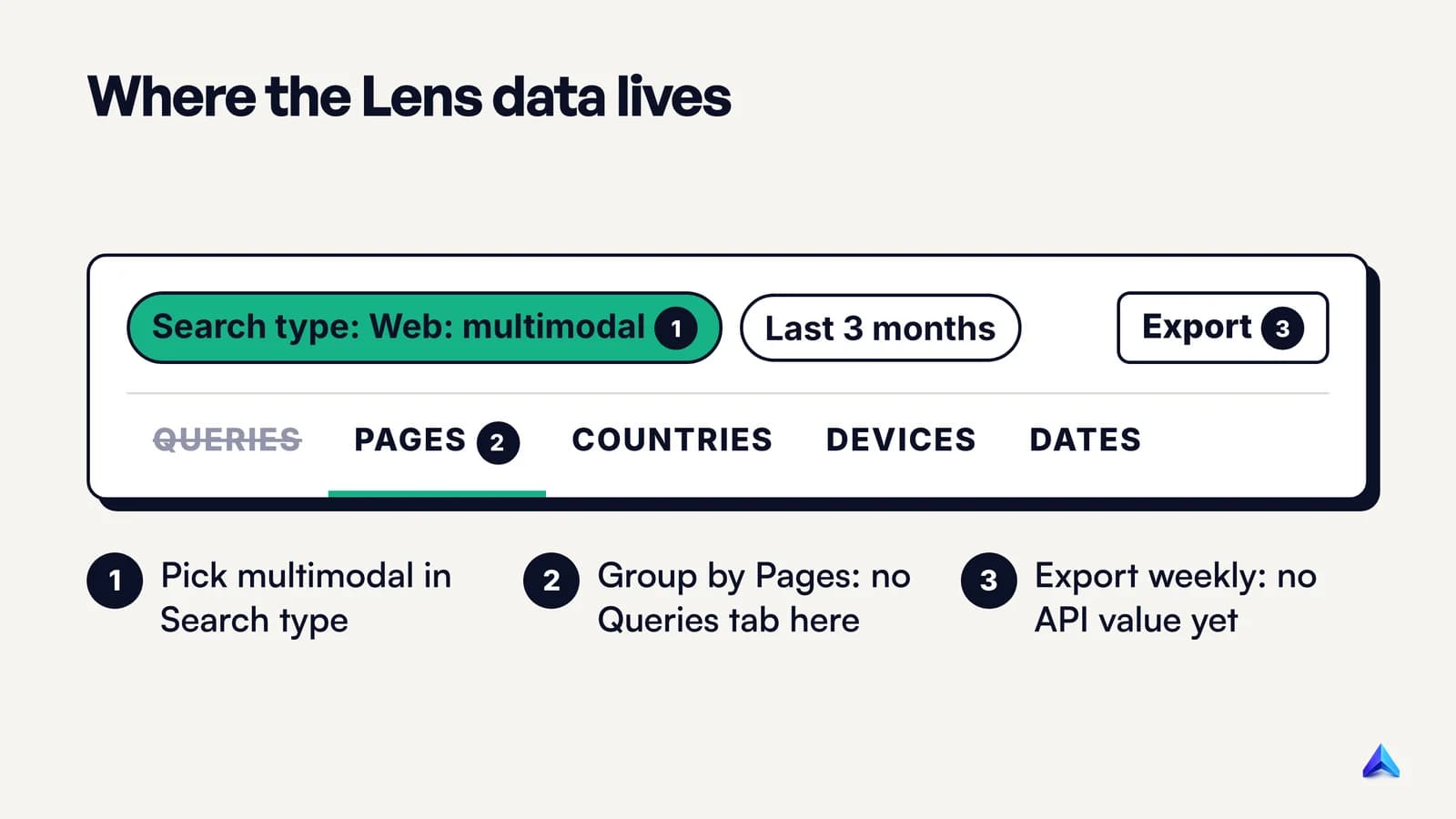
To see image-led searches inside AI features, open the Generative AI performance report and repeat steps 3 and 4. That report shows impressions only, so treat it as a visibility count.
Two more things help. First, the filter dialog has a Compare tab, and Search types are one of the things it can put side by side. Comparing Web: text-based with Web: multimodal over the same dates shows you, page by page, how the two kinds of demand differ. Second, if you see no multimodal option or a flat zero, Google says the metrics appear only when your site receives traffic from these searches. Low-traffic sites may see nothing for a while.
If Search Console itself is still new to you, start with our guide to using Google Search Console for SEO, then come back to this filter.
What the multimodal numbers mean
The four metrics keep their usual definitions. They just describe a different kind of search.
Impressions count how often a page from your site appeared in results for an image-led search. Clicks count visits from those results. CTR divides one by the other. Average position is the average of your topmost result's position. Compare it across your own pages rather than against your text-based numbers, because a results page reached from a photo is a different screen from one reached by typing.
As with the rest of the report, Search Console credits data to the canonical URL. If your product photo lives on three colour variants and they all canonicalise to one page, all of the multimodal impressions roll up to that page. That is usually what you want, but it can hide which variant people actually photographed.
The most important fact about these numbers is that they are additions. When Dave Smart of Tame the Bots asked whether the data had previously been part of Web totals, Mueller first said he would double-check and then confirmed on Bluesky: "checking with the team, the data wasn't previously in the counts, the report has new data."
So your text-based numbers should not drop because of this change, and your site did not gain new visitors overnight. You are seeing searches that were happening all along but were never counted in Search Console. What changed is that you can finally tell which of your pages people reach by camera.
What the report does not show
The gaps matter as much as the data, because they decide what you can and cannot conclude.
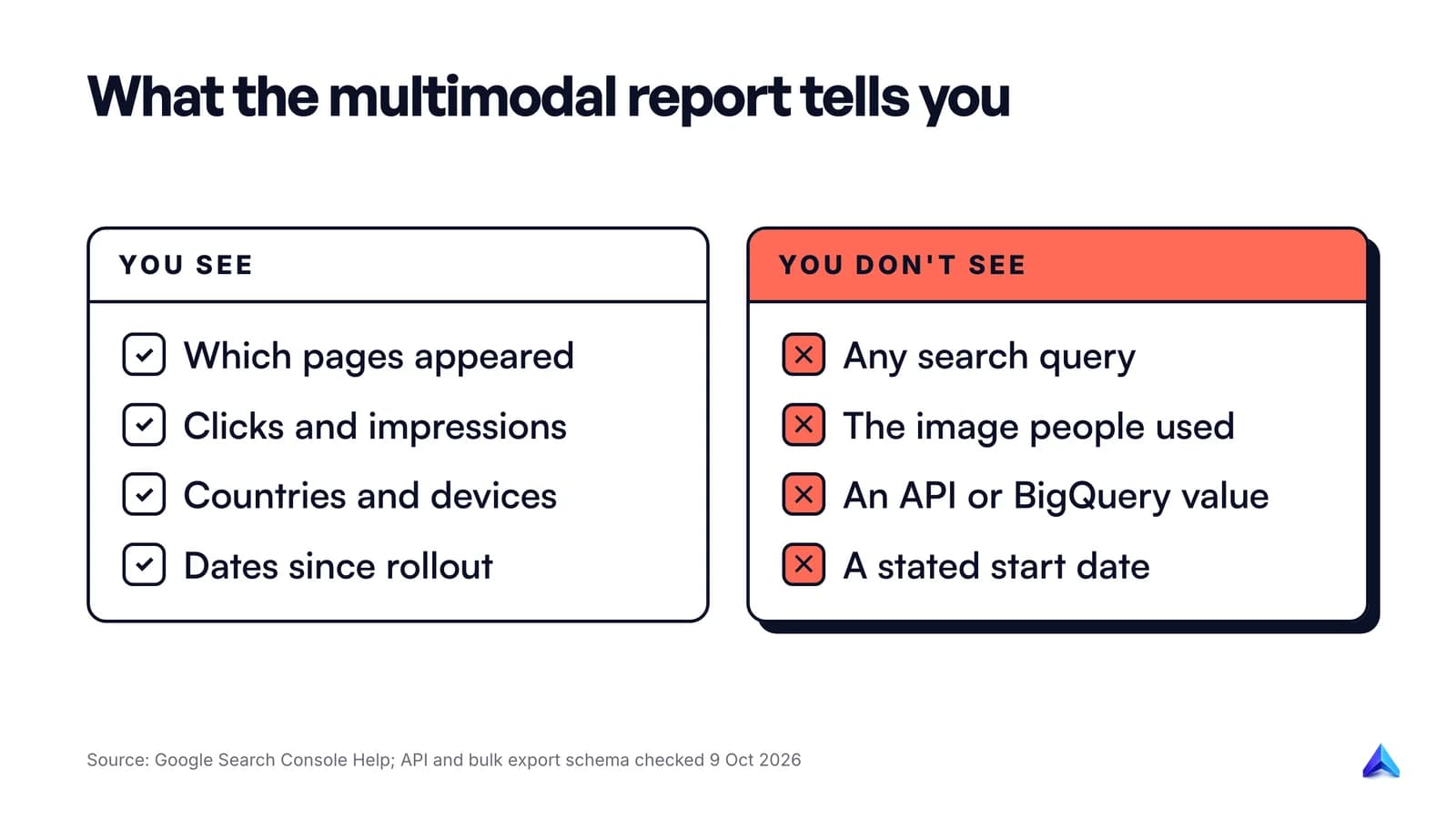
- No queries. Google's dimensions documentation says that because multimodal searches mostly use images, specific text query data is not available and the queries dimension is switched off for this search type. You will know that a page was found through a photo. You will not know what the photo showed.
- No image. Nothing in the report tells you whether the searcher photographed your product, a rival's product, a printed menu or a screenshot of a social post.
- No API or bulk export value yet. We checked both on 9 October 2026. The Search Analytics API reference lists
discover,googleNews,news,image,videoandwebas search types, with no multimodal option. The BigQuery bulk export schema lists the same six values. For now, the Export button in the interface is the only way to get the data out, which matters if you report to clients through Looker Studio or a custom dashboard. - No stated start date. Google's post says the reporting rolled out from 24 September but does not say how far back the data goes. Dave Smart reported drops in impressions and clicks "starting the 10th" on a few properties, but Google has not confirmed any start date for the multimodal series.
- No separation of image plus text. Google's wording says multimodal searches "mostly" use images. Lens lets people add words to a photo, and the documentation does not say how those mixed searches are classified.
None of these gaps make the report useless. They make it a page-level report rather than a keyword report, and that changes how you use it.
Who should check the multimodal report first
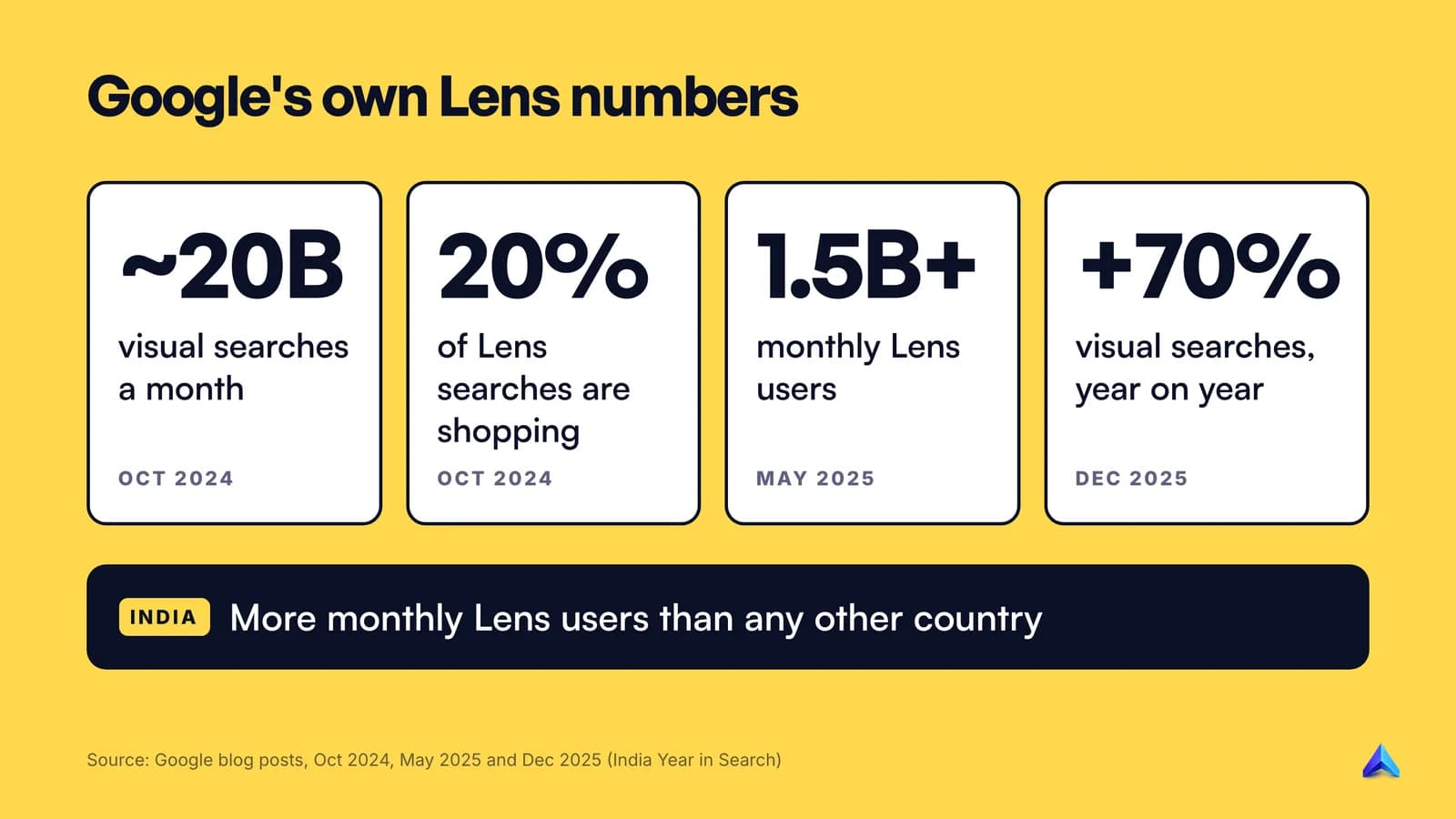
If people photograph, screenshot or point their phone at the things you sell, this report is about your business. Google's own figures show why the volume is worth a look. In October 2024, Google said people use Lens for nearly 20 billion visual searches every month and that 20 percent of all Lens searches are shopping-related. In May 2025 it put Lens at more than 1.5 billion monthly users. Those are platform-wide numbers, not your traffic, but they explain why Google built the filter.
The sites that should look first:
- Ecommerce stores. A shopper sees trainers on a stranger, a lamp in a café or a saree at a wedding and searches it with Lens. If your product page shows up, that visit is now visible. Fashion, furniture, home decor, beauty and electronics are the obvious categories.
- Product and spare-parts sites. People photograph model numbers, broken parts, labels and packaging. A UK appliance parts retailer or an Indian electronics repair shop can find out which part pages photo searches reach.
- Recipe and food sites. "What is this dish?" is a natural Lens search. Recipe pages with clear photos of the finished dish are candidates.
- Local and visual businesses. Restaurants, florists, salons, tattoo studios, architects and tourist attractions all have something people photograph. Pair this report with your Google Business Profile, because Search Console only covers visits to your website. Our local SEO playbook for UK small businesses covers that side.
- Publishers covering identifiable things. Plant, bird, car, art and landmark guides tend to match the way people use Lens.
Give India its own country filter
Google's India Year in Search 2025 says visual searches grew 70% globally year on year and that more people use Google Lens in India every month than in any other country. Google made the same claim about India in 2022, so this is not a one-year spike.
For a .in store, add a Countries filter for India and compare it with the US and UK. For a UK or US business that also sells into India, check whether the multimodal share of your Indian traffic is higher than elsewhere. If it is, photo searches matter more to your Indian customers, and the product photos on those pages deserve attention first.
A first look to run this week
The report has only a few weeks of data, so the goal right now is a clean baseline, not conclusions.
- Export the multimodal Pages table weekly. Since there is no API value yet, a manual export every Monday into one sheet is the only way to build a trend you control. Add a date column to every export.
- Rank pages by multimodal impressions, then by clicks. The top 20 pages are the ones image searches already find. Tag each one by type: product, category, recipe, guide, location page.
- Compare text-based and multimodal CTR for the same pages. Use the Compare tab with both search types. A page with healthy text CTR and very low multimodal CTR is being shown for photos but not chosen. Check its main image and title first: do they match the object people are likely to have photographed?
- Split by device. Lens and Circle to Search are mainly phone features, so mobile should dominate. If desktop shows up strongly, Chrome's "Search this image" is likely a meaningful source for you.
- Check that the pages are indexed and canonical. A page that photo searches should reach but does not appear at all may simply not be indexed. Our guide on how to check if a page is indexed walks through the URL Inspection steps.
One warning about timing. The September 2026 spam update began rolling out on 24 September, the same day as this reporting change, and finished on 8 October. If your text-based traffic moved that fortnight, do not blame the new filter. Mueller has said the multimodal data was never in the old counts, so look at the spam update and your own site changes instead.
Making images easier to match in visual search
Google has not published a separate guide for Lens rankings. Its image SEO best practices are the closest thing, and its ecommerce documentation points to them directly. Our guide to optimizing images for SEO covers the full process with measured file sizes. The checks below come straight from Google's own documentation and matter most for photo-led searches.
Use real image elements. Google finds images in the src attribute of an <img> element, including inside <picture>, and does not index CSS background images. A product hero image set as a CSS background is invisible to it. If you use srcset, keep a fallback src.
Show the thing clearly and sharply. Google says high-quality photos appeal to users more than blurry ones. For visual matching, that means the product itself in good light, from the angle people see it in real life, not only a styled lifestyle shot where the item is a small part of the frame.
Write alt text that describes the object. Google says it uses alt text along with computer vision and the page's content to understand an image. "Women's tan leather Chelsea boot, side view" helps. "Boots boots best boots buy boots" is keyword stuffing, which Google warns can count as spam.
Use descriptive filenames and place images near relevant text. Google calls filenames "very light clues", so walnut-mid-century-sideboard.jpg beats IMG_4471.JPG, but the surrounding text, caption and page topic carry more weight. Put the main product image next to the product name, price and specifications.
Help Google find every image. An image sitemap can list image URLs Google might miss, including ones hosted on a CDN. Reference each image with one consistent URL across pages.
Pick a preferred image for the page. You can suggest one with primaryImageOfPage structured data or the og:image tag. Google advises against using your logo or an image full of text. Our Twitter Card guide covers the same tags for social previews.
For products, connect Merchant Center. Google's ecommerce documentation is specific: to be found in Lens results, upload product details to Google Merchant Center, opt in to product listings and follow the image best practices. Structured data matters too: Google says the image property is required for a page to be eligible for a badge and rich result in Google Images. If you run a Shopify or WooCommerce store and have never set up free product listings, this is the step with the most direct path into Lens.
What is still unknown
Google's announcement was short, and several practical questions have no official answer yet:
- When the API and bulk export will carry the data. Until they do, any automated reporting will miss multimodal searches entirely.
- How far back the data goes. Google has not said whether there is any history before 24 September.
- How mixed image and text searches are classified. A Lens photo with typed words added could fall on either side.
- Whether other camera features count. The announcement lists four sources. It does not mention Search Live or images used inside AI Mode, so do not assume they are included.
- Whether queries will ever appear. Google gives a reason for hiding them, which suggests this is a design choice rather than a temporary gap.
We will update this post when Google answers any of these. In the meantime, export the data weekly and build the baseline while it is still small.
Frequently asked questions
Does Search Console show Google Lens traffic?
Yes, since 24 September 2026. Select Web: multimodal in the Search type filter of the Performance report to see clicks and impressions from Google Lens, Circle to Search on Android, image uploads to Google Search and Chrome's "Search this image". The same filter exists in the Generative AI performance report, which shows impressions only.
Why are there no queries for multimodal searches?
Because most of these searches start with an image, not words. Google's documentation says text query data is not available for this traffic, so the Queries tab is switched off when Web: multimodal is selected. You can still group the data by page, country, device and date, which tells you which pages photo searches reach.
Is Google Images the same as Google Lens in Search Console?
No. The Image search type counts results shown in the Google Images tab after a search. Web: multimodal counts searches that start with an image, such as a Lens photo, and can send visitors to normal web results. A visit from a Lens search usually appears under multimodal, not Image.
Can I get multimodal data from the Search Console API?
Not as of 9 October 2026. The Search Analytics API reference and the BigQuery bulk export schema both list only web, image, video, news, discover and googleNews as search types. For now, use the Export button in the Search Console interface and save the file each week.
Did my web traffic drop because of the new filter?
It should not have. John Mueller confirmed that multimodal data was never part of the earlier Web counts, so splitting it out takes nothing away from text-based numbers. If text traffic moved in late September, check other causes first, such as the September 2026 spam update, which ran from 24 September to 8 October.
Does Circle to Search count as organic traffic?
Yes. When someone circles something on an Android screen and then clicks your page in the web results, that is a visit from Google Search. Search Console now reports those clicks in the Search results Performance report under Web: multimodal, without any query attached.