An AI Overview is the AI-generated summary Google shows above some search results, with links to the web pages it drew from. Google calls it a "snapshot with key information and links to dig deeper". It is built by a Gemini model working on top of Google's normal ranking systems, appears only on searches where Google decides a summary adds something, and began life in 2023 as the Search Generative Experience (SGE).
The longer answer matters more if you run a website, because since August 2026 site owners have had a switch in Search Console that decides whether their pages can appear in these summaries at all. Most explanations of AI Overviews were written before that switch existed.
What is an AI Overview?
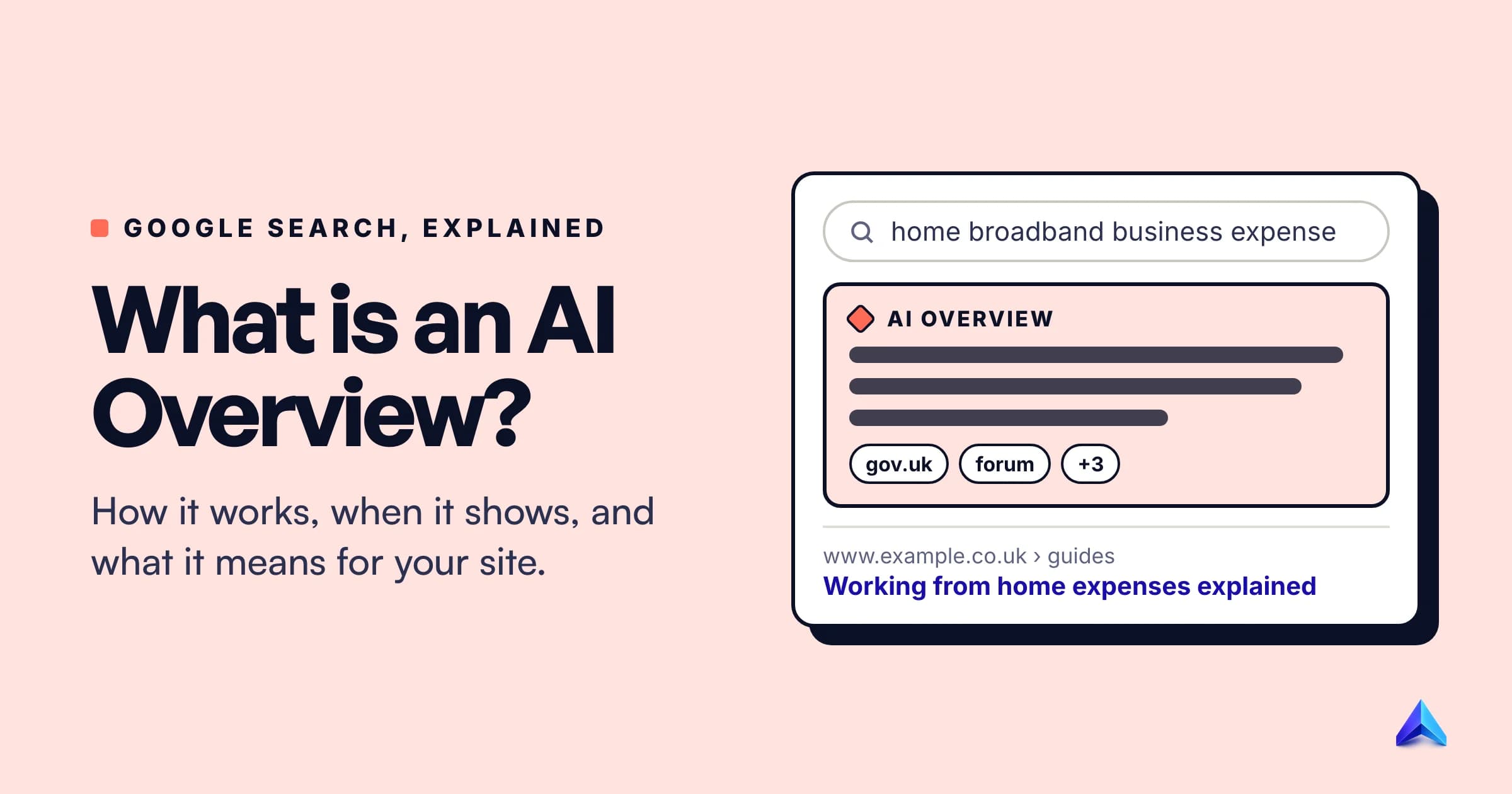
An AI Overview is a block of generated text at or near the top of a Google results page. It answers the query in a few sentences or a short list, then points to the pages that support the answer. Google's own AI Overviews help page describes it as a way to "take the work out of searching", and it treats the feature as part of Search itself, in the same category as knowledge panels.
A typical overview has five parts:
- A label. "AI Overview" sits above the text, so you can tell it apart from organic results and ads.
- The summary. A paragraph or a few bullet points. In Pew Research Center's sample from March 2025, the median summary was 67 words long, and the range ran from 7 words to 369.
- Source links. On desktop they sit in a panel to the right of the text; on mobile you tap the site icons. Since October 2024, some links also appear inline, inside the sentences they support.
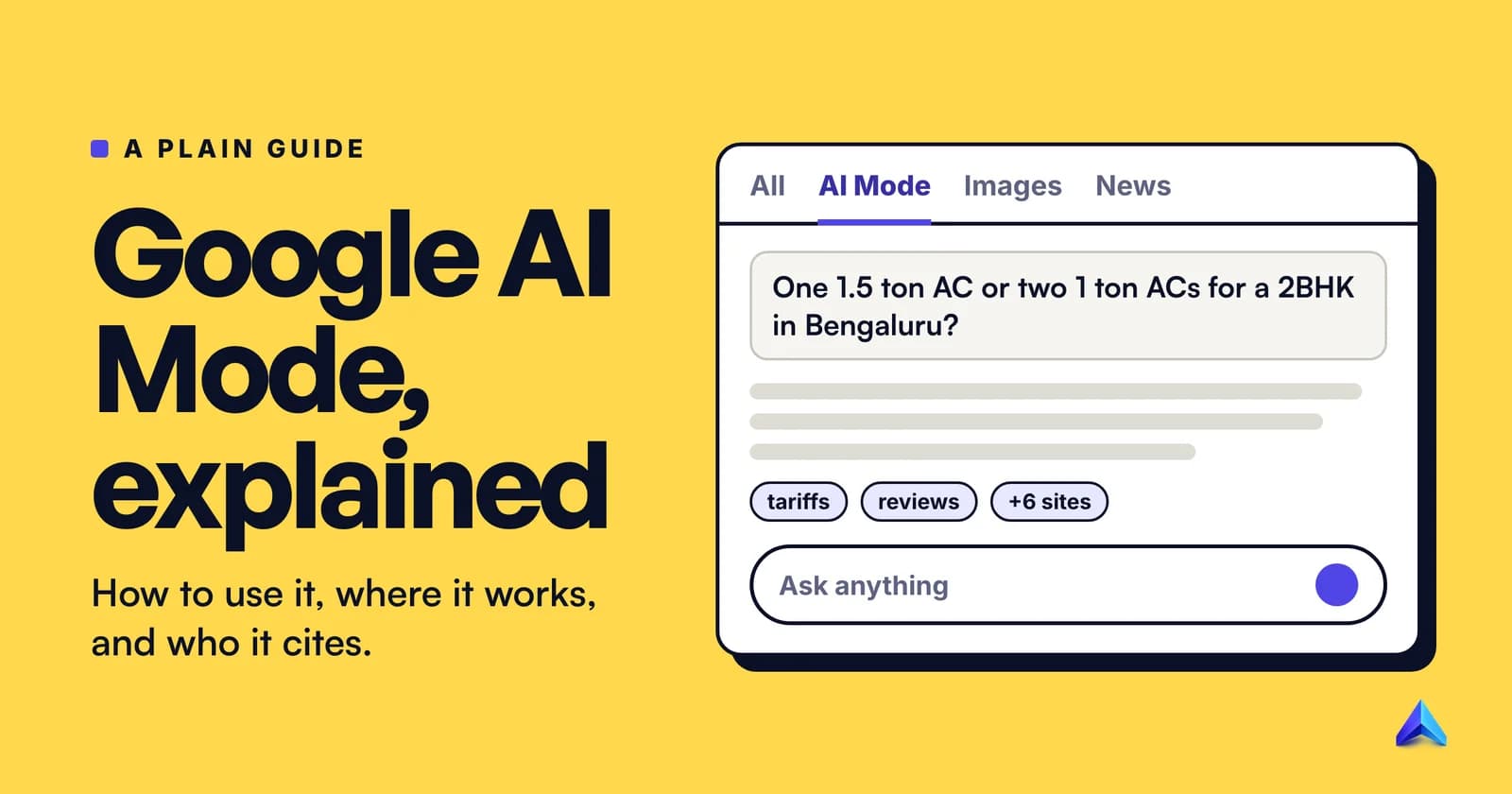
- A "Show more" control. Long overviews are cut off until you expand them. On mobile, expanding one now opens a box where you can ask a follow-up question, which carries you into AI Mode with the context of your first search.
- Ads, sometimes. Google has shown ads inside AI Overviews on relevant mobile queries in the US since October 2024, labelled as sponsored.
The sources are not decoration. Pew found that 88% of the summaries it examined cited three or more sources, and only 1% cited just one. An AI Overview is a synthesis of several pages, which is why it can be useful and also why it can go wrong in ways a single snippet cannot.
How do AI Overviews work?
The important thing to understand is that an AI Overview is not a chatbot answering from memory. Google explained this directly in May 2024, after the feature's rocky launch week: the model behind it is "integrated with our core web ranking systems", and overviews are "built to only show information that is backed up by top web results."
In practice the process runs roughly in this order:
- Google decides whether to show one. Its Search Central documentation says AI Overviews appear only when its systems judge them "additive to classic Search, and as such, often don't trigger."
- The model fans the query out. For a complicated question, Google may run several related searches at once across subtopics, a technique it calls query fan-out. Each sub-search pulls its own results from the index.
- It reads the top results and writes a summary. A version of Gemini customised for Search composes the answer from what those results say.
- It attaches the supporting pages. The links you see are the pages the answer leans on, which is why Google can show a wider spread of sites than ten blue links would.
A worked example
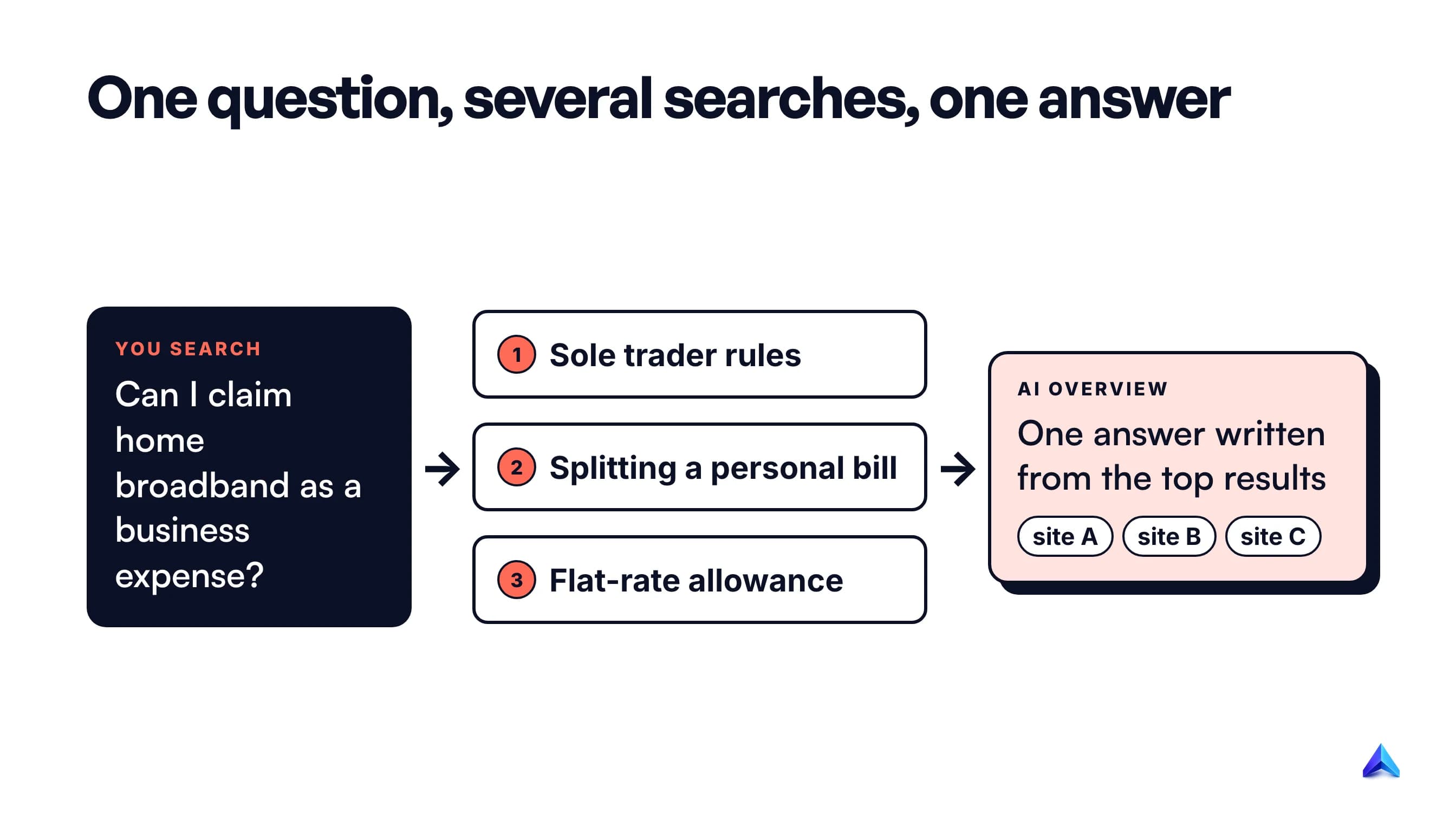
Say a freelance designer in Manchester searches "can I claim my home broadband as a business expense if I work from home". A classic results page would give ten links and leave the reading to them.
With an AI Overview, Google might split that into narrower searches: what HMRC allows sole traders to claim for working from home, how to split a bill between personal and business use, and whether a flat-rate allowance exists instead. It reads the top pages for each, writes a short answer that covers all three, and links the pages it used. The designer gets the gist in ten seconds and the links if they want the detail.
The exact sub-searches are Google's choice and are never shown to you. The pattern is what matters: one question in, several searches behind the scenes, one combined answer out. It also explains how a page can be cited for a query it does not rank for: it may rank for one of the hidden sub-searches.
From Google SGE to AI Overviews: a short history
If you have seen the term "Google SGE", it refers to the same feature at an earlier stage. Google announced the Search Generative Experience on 10 May 2023 as an opt-in experiment in Search Labs, available in the US, in English only, on Chrome desktop and the Google app. Google's own description then was an "AI-powered snapshot of key information", which is almost word for word how it describes AI Overviews today.
The SGE name was dropped when the feature left Labs. The milestones since then:
| Date | What changed |
|---|---|
| May 2023 | SGE launches as a Search Labs experiment in the US |
| 14 May 2024 | Renamed AI Overviews and rolled out to everyone in the US |
| 30 May 2024 | Google restricts triggering after viral errors |
| 15 Aug 2024 | Expands to the UK, India, Japan, Indonesia, Mexico and Brazil |
| 28 Oct 2024 | More than 100 countries and over 1 billion monthly users |
| 20 May 2025 | AI Mode launches in the US; AI Overviews move to Gemini 2.5 there |
| Jul 2025 | Over 2 billion monthly users in 200+ countries and territories |
| 31 Aug 2026 | Search Console control and AI report reach every site worldwide |
By July 2026, Sundar Pichai was describing AI Overviews and AI Mode as one experience, saying Google had "brought together AI Overviews and AI Mode into one seamless Search experience". The follow-up box under an overview is the visible part of that change.
One date on that list matters for UK and Indian readers. Both countries got AI Overviews in August 2024, in the first wave after the US, and Google's current help page lists Hindi, Bengali, Tamil, Telugu, Marathi and several other Indian languages among the supported ones.
When does Google show an AI Overview?
Google's line is that you see one "when our systems determine that generative AI can be especially helpful", for example when the answer has to be pulled together from several sources. That is accurate, and vague. The best outside measurement of what it means comes from Pew Research Center, which tracked the real Google searches of 900 US adults through March 2025, 68,879 searches in total.
Three patterns stand out in Pew's data:
- Questions trigger them. 60% of searches that began with "who", "what", "when" or "why" produced an AI summary.
- Full sentences trigger them. 36% of searches that contained both a noun and a verb produced one.
- Overall, they were the minority. Across all searches in the study, 18% showed an AI summary.
So "why do I get an AI Overview?" usually has a simple answer: you asked a question in plain language. Short navigational searches, such as a brand name or "bbc news", rarely get one. Google has also said it aims not to show AI Overviews for hard news topics, where freshness and accuracy matter most, and that it added extra restrictions for health queries.
You can also get an AI Overview without typing. Google's help page says they appear when you search with an image or use Circle to Search, in any country and language where the feature is available. The supported list now covers most of the world, including the US, the UK and India.
AI Overviews vs AI Mode, featured snippets and ChatGPT
People mix these up because all four give you an answer instead of a list. They are built differently and behave differently.
| AI Overview | AI Mode | Featured snippet | ChatGPT | |
|---|---|---|---|---|
| Where it appears | Top of a normal Google results page | Its own tab and conversation | Top of a normal results page | A separate app |
| What it shows | Generated summary of several pages | Longer generated answer, follow-ups | One quoted passage from one page | Generated answer, with or without search |
| When it appears | Only when Google judges it helpful | Whenever you choose it | Only on some queries | Every time you ask |
| Sources | Linked pages from Google's index | Linked pages from Google's index | The one page quoted | Search results when it browses |
The closest relative is the featured snippet. Both sit at the top of the page and both summarise. The difference is that a snippet quotes one page, while an overview writes new text from several. Google said in May 2024 that its tests put AI Overview accuracy "on par with" featured snippets.
Is an AI Overview the same as ChatGPT? No. Both use large language models, but an AI Overview is a feature inside Google Search that is grounded in Google's index and only appears when Google decides it should. ChatGPT is a general assistant you talk to, and it answers whether or not it searches the web first. If you want the wider comparison of AI search tools, our explainer on AEO vs SEO covers how optimising for answer engines differs from optimising for rankings.
Are AI Overviews accurate?
Mostly, but not always, and Google says so itself. Its help page states plainly that "AI Overviews can and will make mistakes", and asks users to check important information in more than one place.
The famous failures came in the first two weeks after the US launch. One overview, answering "how many rocks should I eat?", leaned on a satirical article. Another repeated a forum joke about using glue to keep cheese on pizza. In a post titled "AI Overviews: About last week", Google explained that these came from "data voids", questions with almost no serious content on the web, and from sarcastic forum posts. It said it made "more than a dozen technical improvements", including better detection of nonsense queries and limits on user-generated content in answers.
That explanation tells you where AI Overviews are weakest:
- Questions nobody has written about seriously. If the only pages are jokes, the summary can repeat a joke.
- Nuance on a page. Google says errors usually come from misreading a query or the language on a page, rather than inventing facts outright.
- High-stakes topics. Health, money and legal questions deserve a click through to the source, even when the summary sounds confident.
Our view: treat an AI Overview like a well-read colleague's quick answer. It is good for orientation and bad as the last word on anything you will act on.
Can you turn off AI Overviews?
Not completely. Google's help page is unusually blunt: "Features cannot be turned off." There is no setting in your Google account that removes AI Overviews from every search.
What you can do:
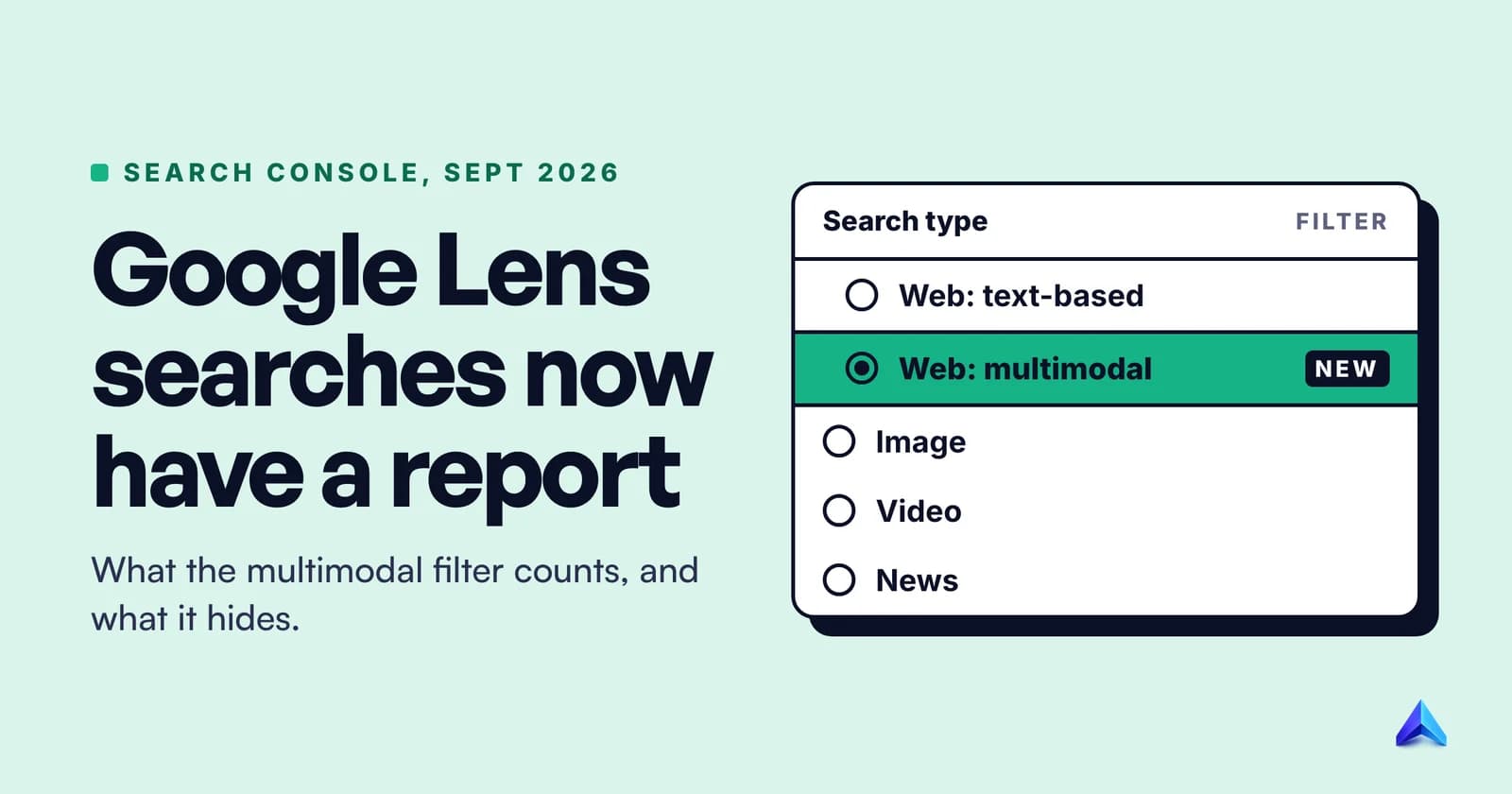
- Use the Web filter. After you search, choose "Web" from the row of filters under the search box (it is sometimes under "More"). Google says this "displays only text-based links without features like AI Overviews."
- Leave Search Labs experiments. The "AI in Search" toggle in Labs only removes experimental features you joined. It does not turn off AI Overviews. Site owners have a different lever, and it is the biggest change to AI Overviews this year.
What AI Overviews mean for your website
For anyone who earns traffic from Google, an AI Overview changes the value of a ranking. A page can rank third and still lose the click to a summary above it, or rank ninth and still be cited inside it.
Clicks fall when a summary appears
Pew's data is the clearest independent measure. In its study of Google users' browsing, people who saw an AI summary clicked a traditional result in 8% of visits, against 15% for people who did not see one. They clicked a link inside the summary itself in just 1% of visits. And they were more likely to stop browsing altogether: 26% of visits to a page with an AI summary ended the session, compared with 16% without one.
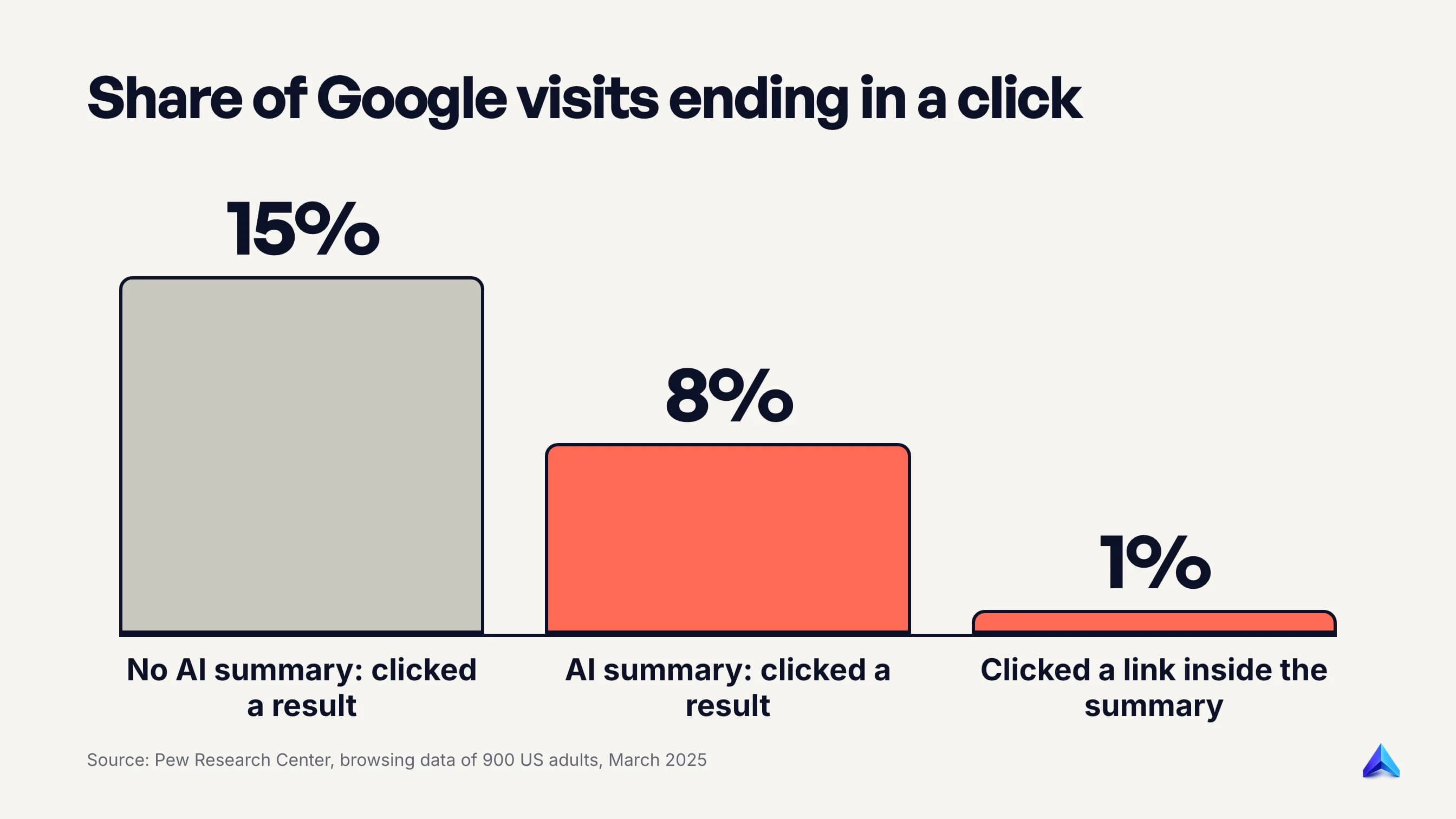
Google's account is different. It says clicks from results pages with AI Overviews are "higher quality", meaning people spend longer on the site, and in July 2026 it said AI features in Search send "billions of clicks to websites every week". Both can be true. Fewer clicks per search and more engaged visitors per click is a reasonable reading of the two sets of numbers together.
The practical consequence is that planning by ranking position alone overstates what a keyword is worth when an overview sits above it. Our guide to building an SEO plan covers how to weigh that when you choose what to write.
How to see your AI Overview traffic
Search Console counts AI Overviews inside your normal Performance report, under the Web search type. Its help documentation sets the rules: an AI Overview "occupies a single position in search results", every link inside it gets that same position, and a click on your link counts as a normal click.
Since 31 August 2026 there is also a separate Generative AI performance report for every site. It shows impressions from AI Overviews and AI Mode, grouped by page, country, device and date. It shows impressions only, not clicks or queries, so pair it with the main Performance report to see what those impressions turned into. If the report does not appear for your property, Google says the usual reason is that your site has not had enough impressions in these features yet.
The controls you have
Site owners now have four levers, and they do different things:
| Control | What it does | Effect on AI Overviews |
|---|---|---|
| Search generative AI control (Search Console) | Includes or excludes the whole property | Exclude removes your links and content |
nosnippet, data-nosnippet, max-snippet | Limits what text Google can show from a page | Limits what can be used |
noindex | Removes the page from Google Search | Removes it everywhere in Search |
| Google-Extended (robots.txt) | Limits Gemini model training and grounding elsewhere | None, it does not affect Search |
The first one is new. Google's Search generative AI control sits under Settings in Search Console and reached all websites worldwide on 31 August 2026. Every property is included by default. If you switch to exclude, your pages stop appearing as links in AI Overviews, AI Mode and Discover's generative features, and your content stops being used to ground those answers. Google says the change takes effect within one to two days for most content, and that it is not used as a ranking signal anywhere else in Search.
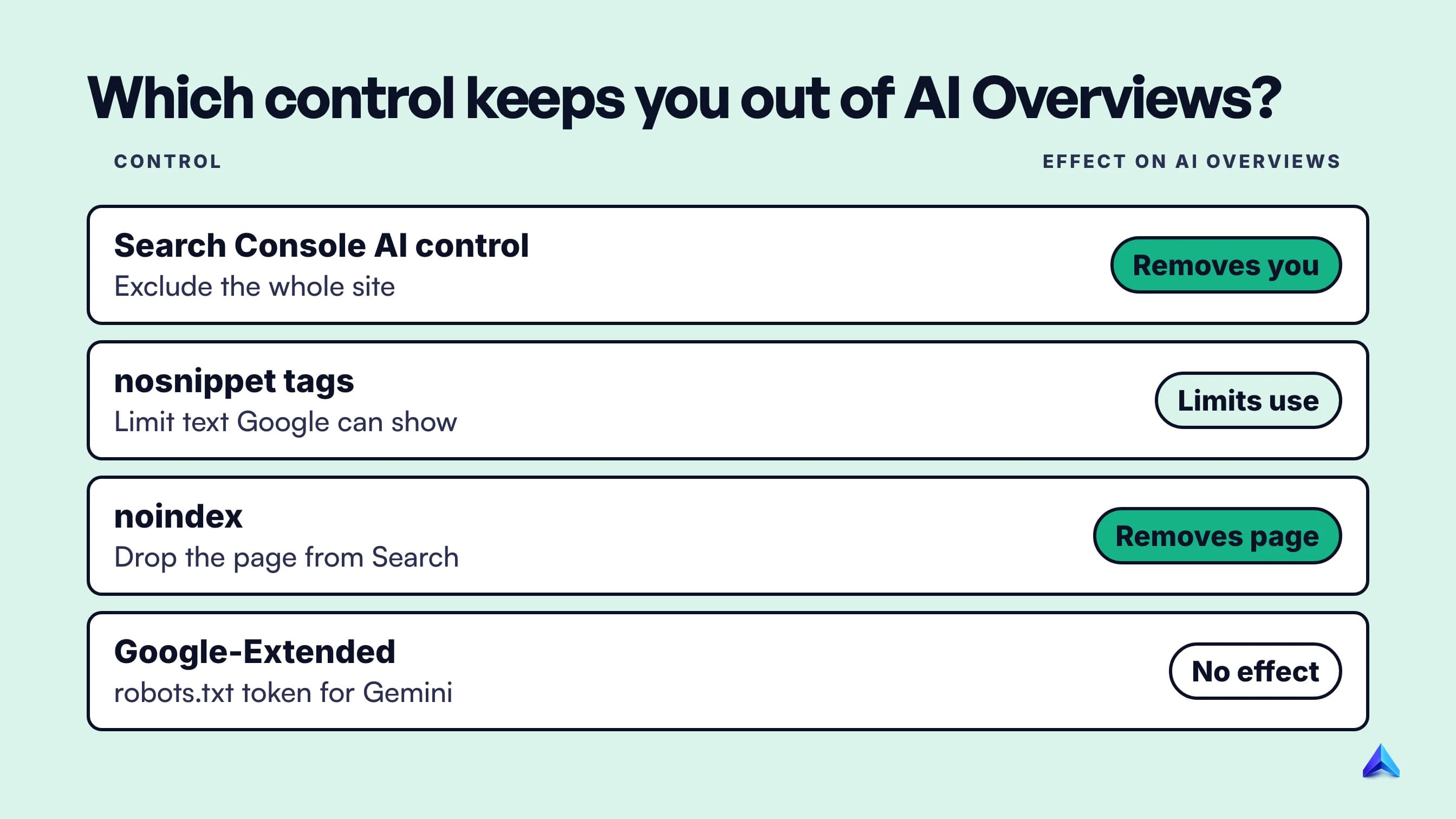
The last row of that table catches people out. Blocking Google-Extended in robots.txt keeps your content out of Gemini training, but Google's crawler documentation says it "does not impact a site's inclusion in Google Search". It will not remove you from AI Overviews.
Should you exclude? For almost every business, no. Exclusion removes you from the summary, and other sites' content will still answer the question. Publishers with a licensing or legal reason to keep content out are the exception. Check the Generative AI performance report first, so you know what you would be giving up.
How to get your pages into AI Overviews
Google's official position is short: there are "no additional technical requirements". To be eligible as a supporting link, a page must be indexed and allowed to show a snippet, and the site must not have opted out through the Search Console control. Its AI features documentation also says you do not need special files or special schema markup, which is why an llms.txt file does nothing for AI Overviews.
Eligibility is the easy part. Being chosen is a ranking question, especially for the hidden sub-searches. Start with indexing, since a page stuck as crawled but not indexed cannot be cited at all. Then answer the question plainly near the top of the page, and say something the other results do not.
We cover the practical side in a separate guide to ranking in Google AI Overviews. Project Rankup's blog generator puts a direct answer in an article's first 80 words for the same reason: it is the part an AI summary is most likely to lift.
Frequently asked questions
Is AI Overview trustworthy?
It is usually right on well-covered topics and weakest on unusual questions, satire and anything nuanced. Google itself says AI Overviews "can and will make mistakes". Use the summary to get oriented, then open at least one linked source before you act on health, money or legal information.
What triggers a Google AI Overview?
Google shows one when its systems decide a generated summary adds something to the normal results. In practice, questions and full-sentence searches trigger them most. Pew Research Center found 60% of searches starting with who, what, when or why produced an AI summary, against 18% of all searches.
Why don't I see AI Overviews?
They only appear on some searches, so a short or navigational query often gets none. You will also not see them if you have chosen the Web filter, if your language or country is not supported, or if Google has restricted them for that topic, such as hard news.
Is Google SGE the same as AI Overviews?
Yes, in the sense that AI Overviews grew out of it. SGE, the Search Generative Experience, was Google's 2023 Search Labs experiment. When the feature launched to all US users in May 2024, it was renamed AI Overviews. The SGE name is no longer used.
Can I stop my website appearing in AI Overviews?
Yes. Since 31 August 2026, every site can use the Search generative AI control in Search Console, under Settings, to exclude its links and content. The nosnippet tag limits what text Google can use from a page. Blocking Google-Extended does not remove you from AI Overviews.