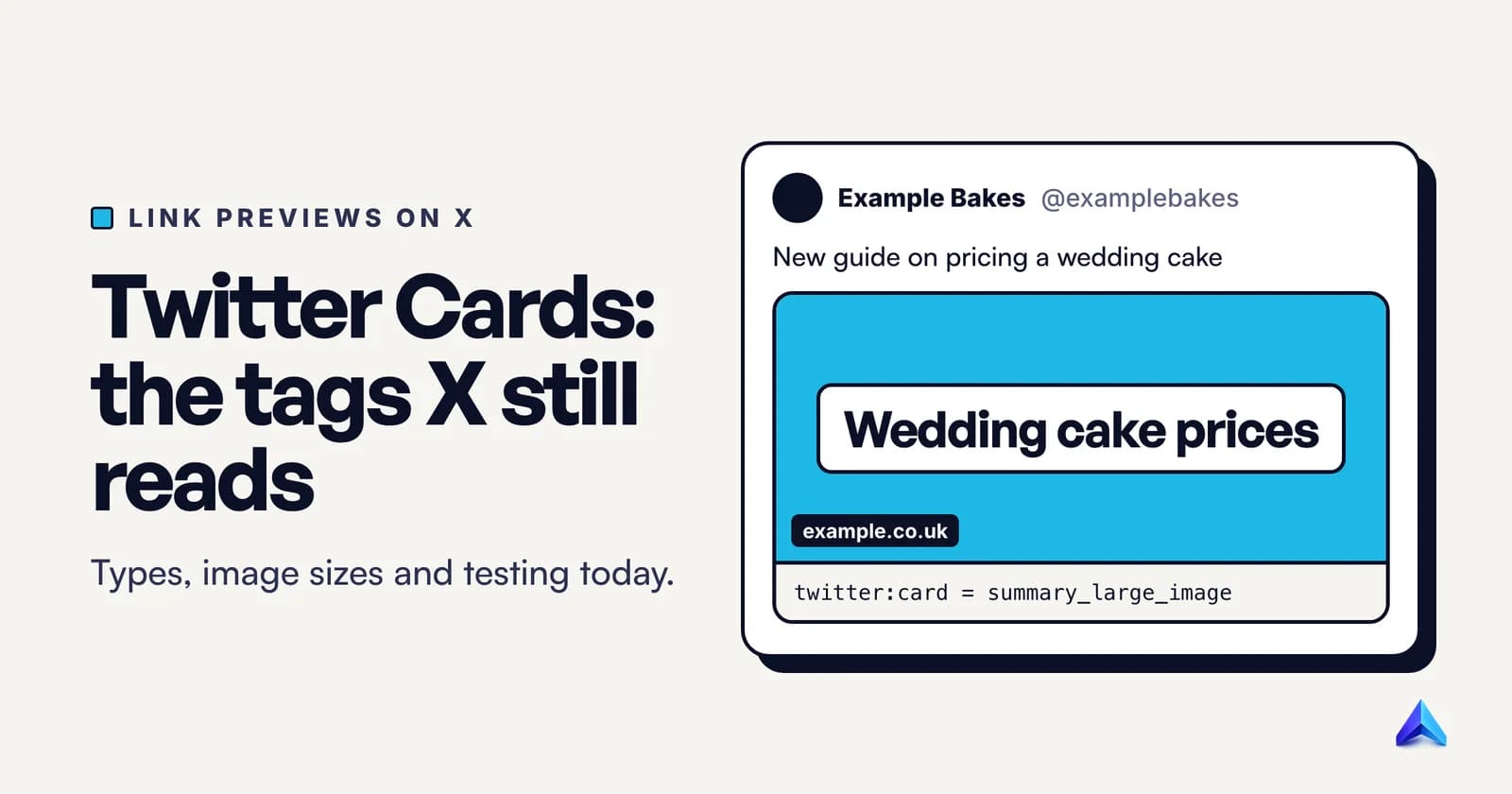
A Twitter Card is the link preview X builds when someone posts a URL: an image, and sometimes a title and description, pulled from twitter: meta tags in the page's <head>. If those tags are missing, X falls back to your Open Graph tags. The tags still work under the old name, but X has removed the card documentation from its developer site and the preview from its Card Validator, so testing works differently now.
That last part is where most guides go stale. Several pages ranking for this term still tell you to preview your card in the validator, which stopped working in August 2022.
What is a Twitter Card?
A Twitter Card has two halves. The first is a set of meta tags you add to a page, such as twitter:card and twitter:image. The second is the preview X renders from them when the URL appears in a post. People use "Twitter Card" for both, which is fine, as long as you remember that you control only the tags. X controls how the preview looks, and it has changed that design several times.
When a URL is posted, X's crawler, Twitterbot, fetches the page, reads the tags and caches the result. The platform is called X, but the markup never changed: there is no x:card, only the twitter: tags.
The tags also travel further than X. Slack's developer documentation says that when no app handles a link, Slack crawls the URL and looks for common Open Graph and X Card metadata to build its preview. Good card tags improve your links in work chat too.
Which Twitter Card types still work?
X's documentation listed four card types, and twitter:card takes one of these values:
| Value | What the post shows | Who needs it |
|---|---|---|
summary_large_image | A large, full-width image that links to your page | Blog posts, product pages, news, landing pages |
summary | A small square thumbnail with the title and description beside it | Pages without a strong wide image |
player | An inline video or audio player | Media sites hosting their own player |
app | A card with a direct download link to a mobile app | App publishers |
For almost every website, the choice is between the first two, and summary_large_image is the right default. It takes up far more of the timeline, and the large image is the part of the card people actually tap.
Use summary when your page has no image worth showing large, such as a short documentation page or a profile with only a logo. X crops the summary image to a square on every platform, so a wide banner will lose its sides.
The other two are specialised. Player Cards needed approval from X before they would show, and App Cards need store IDs for iPhone, iPad and Google Play apps.
Two older types are gone. X deprecated the Photo Card and the Gallery Card and mapped both to the large image card, so old tags such as twitter:image0 still produce something, but there is no reason to write them today.
Which meta tags does a Twitter Card need?
X's developer site no longer hosts the card reference. Every old card URL on developer.x.com now redirects to the docs.x.com home page, and the X for Websites section there covers embedded posts, buttons and timelines but not cards. The most recent copy of the official reference is an archived snapshot of X's Cards markup tag reference from January 2026. The table below comes from that page and the card-specific pages archived alongside it.
| Tag | What it holds | Required? | Limit |
|---|---|---|---|
twitter:card | The card type | Yes | One per page |
twitter:title | Title of the content | Yes, unless og:title is present | 70 characters |
twitter:description | A summary of the content | No | 200 characters |
twitter:image | Absolute URL of the image | No, but no image means a weak card | Under 5 MB |
twitter:image:alt | Alt text describing the image | No | 420 characters |
twitter:site | The site's @username | No | None |
twitter:creator | The author's @username | No | None |
Only one card type counts. If a page outputs twitter:card twice, which happens when a theme and an SEO plugin both add tags, X uses the last one in the source.
Titles get cut short. X's notes say the title is truncated to one line on the web and two lines on iOS and Android. The description is not shown at all in the mobile apps and gets three lines on the web. Front-load the meaning of the title and treat the description as a bonus.
The description is not a tagline. X's own guidance says not to reuse the title as the description, and not to use it to describe the general services your website offers. "Pune's best digital agency" on every page is exactly what it warns against.
The image should belong to the page. The reference says not to use a generic image such as your logo, an author photo or anything that appears across many pages.
twitter:site and twitter:creator are optional attribution fields. Add them if you have active accounts; skip them if you do not.
How Twitter Cards fall back to Open Graph
You do not need to duplicate every Open Graph tag. X's card processor checks for the Twitter-specific tag first, and if it is not there, it uses the matching Open Graph tag.
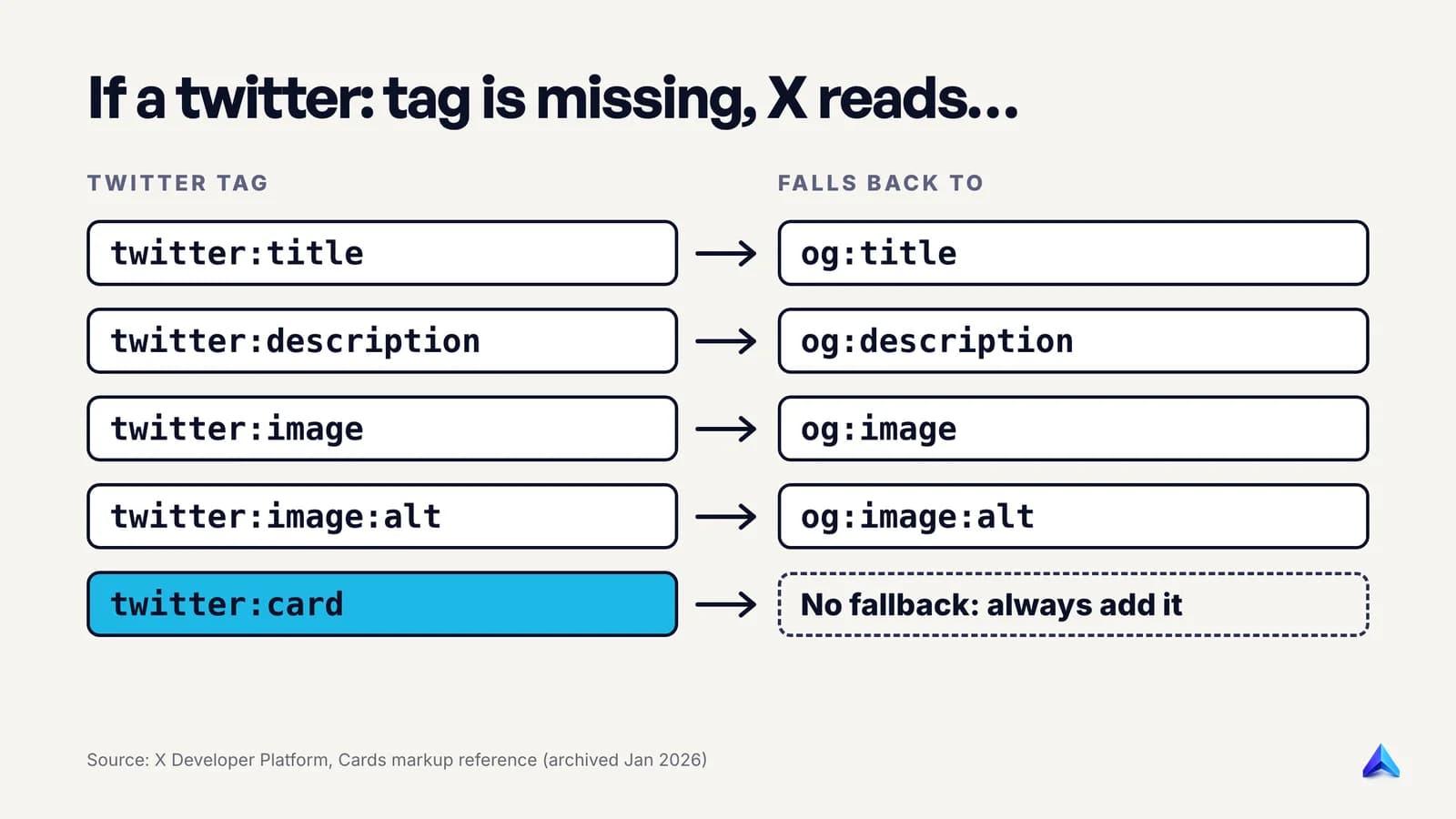
| Twitter tag | Falls back to |
|---|---|
twitter:title | og:title |
twitter:description | og:description |
twitter:image | og:image |
twitter:image:alt | og:image:alt |
twitter:card | Nothing. A summary card may render if og:type, og:title and og:description exist |
twitter:site, twitter:creator | Nothing |
Open Graph uses property= and Twitter tags use name=. X's parser reads both, so existing Open Graph markup needs no rewrite.
The gap that catches people is the card type. Without twitter:card, X may still render a card from Open Graph, but only a summary card with a small square thumbnail. If you want the large image, twitter:card with summary_large_image is the one tag you cannot skip.
So the efficient setup is a full Open Graph set plus one line. The Open Graph protocol itself requires four properties on every page, og:title, og:type, og:image and og:url. Add twitter:card and X is covered too. Only add twitter:title or twitter:description when you want X to show different words from the other networks, for example a shorter title that survives the one-line cut on the web.
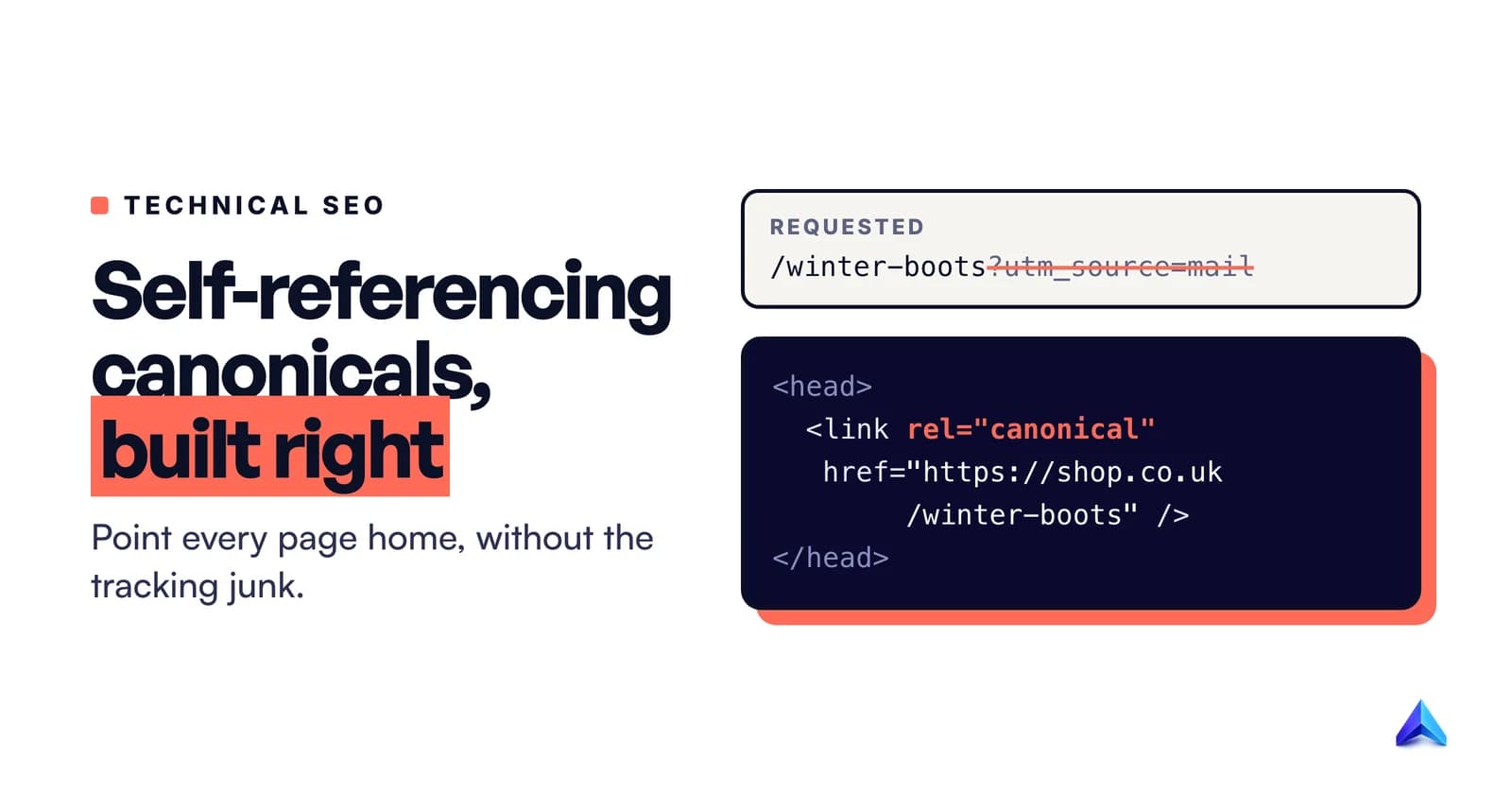
og:url deserves care. It should be the canonical URL of the page, the same one in your <link rel="canonical">, so shares of tracking-tagged or mobile URLs all point back to one address. Our guide to self-referencing canonical tags explains why that one URL should be consistent everywhere.
A copy-paste Twitter Card snippet
This is a complete head section for a blog post, using Open Graph for the shared values and one Twitter tag for the card type. Replace the values with your own.
<head>
  <meta charset="utf-8">
  <title>How to Price a Wedding Cake in the UK | Example Bakes</title>
  <link rel="canonical" href="https://www.example.co.uk/blog/price-a-wedding-cake">

  <!-- Open Graph: X falls back to these, and most other previews read them -->
  <meta property="og:type" content="article">
  <meta property="og:url" content="https://www.example.co.uk/blog/price-a-wedding-cake">
  <meta property="og:title" content="How to Price a Wedding Cake in the UK">
  <meta property="og:description" content="Ingredient costs, hours and a worked quote for a three-tier cake, with the pricing mistakes that leave bakers underpaid.">
  <meta property="og:image" content="https://www.example.co.uk/images/wedding-cake-price-1200x630.jpg">
  <meta property="og:image:width" content="1200">
  <meta property="og:image:height" content="630">
  <meta property="og:image:alt" content="A three-tier white wedding cake next to a handwritten quote showing ingredient and labour costs">
  <meta property="og:site_name" content="Example Bakes">

  <!-- X: the card type has no Open Graph fallback -->
  <meta name="twitter:card" content="summary_large_image">
  <meta name="twitter:site" content="@examplebakes">
</head>
Three things make this snippet work. The image URL is absolute and on a public host. The alt text describes what is in the picture rather than repeating the title. And there is only one twitter:card, so no plugin can override it later in the source.
A real example: this blog's own tags
This is what our server returns to Twitterbot for our post on what llms.txt is, trimmed to the social tags:
<meta property="og:title" content="What Is llms.txt? How It Works and Who Needs It"/>
<meta property="og:url" content="https://projectrankup.com/blog/what-is-llms-txt"/>
<meta property="og:image" content="https://api.projectrankup.com/storage/blog-images/marketing/what-is-llms-txt/what-is-llms-txt-cover-v2.webp"/>
<meta property="og:image:width" content="1200"/>
<meta property="og:image:height" content="630"/>
<meta property="og:image:alt" content="What Is llms.txt? How It Works and Who Needs It"/>
<meta property="og:type" content="article"/>
<meta name="twitter:card" content="summary_large_image"/>
<meta name="twitter:title" content="What Is llms.txt? How It Works and Who Needs It"/>
<meta name="twitter:image" content="https://api.projectrankup.com/storage/blog-images/marketing/what-is-llms-txt/what-is-llms-txt-cover-v2.webp"/>
Most of it is right. The card type is set, the image is a WebP under 5 MB served with a 200 status from a public host, and the image is unique to the post. Two things could be better. The twitter:title and twitter:image lines repeat Open Graph values, so they could be dropped with no change in output. And the alt text repeats the title, which the Open Graph spec says not to do: og:image:alt should be a description of what is in the image, not a caption. Because there is no twitter:image:alt, X inherits that weak alt text too.
What size should a Twitter Card image be?
For the large image card, X documented an aspect ratio of 2:1, a minimum of 300 by 157 pixels and a maximum of 4096 by 4096. For the summary card, the image is 1:1 with a minimum of 144 by 144, cropped to a square. Both cards accept JPG, PNG, WEBP and GIF under 5 MB. An animated GIF shows only its first frame, and SVG is not supported at all.
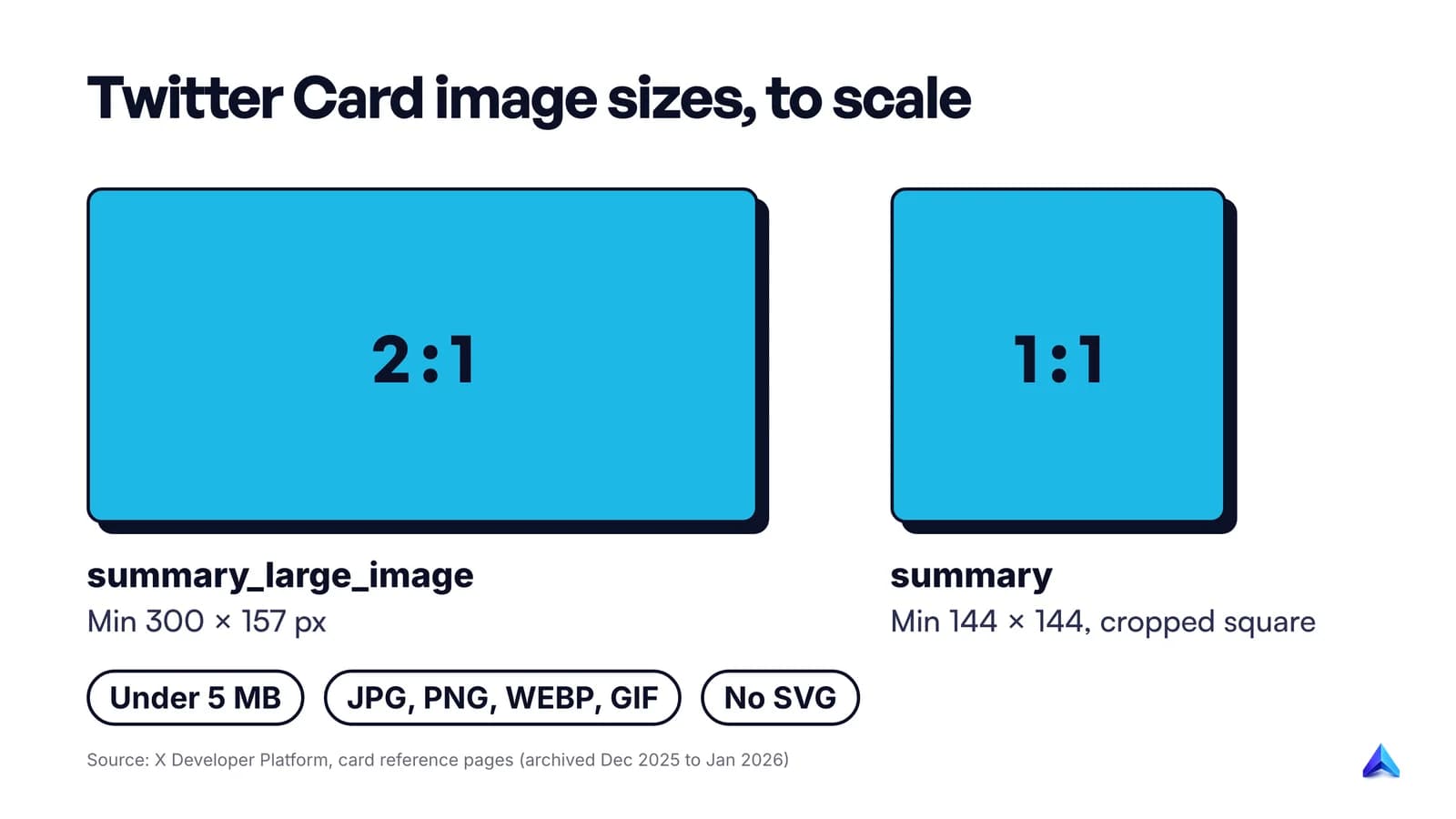
In practice, we recommend one 1200 by 630 image per page, used for both Open Graph and X. It is a common Open Graph size, it is far above X's minimums, and it sits close to X's 2:1. Because the ratios are not identical, keep text and faces away from the very top and bottom edges so a slight crop never cuts anything that matters.
For the summary card, make a separate square image rather than trusting a crop.
Design the image as if it were the whole card, because on X it often is. In October 2023, TechCrunch reported that X had started cutting headlines from link cards on iOS and the web, leaving just an image with the domain name in the bottom left corner. In January 2024 X tried showing the title in tiny text on top of the image, rolled it back within hours, and then brought headlines back on the web. Do not depend on your title being visible. An image that names the topic in a few large words works in every version.
A few practical rules follow from the limits:
- Use absolute HTTPS URLs.
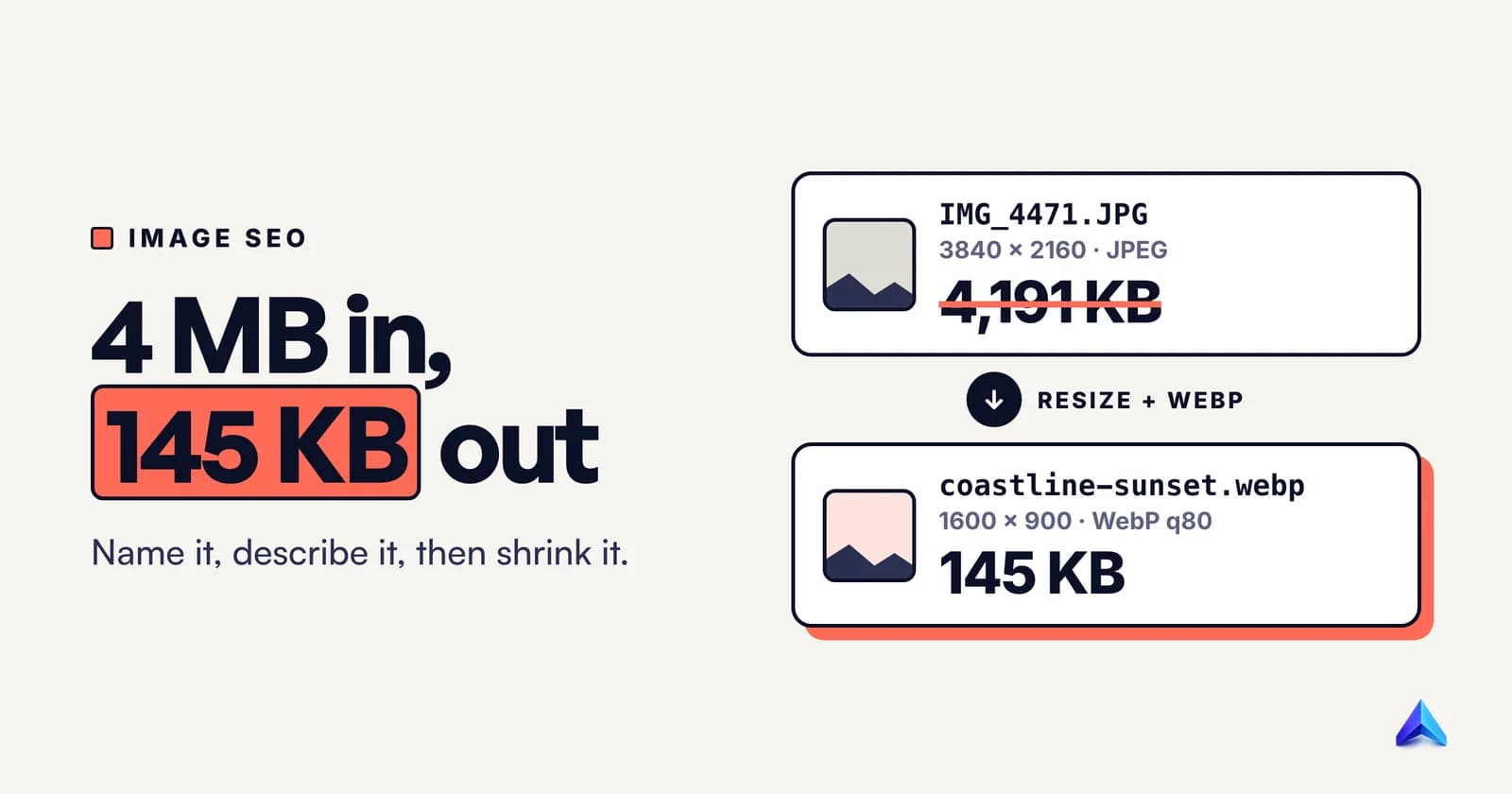
/images/cover.jpgis not a valid value. - Keep the file well under 5 MB. A compressed 1200 by 630 WebP or JPG needs only a small fraction of that. Our guide to writing a blog post for SEO covers image weight alongside the rest of the page.
- Never point at an SVG or a logo file. X will not render SVG, and its guidance rules out logos anyway.
- Change the filename when you change the image. X caches cards, and a new URL is the most reliable way to get a new image picked up.
How do you test a Twitter Card now?
On 2 August 2022, X's developer team announced it had removed the preview from the Card Validator. X said the previews did not always match how cards really displayed. Today, cards-dev.x.com/validator sends you to an X login page, and per the announcement it shows only logs, no preview.
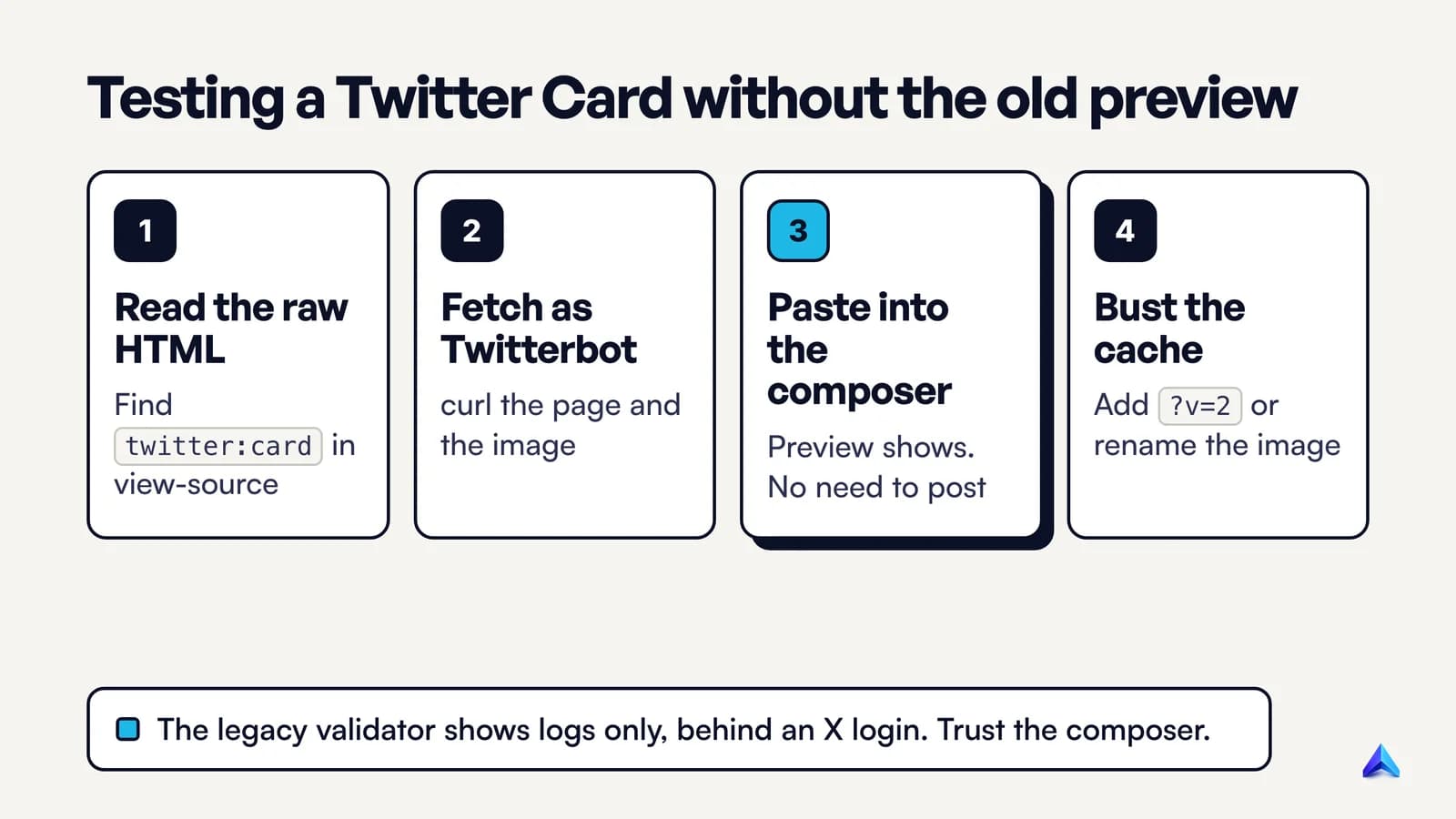
The order we recommend, fastest first:
- Check the raw HTML, not the browser's DOM. View the page source and search for
twitter:cardandog:image. Developer tools show the page after JavaScript runs, and X has never documented that its crawler runs JavaScript. Tags added only by client-side code are a risk. - Fetch the page the way X does. From a terminal,
curl -A "Twitterbot/1.0" -sL https://example.com/page | grep -E 'twitter:|og:'shows the tags your server returns to that user agent. Then runcurl -Ion the image URL and confirm a 200 status, an image content type and a sensible size. - Preview in the composer. X's own advice is to start a new post on x.com or in the iOS or Android app and paste the link. You do not need to publish: if the metadata is good, the preview renders in the composer.
- Deal with the cache. X said cards are cached for up to 7 days. X's suggested workaround is a unique parameter on the URL, such as
?v=2, which gives its crawler a reason to fetch the page again, though X warned the update can still take a while to show. For the image, change its filename.
The legacy validator still has two uses, both behind a login. You can submit a brand-new domain, and you can read the logs to see whether X fetched the page and found card tags. If those logs say X is "unable to render" the card, X's announcement is explicit that this does not necessarily mean the card is broken. Trust the composer over the validator.
On staging, X's troubleshooting guide notes the crawler cannot read tags on environments with restricted access. Test with curl there, then use the composer once the page is live.
Why is a Twitter Card not showing?
Work through the causes in this order.
| Symptom | Likely cause | Fix |
|---|---|---|
| No card at all | No twitter:card and no Open Graph tags in the raw HTML | Render tags on the server, not with client-side JavaScript |
| No card at all | robots.txt blocks Twitterbot from the page | Allow the page path for Twitterbot or all agents |
| Card but no image | Image URL blocked, private, relative or behind hotlink protection | Use a public absolute URL and allow the image path |
| Card but no image | Image over 5 MB, SVG, or below the minimum size | Export a 1200 by 630 JPG, PNG or WebP |
| Small thumbnail instead of large image | twitter:card missing or set twice | One twitter:card with summary_large_image |
| Old title or image | X's card cache | Wait up to 7 days, or share with a unique parameter |
| Fetch fails | Page HTML over 2 MB, TLS below 1.1, or firewall blocks X | Trim the response, fix TLS, allow X's crawler |
| Card ignored in one post | The post has an uploaded image or video, or another URL with a card comes first | Remove the media, or put your link first |
Robots rules deserve a closer look because they fail silently. X's documentation says the crawler respects Google's robots.txt specification: if the page is blocked, no card shows, and if the image URL is blocked, no image shows. Images often live on a separate host or CDN with its own robots.txt, so check that file too. Our guide to controlling ClaudeBot shows how to write user-agent rules without blocking crawlers you want.
Redirects are the other quiet failure. If the shared URL redirects to a login page, a cookie wall or the homepage, X reads the tags of wherever it lands. Our redirect error guide covers how to trace a redirect chain hop by hop.
Last, X's documentation says media attached to a post takes precedence over any card. If someone shares your link with a screenshot, your card will not appear.
Do Twitter Cards help SEO?
Not directly. Google's documentation on meta tags lists the ones it supports, such as description and robots, and states that Google ignores meta tags it doesn't support. twitter: tags are not on the list, so they are not a Google ranking input.
What cards shape is the click from a share, which is real traffic even when it is not search traffic.
Treat card tags as part of on-page hygiene, not as a growth strategy. They belong on the same checklist as titles, canonicals and alt text, which is why a technical SEO audit should flag pages with a missing og:image or a duplicated twitter:card. If you already audit live pages in Project Rankup's content audit, check the social tags in the same pass, while the page source is open.
Frequently asked questions
Are Twitter Cards still called Twitter Cards on X?
Yes. The platform renamed itself, but the markup did not change. The tags are still twitter:card, twitter:title, twitter:description and twitter:image, and X's crawler still identifies itself as Twitterbot. There is no separate set of "X Card" tags to add.
Is the Twitter Card Validator still available?
Partly. The validator page at cards-dev.x.com still exists, but it requires an X login and has not shown card previews since August 2022. X says it remains useful for submitting new domains and reading fetch logs. For a preview, paste the link into the X post composer without publishing.
Can a Twitter Card image be a WebP or a GIF?
Yes. X's reference listed JPG, PNG, WEBP and GIF as supported, each under 5 MB. An animated GIF shows only its first frame, so it behaves like a still image. SVG is the format to avoid: X does not support it, and the card will show no image.
Do I need both Open Graph and Twitter Card tags?
You need Open Graph plus one Twitter tag. X falls back to og:title, og:description, og:image and og:image:alt when the Twitter versions are missing, but twitter:card has no Open Graph equivalent. Without it, X shows a small summary card at best instead of the large image card.
How do I refresh a Twitter Card after changing it?
X caches card data for up to 7 days. To see your changes sooner, share the URL with a unique query parameter such as ?v=2, which X suggests as a hint for its crawler to fetch the page again. If you changed the image, give the new file a new filename so no cache can serve the old one.
Why does my Twitter Card show on Slack but not on X?
Slack reads the same Open Graph and card tags, so the markup is probably fine. Check whether your firewall, CDN or robots.txt blocks Twitterbot, whether X has an old card cached, and whether the post you are testing has an uploaded image, which always replaces the link card.