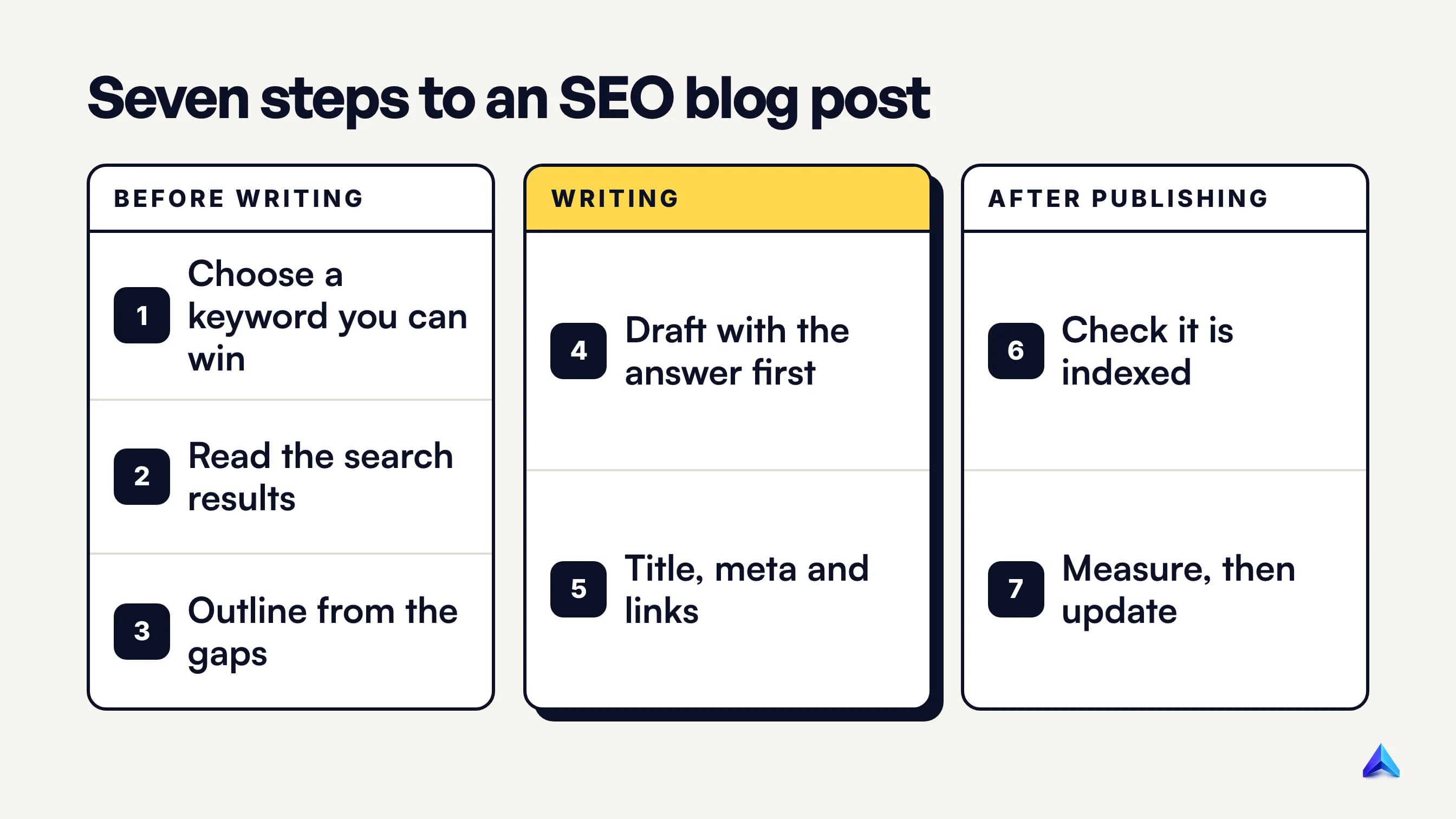
To write a blog post for SEO, pick one keyword your site can realistically rank for, study the pages Google already shows for it, then outline a post that answers the searcher's question in the first paragraph and covers the rest under clear headings. Write it from real knowledge, add something the other results lack, link it to related pages, and check that Google indexes it.
That is the whole method. The hard part is doing each step properly, because most posts fail long before anyone reads the prose. Ahrefs looked at around 14 billion pages in its Content Explorer index and found that 96.55% of them get zero traffic from Google. The three reasons it gives are all decided before or after the writing: nobody searches for the topic, the page has no backlinks, or the page does not match what searchers want.
This guide walks through the process in the order you would do it, with a worked example and the mistakes Google itself tells you to avoid.
Pick a keyword you can actually rank for
Every SEO blog post starts with one primary keyword: the phrase you most want the post to appear for. Choose it by checking three things, in this order.
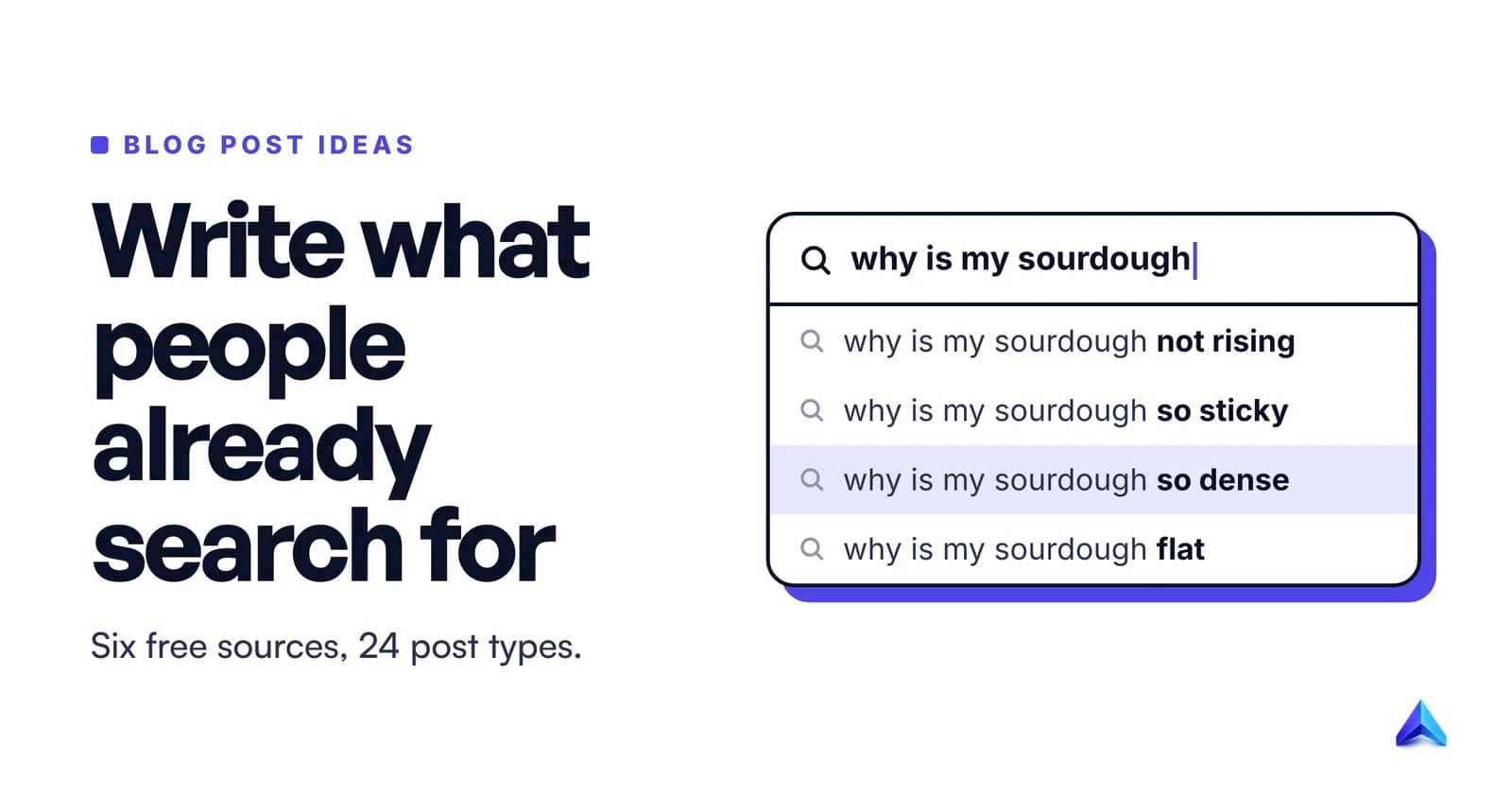
Is anyone searching for it? Ahrefs puts it bluntly: if nobody searches for your topic, you get no search traffic even if you rank first. Check monthly search volume in a keyword tool, and look at the topic as a whole, because a good post ranks for dozens of related phrases, not one.
Can your site win it? This is the check most guides skip. Keyword difficulty scores estimate how many links the current top pages have, and a new site cannot outrank them on content alone. We learned this the hard way. In September 2026, projectrankup.com had a Domain Rating of 0, no organic keywords and no traffic, despite 19 well-built posts. They targeted phrases with Ahrefs difficulty scores between 70 and 83, which a brand-new domain has no chance with. That is why Project Rankup now judges keyword difficulty against your own domain's authority before suggesting a topic. Whatever tool you use, filter for low difficulty first if your site is young.
Does it fit what you sell? A keyword that brings readers who will never need your product is a vanity win. A London accountant gets more from "how to register for self assessment" than from "funny tax memes".
Then pick two or three secondary keywords: close variants and sub-questions that belong in the same post. "How to structure a blog post" is a secondary keyword for this page, because someone asking it wants part of the same answer. If a variant needs a completely different page to satisfy it, it is a separate post. Our keyword research guide covers finding and grouping these in more depth.
Read the search results before you outline
Search the keyword in a private window, in the country you are targeting, and study the first page before you write a heading. The results tell you three things no keyword tool will.
- What kind of page wins. Step-by-step guides, listicles, product pages, tools or videos. If the top ten are all calculators, a 2,000-word essay will not rank, however good it is.
- What the searcher expects to see covered. Note the H2s that appear on most of the top pages. Those are the table stakes.
- What is missing. Look for the question nobody answers well, the outdated advice, the example nobody gives. That gap is your reason to exist.
The "People also ask" box is the cheapest research you will ever do. Every question in it is a real query that Google associates with yours. Some belong in your headings, and the rest make a good FAQ.
Pay attention to who ranks, too. When Reddit threads and LinkedIn posts sit at the top, it usually means the established publishers have not written a specific, practical answer yet. That is an opening.
The point of this step is not to copy the top results. Google's SEO starter guide is direct about it: "Don't just rehash what others already published." Its helpful content guidance asks whether your page provides "original information, reporting, research, or analysis". Our piece on information gain explains why repeating what already ranks gives Google no reason to rank you as well.
How to structure a blog post
A blog post built for search has a predictable skeleton, and readers expect it as much as search engines do.
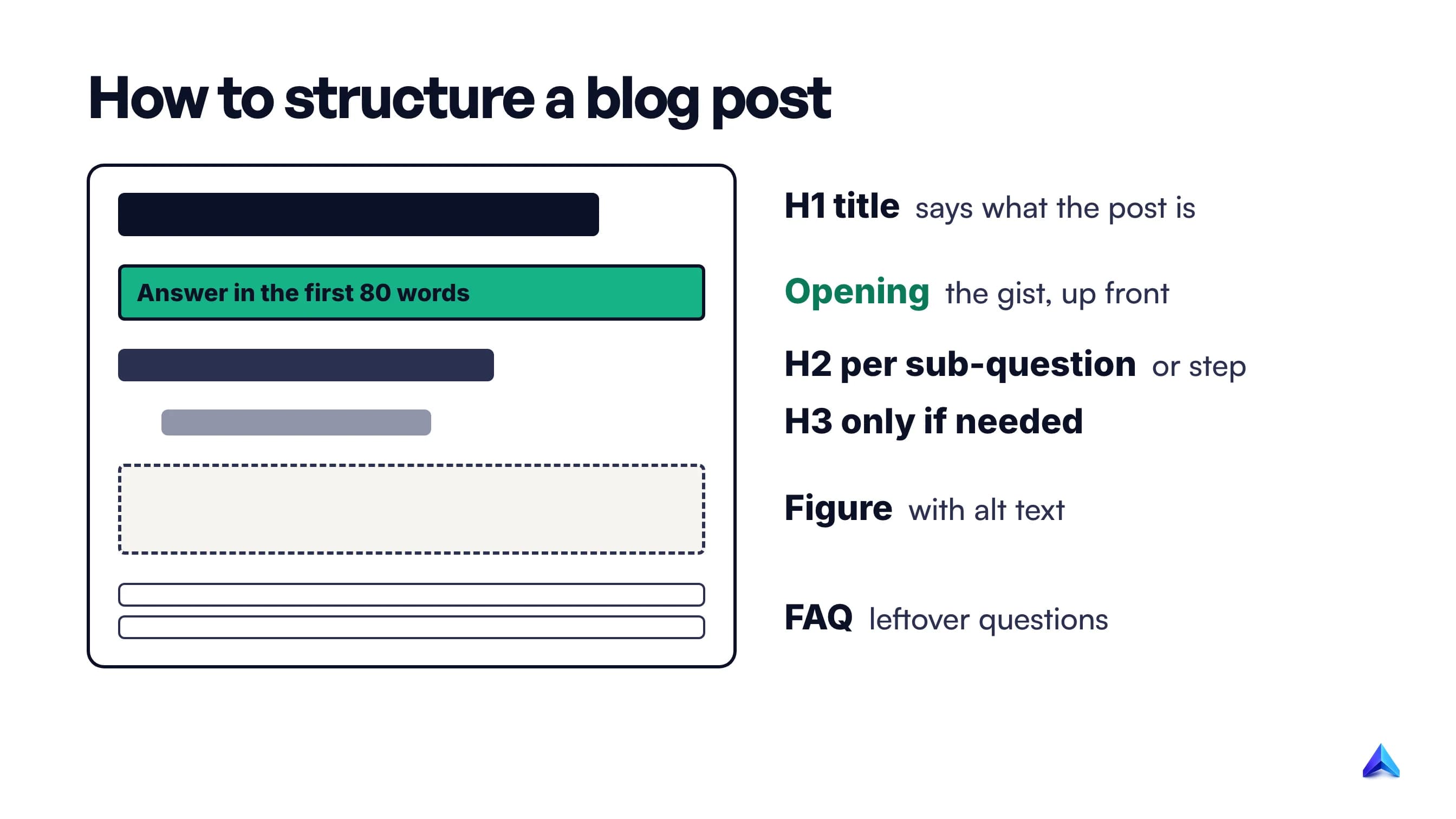
- One H1 title that says what the post is. Google's own self-check asks whether "the main heading or page title" gives "a descriptive, helpful summary of the content".
- An opening that answers the question in the first two or three sentences. A reader who only reads that paragraph should leave with the gist.
- H2 headings for each main part of the answer: the steps, the sub-questions, the comparison. Phrase them the way people search where it reads naturally.
- H3 headings only where a section needs them, such as a list of options inside one step.
- Supporting material where it helps: a numbered list for a process, a table for a comparison, an image or diagram where words are slow.
- An FAQ for the leftover questions, each answered in a few sentences.
Two myths are worth dropping here. Google says heading order does not matter for ranking: semantic order is "fantastic for screen readers", but from a Search perspective "it doesn't matter if you're using them out of order". Use proper order anyway, for accessibility. And there is no target number of headings. In Google's words, "if you think it's too much, then it probably is."
A worked example: from keyword to outline
Say you run a coffee equipment shop in Manchester and want traffic from people who own espresso machines. Keyword research turns up "how to descale an espresso machine": steady volume, low difficulty, and every searcher is a potential buyer of descaler.
You search it and read the first page. Suppose the top results are step-by-step guides, most of them cover vinegar versus commercial descaler, and the PAA box asks how often to descale and what happens if you never do. Suppose also that each one says "descale more often in hard water areas" and none explains how to find out whether you live in one.
Your outline writes itself from that reading:
H1  How to Descale an Espresso Machine (Without Damaging It)
    Opening: the answer in three sentences: descaler, flush, rinse.
H2  What you need
H2  How to descale an espresso machine, step by step
    H3  Machines with a descale programme
    H3  Manual machines
H2  Vinegar or descaler: which is safe?
H2  How often to descale: check your water hardness   <- the gap
H2  Signs your machine needs descaling now
H2  Frequently asked questions
Every heading has a reason: a step the searcher needs, a question Google already associates with the query, or the gap nobody else filled. If you cannot name the reason for a heading, cut it. In the real post, that gap section would link to the water company's own hardness lookup, because every fact you add needs a source a reader can check.
Write the draft people would bookmark
With an outline in hand, write the way an expert explains something to a smart friend. A few habits make the difference.
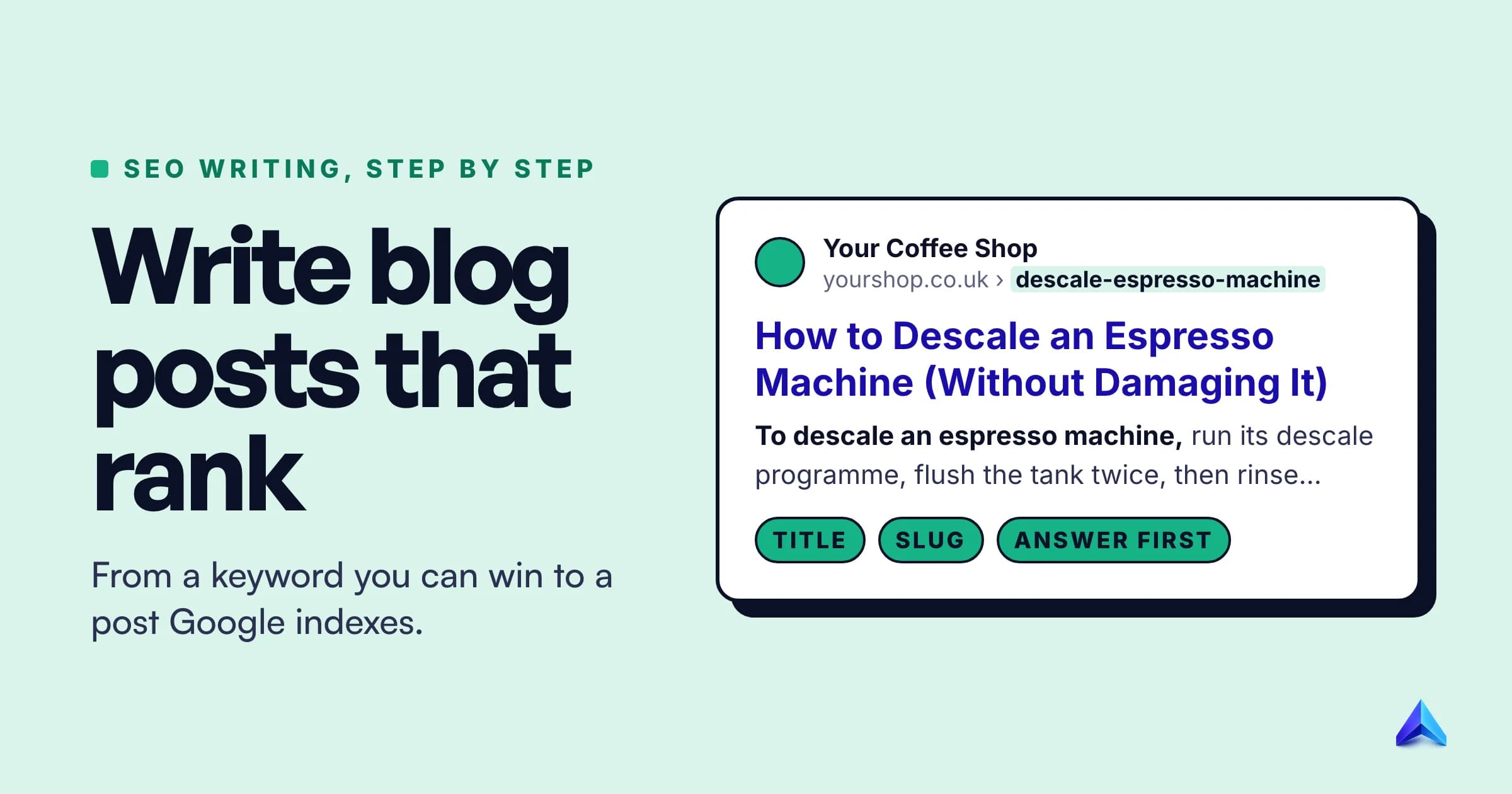
Lead each section with its point. The first sentence under every H2 should answer the heading. Detail and nuance come after. This helps readers who skim, and it gives search engines a clean passage to quote.
Be concrete. Name the setting, the menu path, the price in pounds or rupees, the error message. "Run the descale programme twice if the water stays cloudy" beats "repeat as necessary".
Show where your knowledge comes from. Google frames this as asking "Who, How, and Why" about your content, and says the "Why" is "perhaps the most important question". It also "strongly" encourages accurate bylines where readers expect them. If you tested something, say how. If a number came from a study, name the study in the sentence and link to it.
Keep paragraphs short. Google's starter guide asks for text that is "easy-to-read and well organized" and tells you to break long content into paragraphs and sections. On a phone, four sentences is already a wall.
Cut filler. Openers about how important the topic is, sentences that restate the heading, summaries at the end of every section. If deleting a sentence loses no information, delete it.
Put the keyword where it counts, and nowhere else
Keyword placement is not a formula, but a few spots carry weight because they tell readers and Google what the page is about at a glance:
| Place | What to do |
|---|---|
| Title tag and H1 | Include the primary keyword, near the start if it reads naturally |
| First 100 words | Use it once, in the sentence that answers the question |
| One or two H2s | Use the keyword or a close variant where it fits the heading |
| URL slug | Short and readable, such as /descale-espresso-machine |
| Image alt text | Only when the image genuinely shows the topic |
After that, stop counting. Google's starter guide says it does not use the keywords meta tag, and that keyword stuffing is "against Google's spam policies". It also makes a more useful point: people search for the same thing in different words, and its example is that some search for "charcuterie" while others search for "cheese board". Writing naturally, with variants and related terms, gives you "more chances to show up in Search simply because you are using more keywords."
Write the title, meta description and URL
These three are what a searcher sees before clicking, so they decide whether your ranking turns into a visit.
Title. Google's title link documentation asks for "descriptive and concise" titles and warns against repeating the same words. Keep it short enough to read at a glance, lead with the keyword, and promise exactly what the post delivers. "How to Descale an Espresso Machine (Without Damaging It)" works. "The Ultimate Guide to Coffee Machine Care Tips and Tricks" does not.
Meta description. Google mostly builds the snippet from your page content, and only occasionally uses the meta description. Write one anyway: the starter guide says a good one is "short, unique to one particular page, and includes the most relevant points of the page." One or two plain sentences saying what the reader gets is enough.
URL. Keep it short, lowercase and descriptive, and drop dates and filler words so the URL still makes sense when you update the post next year. Do not expect much ranking help from it: Google says keywords in the URL path "alone have hardly any effect beyond appearing in breadcrumbs".
For the rest of the page-level checklist, from image file names to structured data, see our on-page SEO guide.
Add internal and external links
Links do two jobs in a blog post: they help readers go deeper, and they help Google understand how your pages relate.
Internal links. Link from the new post to two to five of your own pages that a reader would genuinely want next, and go back to older related posts and link to the new one. A post with no links pointing to it is hard for Google to find and hard for readers to reach.
External links. Link to the original source of every statistic, quote or claim that a reader might doubt: the study itself, not a blog that summarised it. That is basic honesty, and it lets readers check your work.
For both, write anchor text that describes the destination. Google's guidance on links says good anchor text is "descriptive, reasonably concise, and relevant to the page that it's on and to the page it links to." "Our guide to descaling schedules" tells everyone where the link goes. "Click here" tells no one.
Add images that explain something
Use images where they teach faster than text: a labelled diagram, a screenshot of the setting you are describing, a chart of the figure you cite. Stock photos of people pointing at laptops add page weight and nothing else.
Give each image a descriptive file name and alt text. Google's starter guide calls alt text "a short, but descriptive piece of text that explains the relationship between the image and your content." Write what the image shows, not a list of keywords. Compress images before upload and serve a modern format such as WebP, so the page stays fast on mobile data.
Getting cited in AI Overviews
Many writers now ask whether they need a separate playbook for Google's AI Overviews and AI Mode. Google's answer is no. Its documentation on AI features says: "There are no additional requirements to appear in AI Overviews or AI Mode, nor other special optimizations necessary." A page must be indexed and eligible to show in Search with a snippet. That is the bar.
What the steps above already do is make your post easy to quote. A direct answer in the opening, sections that each start with their point, and specific facts with named sources are exactly the passages an AI summary can lift cleanly. Our guide on optimizing content for ChatGPT answers goes further into how assistants outside Google choose what to cite.
After you hit publish
Publishing is the middle of the process, not the end.
- Check it is indexed. In Google Search Console, paste the URL into URL Inspection. If it is not on Google, request indexing. If it sits as crawled but not indexed for weeks, Google has read the page and decided it was not worth adding, which is usually a content problem.
- Link to it from older posts. Add the internal links you planned, from pages that already get traffic.
- Watch the queries. After a few weeks, the Performance report in Search Console shows which searches the post appears for. Queries you did not plan for are free ideas for new sections or new posts.
- Update it when it drifts. When facts change or rankings slip, improve the post. Google's starter guide says to check published content and "update it as needed, or even delete it if it's not relevant anymore."
What about length and how often to post?
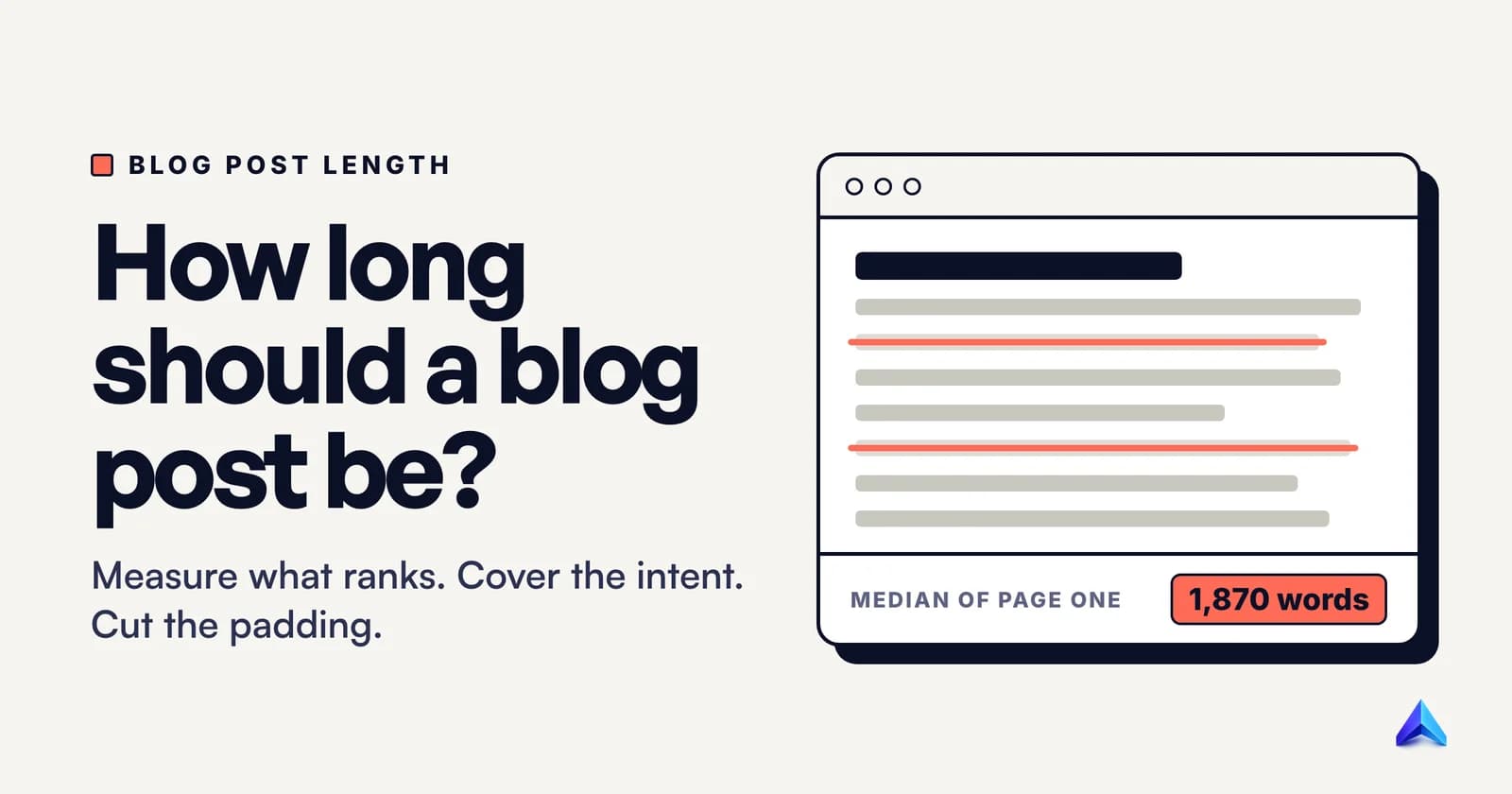
Length. There is no target. Google's helpful content guidance asks whether you are writing to a particular word count because you heard Google prefers one, and answers itself: "No, we don't." Read the pages that rank for your keyword, cover what the searcher needs, then stop. A quick definition can be 800 words. A full process like this one runs longer.
Frequency. Post as often as you can keep the quality up. One useful, well-researched post a month beats four thin ones a week, and a content calendar helps you hold whatever pace you choose.
Mistakes Google tells you to avoid
Google's helpful content guidance includes a list of questions where a "yes" is a warning sign that you are writing for search engines first. Most bad SEO blog posts fail at least one of them.
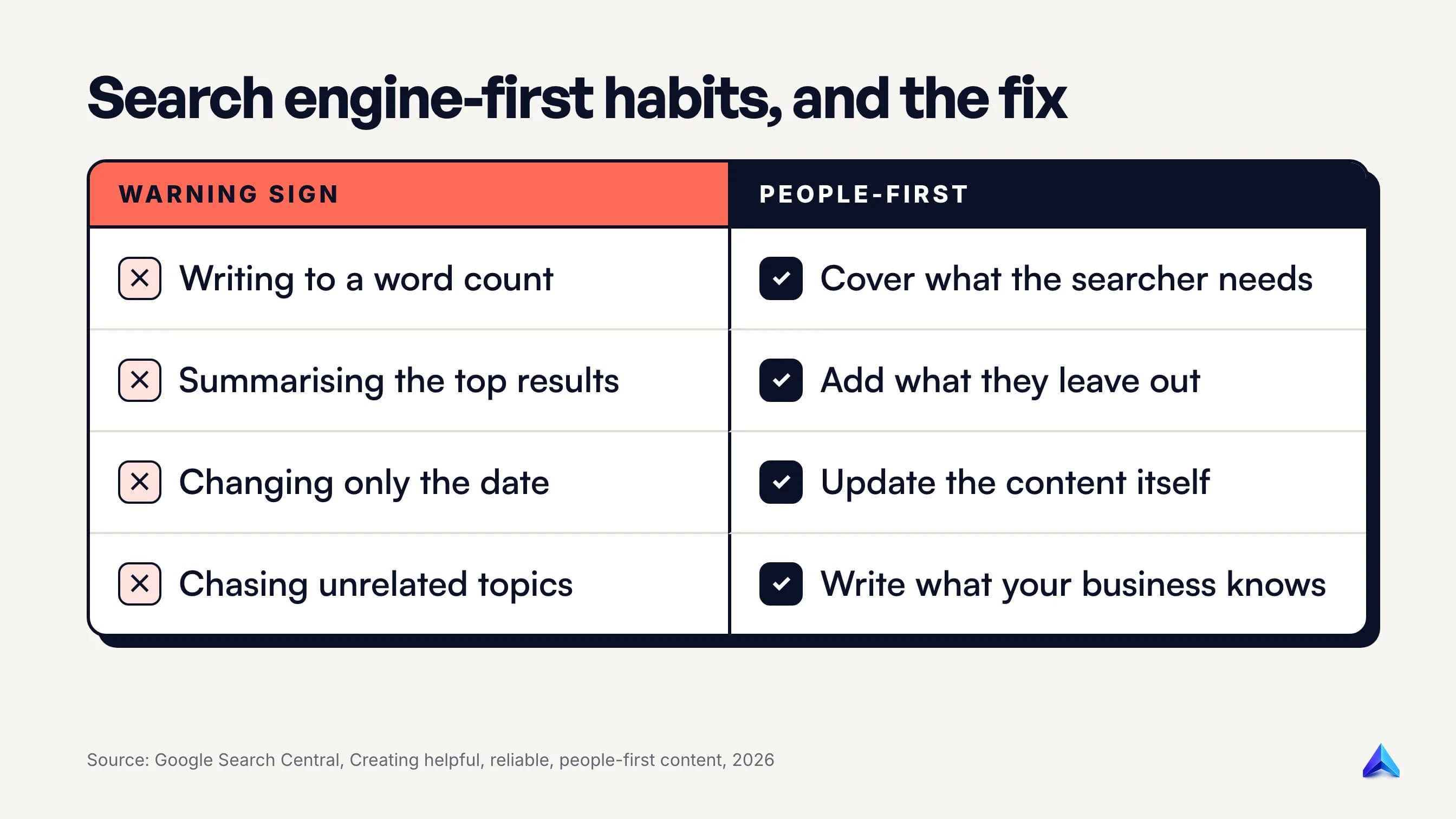
- Summarising what others say without adding much value. If your post could be assembled from the top five results, it has no reason to outrank them.
- Writing about many unrelated topics "in hopes that some of it might perform well". Stay close to what your business knows.
- Leaving readers needing to search again. If they finish your post and go back to Google, you did not answer the question.
- Padding to a word count. Covered above. Google has no preferred length.
- Faking freshness. Google warns against "changing the date of pages to make them seem fresh when the content has not substantially changed". Change the date when the content changes, not before.
- Using automation to churn out pages. Google says that using AI or automation "for the primary purpose of manipulating search rankings" violates its spam policies. AI can help with research and drafts. A person who knows the subject still needs to check and shape every page.
Google's own summary of where SEO fits is a good test to finish on: SEO "can be a helpful activity when it is applied to people-first content, rather than search engine-first content." Write the post for the reader, then use the steps above so search engines can find it.
常见问题
What is the 80/20 rule for blogging?
It is the Pareto principle applied to content, a rule of thumb rather than a measured law: a small share of your posts, roughly a fifth, tends to bring most of your traffic and leads. In practice: find your best performers in Search Console and spend more time updating and linking to them than writing new posts nobody searches for.
What are the 3 C's of SEO?
There is no official list. A version you will often see is content, code and credibility. Content is what you publish and how well it answers searches. Code is the technical side: crawling, indexing, speed. Credibility is the trust other sites show by linking to you. A blog post mostly works on the first, depends on the second, and earns the third over time.
How many keywords should a blog post target?
One primary keyword, plus two or three close variants or sub-questions that the same reader would want answered. If two keywords need different answers or different types of page, they belong in separate posts. Targeting the same primary keyword with several posts makes them compete with each other.
Can I use AI to write SEO blog posts?
Yes, with care. Google's issue is purpose and quality, not the tool: using automation mainly to manipulate rankings breaks its spam policies. Use AI for research, outlines or first drafts, then have someone who knows the subject verify every fact, add real experience and cut generic filler before publishing.
Do blog posts still need a meta description?
Yes. Google often writes the snippet from your page text, but it does use the meta description when it describes the page better. A short, specific summary unique to each post gives you some control over how the result reads, which helps more searchers click.
How long does it take for a blog post to rank?
It varies by keyword and site. Google first has to crawl and index the page, and a low-competition keyword on an established site can rank within weeks. Competitive keywords on new sites can take many months, or never rank without links. Check URL Inspection first, then watch Search Console's Performance report.