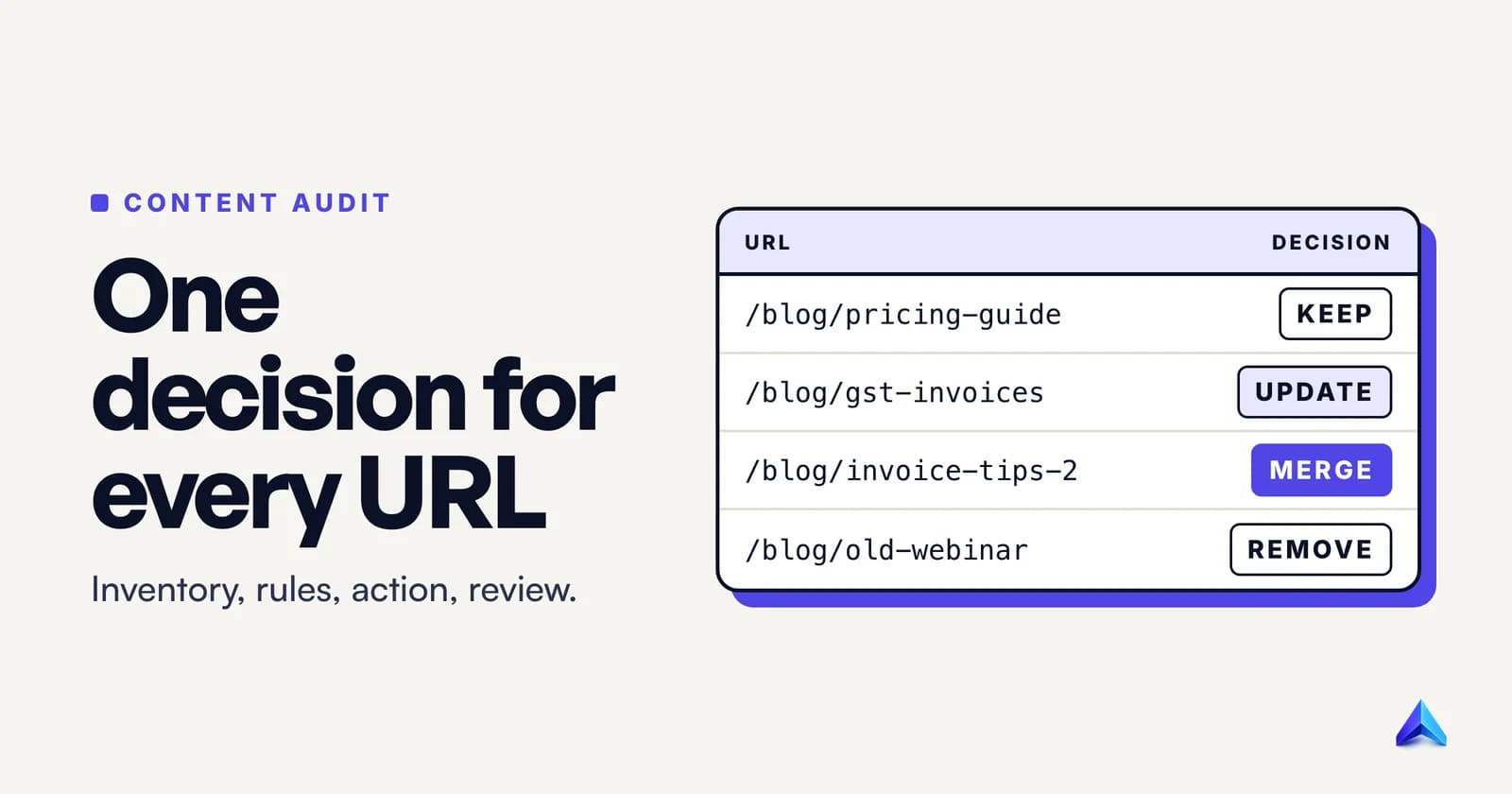
To do a content audit, list every indexable URL on the site, join that list with Search Console and GA4 data, and give each URL exactly one decision: keep, update, merge, redirect or remove. Then carry out the decisions in small batches, log what changed and when, and compare the same metrics over the same date window about three months later.
The steps are simple. The hard part is writing decision rules before you look at the pages, so that "it feels a bit dated" never decides the fate of a URL that brings in 40 enquiries a month. This guide gives you those rules, the exports that feed them, and a worked example on our own blog.
What a content audit is, and what it is not
A content audit is a page-by-page review of what a site has already published, scored against a goal, that ends in a decision for every URL. The output is a spreadsheet with an action column, not a slide of observations.
Three neighbouring jobs get confused with it:
- A content inventory is only the list: URL, title, type, owner. It is step 2 of an audit, not the audit itself.
- A technical SEO audit checks crawling, indexing, speed and markup across the whole site. Our technical SEO audit checklist covers that. A content audit borrows one technical column (the status code) and leaves the rest alone.
- Content decay and content pruning are things an audit finds and does. Decay is a page slowly losing clicks; pruning is removing pages that no longer earn their place. Both deserve their own guides. Here they are simply two of the outcomes.
Step 1: Decide the question and the scope
Write one sentence that the audit has to answer. Good ones are specific:
- "Which blog posts should we update first to win back organic sign-ups?"
- "Which of our 600 product guides can we merge before the site migration in March?"
- "Which service pages for our Manchester and Leeds offices are competing with each other?"
The question picks your columns. A traffic question needs Search Console clicks and impressions. A conversion question needs GA4 key events. A migration question needs backlinks and redirect targets. If a column does not feed the question, leave it out.
Then set the scope by section, not by the whole domain. A Bengaluru SaaS company with a 300-post blog, 40 docs pages and 12 landing pages should audit the blog first, because that is where duplication and decay pile up. Auditing everything at once is how audits stall at row 200.
Agree on one more thing before anyone opens a spreadsheet: who signs off on removals. Deleting a page that sales still sends to prospects is the fastest way to lose support for the whole project.
Step 2: Build the URL inventory
You need one row per URL that exists, from three sources, joined on the URL.
Source 1: the sitemap or a crawl. The sitemap gives the URLs you intend to be indexed. A command line gets you a clean list in seconds:
curl -s https://example.com/sitemap.xml | grep -o '<loc>[^<]*' | sed 's/<loc>//' > sitemap-urls.txt
If your sitemap is an index file, run the same command on each child sitemap it lists. Google's documentation caps a single sitemap at 50,000 URLs, so larger sites will always have an index. Then run a crawler (Screaming Frog, Sitebulb or similar) from the homepage. The crawl finds URLs the sitemap forgot, such as old posts still linked from somewhere, tag pages and stray PDFs. URLs that appear in the crawl but not the sitemap are often your best removal candidates.
Source 2: Search Console. Open Performance → Search results, set the date range to the last 12 months, and click the Pages tab. Export it. Watch the row cap: Google's help page on exporting Search Console data says exports from most reports are limited to 1,000 rows. For a bigger site you have two ways round it. The Search Console API returns up to 50K rows per day per search type, and the bulk data export sends everything to BigQuery with no 50K limit, though it needs a Google Cloud account.
Source 3: GA4. Go to Reports → Engagement → Landing page. Google's Landing page report documentation describes it as showing the first page a visitor lands on and how many visitors land on each page. Add the secondary dimension Session source / medium and filter to google / organic so you are comparing search visits to search visits.
Normalise before you join
The join fails silently if the URLs do not match exactly. Before you VLOOKUP anything:
- Convert GA4's page paths to full URLs (GA4 reports
/blog/post, Search Console reportshttps://example.com/blog/post). - Pick one form for trailing slashes and apply it everywhere.
- Strip tracking parameters such as
?utm_source=and?fbclid=. - Lowercase the host, and make sure every row uses https and the same www or non-www version.
Then add a status column. Fetch each URL with a crawler or curl -s -o /dev/null -w "%{http_code}" <url>. Anything that is not a 200 gets its own pile in step 4.
Step 3: Add the metrics that decide something
A metric earns a column only if a value in it would change a decision. These are the ones that do:
| Column | Source | Decision it feeds |
|---|---|---|
| Status code | Crawler or curl | Anything not 200 is fixed first |
| Clicks, last 12 months | Search Console, Pages tab | Keep vs remove |
| Impressions and average position | Search Console | Update (demand exists, page underperforms) |
| Top query | Search Console, page filter → Queries | Merge (two URLs, same query) |
| Organic sessions and key events | GA4 Landing page report | Business value |
| Referring domains | Ahrefs, Semrush or Search Console's Links report | Redirect vs plain removal |
| Last substantial update | CMS | Update priority |
| Intent and topic fit | Your judgement, one word | Re-target or remove |
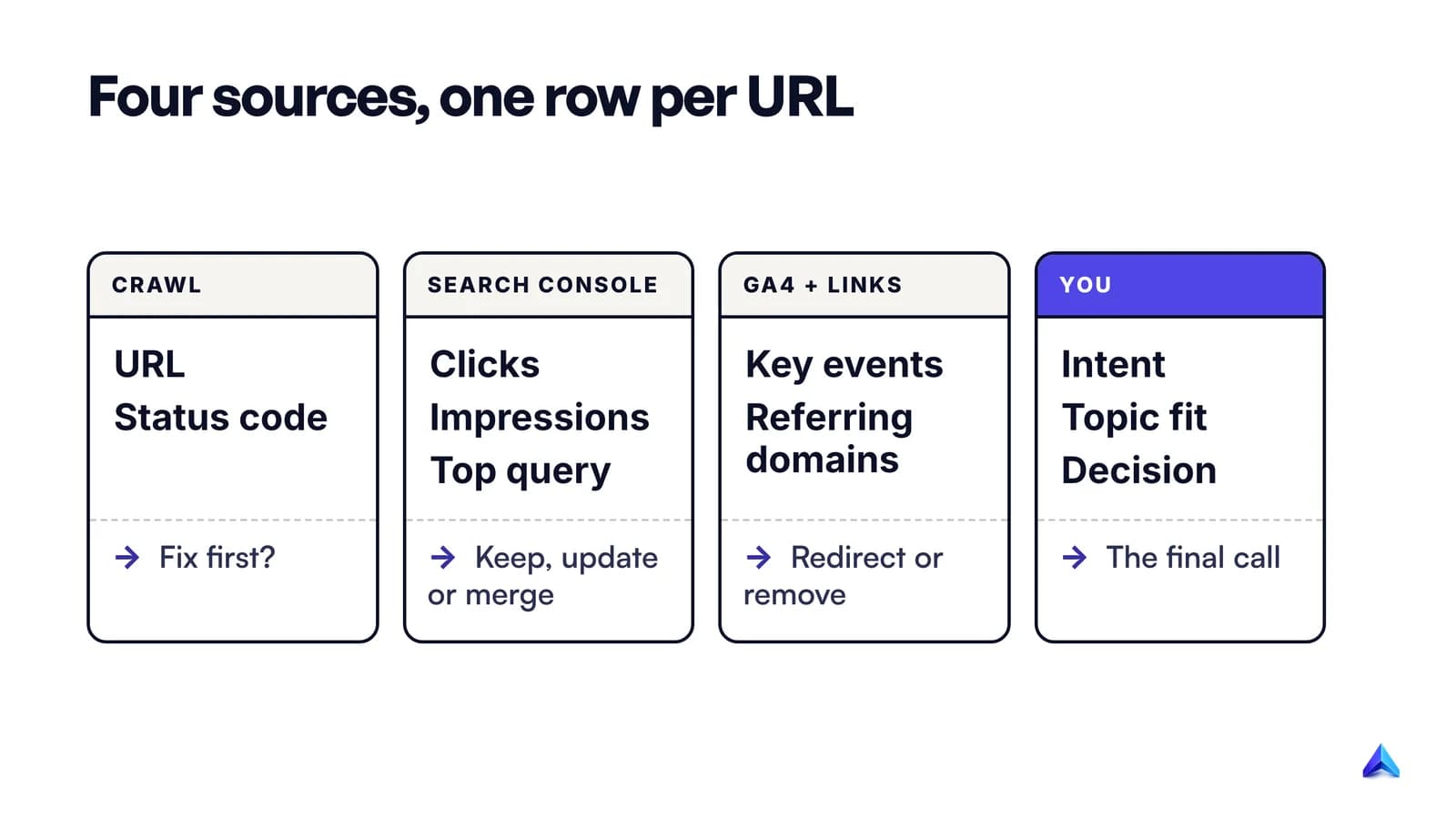
Two details trip people up. First, GA4's key events column stays empty unless you have marked at least one event as a key event, such as a form submission or a demo booking; Google's documentation says the metric is populated only after you do. Second, the Search Console rows will not add up to the total in the chart. Google's deep dive on Performance data explains that anonymized queries are left out of the table rows but included in chart totals. Do not "fix" the gap by scaling your numbers; compare pages with each other, not with the total.
The last two columns need a human. Read the page, then write one word for intent (learn, compare, buy) and one for fit ("core", "adjacent", "off-topic"). That reading is where an audit stops being arithmetic. If you need a second opinion on whether a page is genuinely useful, our guide to Google's helpful content questions turns Google's self-assessment list into a page-level test.
Tools can speed up that reading. Project Rankup's Content Audit Studio, for instance, takes a URL or a pasted draft, scores SEO, readiness for AI answers (GEO and AEO), quality, keyword demand and freshness, and lists the issues in plain English with a fix for each. It checks whether a URL is dead before analysing it, so no AI analysis is spent on a 404. Any tool informs the decision column rather than filling it; we compared AI content audit tools separately.
Step 4: Give every URL one decision
Apply these rules in order and stop at the first one that matches. The order matters: a broken page with backlinks is a redirect problem before it is a content problem.
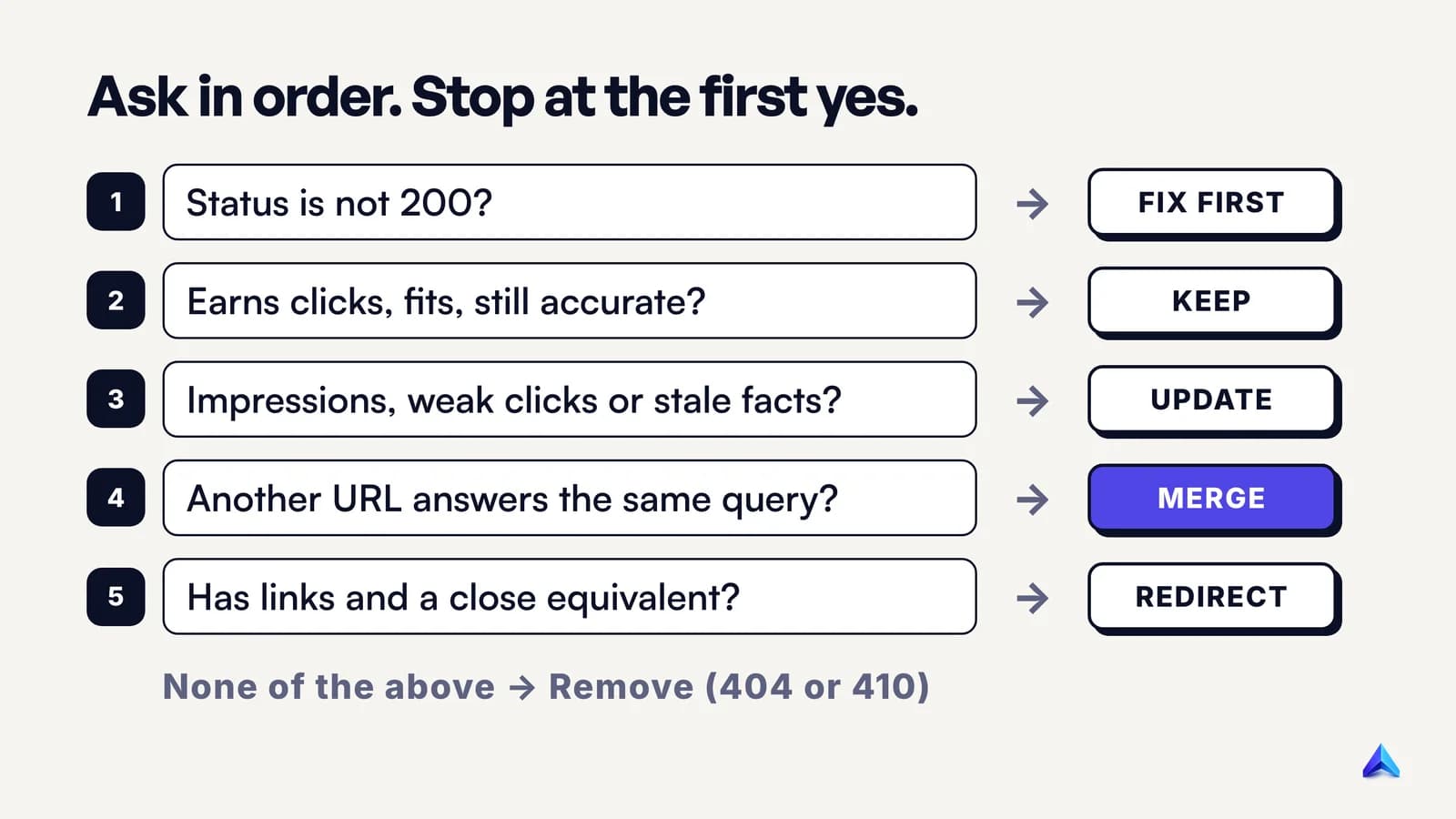
- Status is not 200. Fix it before judging the content. A 404 that should exist gets restored; one that should not stays gone. Our explainer on what a 404 error means covers which ones are worth fixing.
- Earns clicks, fits the topic, facts still true: keep. Most of a healthy site lands here, and that is good news.
- Has impressions but weak clicks, or the facts are out of date: update. Typical signs: a page-two position for the right query, a click-through rate far below your site's norm, last year's prices, screenshots of an old interface. Demand exists and the page is not meeting it.
- Another URL answers the same query for the same reader: merge. Keep the stronger URL, move the best material into it, and 301 the weaker one. Before you merge, confirm the overlap in Search Console; our guide to fixing keyword cannibalization walks through that check, including the cases where two pages ranking together is a win.
- No reason to exist, but it has links or traffic, and a close equivalent exists: redirect. A discontinued product page for a model with a direct successor is the classic case.
- No clicks in 12 months, no links, no business value, no close equivalent: remove. Return a 404 or 410.
Starting thresholds
Rules need numbers. These are our defaults for a small or mid-sized site, and they are starting points, not law:
| Signal | Default threshold |
|---|---|
| "No clicks" | Zero clicks in 12 months of Search Console data |
| "Weak clicks" | Average position 8 to 20 with impressions in the top half of your pages |
| "Has links" | One or more referring domains you would not disavow |
| "Recent" | Published or substantially updated in the last 6 months: do not judge yet |
The last row saves a lot of grief. A post published in July has not had time to rank, so mark it "too new" and leave it for the next audit.
Removal without damage
Two mechanics matter when you remove pages. First, 404 and 410 behave the same for Google: its documentation on HTTP status codes says all 4xx errors except 429 are treated the same, and indexed URLs returning them are removed from the index. Pick whichever your CMS makes easier.
Second, do not redirect everything you delete to the homepage. Google's John Mueller said in 2016 that 301-redirecting many or all old pages to the home page is something Google treats as a soft 404, as Search Engine Roundtable reported. The redirect then passes nothing. Redirect only to a page that does the same job; our guide to what a redirect is explains when each status code fits.
One warning about motive. Google's guidance on helpful content asks whether you are adding or removing a lot of content mainly to make the site seem "fresh", and answers its own question: "No, it won't". Remove pages because they fail readers, not to send a signal.
Step 5: Execute in batches
Work in this order, because each step makes the next one cleaner:
- Fix status codes and broken internal links. Cheap, and it stops crawlers wasting time.
- Merges and redirects. Do them before updates, so you do not polish a page that is about to be folded into another.
- Removals. Take the URLs out of the sitemap and the navigation in the same change.
- Updates, highest opportunity first. Sort the update pile by impressions, so the pages with the most demand get rewritten first.
Batches of 10 to 20 URLs a week keep the work reviewable and show which change moved what. For each batch, write the date, the URL, the action and the new URL (if any) into a change log tab. Without it, the re-check in step 6 is guesswork.
Three habits make the changes stick:
- Test every redirect.
curl -I https://example.com/old-urlshould return a single301with the new URL in theLocationheader, and the new URL should return200. Chains and loops are the usual failure. - Update internal links to the final URL. A redirect is a safety net for old links from other sites, not a substitute for editing your own.
- Change dates only when the content changed. Google's sitemap documentation says it uses the
lastmodvalue only if it is consistently and verifiably accurate. A CMS that bumps every post's date on a template edit gives Google a reason to ignore your dates, and Google's helpful content questions flag date changes on pages that have not substantially changed.
Step 6: Re-check against the same window
Search Console's Performance report shows the past three months by default, which is a sensible re-check interval too. Updated pages need time to be recrawled, and merged pages need time for Google to process the redirects and consolidate on the surviving URL.
Compare like with like. Use the Compare option in Search Console's date picker to set the three months after the batch against the same three months a year earlier if your traffic is seasonal, or against the three months before the batch if it is not. A tutoring site in India comparing post-exam October with pre-exam March will see a "drop" that has nothing to do with the audit.
For each batch, record three things:
- Updates: clicks and average position for the page's top query, before and after.
- Merges: clicks to the surviving URL against the combined clicks of both URLs before the merge.
- Removals: total clicks to the section. It should hold steady, because the removed pages earned close to nothing.
Success looks unglamorous: the updated pages gain clicks on the queries they already had impressions for, the merged URL holds or beats the sum of its parts, and nothing important fell out of the index. If a surviving URL drops sharply, check that the redirect resolves in one hop and that the page is still indexed before you rewrite anything.
A worked mini-audit of our own blog
This is a sketch of steps 2 to 4 on a handful of URLs from projectrankup.com/blog, using only what anyone can see from outside: titles, headings and the sitemap. A real audit adds the Search Console and GA4 columns; we have left them out so you can reproduce every row yourself.
| URLs | What the public data shows | Provisional decision |
|---|---|---|
/blog/deep-search-ai and /blog/deep-search-ai-explained-seo-aeo-2026 | Identical titles, same keyword | Merge into one, 301 the other |
/blog/what-is-content-marketing and /blog/what-is-content-marketing-definition-types-how-it-works | Similar titles, one strategy angle, one definition angle | Check dates in Search Console first |
/blog/search-google-or-type-a-url and /blog/search-or-type-url | Same phrase; the first is mostly browser help ("How to Change Your Default Search Engine"), the second is an SEO angle | Different readers: keep the first only if it earns clicks |
/blog/seo-audit and /blog/technical-seo-audit | The first has an H2 "How to Perform a Technical SEO Audit Step by Step" | Trim that section, link to the second |
| 39 of 48 older posts | "2026" in the title | Update titles where content is not year-bound |
The first two pairs are already analysed in detail in our cannibalization guide, so we will not repeat the reasoning here.
The third pair shows why the fit column exists. Both URLs target the words "search or type a URL", but one helps someone whose browser address bar is misbehaving, and the other talks to site owners. Only the second reader is our audience. If Search Console shows the browser-help page earning clicks, it stays as harmless traffic with no further investment. If it earns none, it is a removal candidate, and it should get a 404 rather than a redirect, because no page on the site does its job.
The fourth row is a finding almost every blog audit turns up: a broad post that grew a section duplicating a narrower post. The fix is small. Cut the section to two sentences and a link, so each page owns one question.
The year-in-title row is a trap we set for ourselves: a year in the title reads as current for twelve months and stale the morning after. Where a general guide carries one, the year comes out at the next update.
Notice what public data could not decide. Every "provisional" in that table becomes a real decision only after the Search Console columns are filled in. That is the point of step 2.
How often to audit, and how long it takes
For most sites, a full audit once a year and a light quarterly pass on the section that matters most is enough. The quarterly pass is just step 6: re-check the last batch, and sweep for pages whose clicks fell most against the previous quarter.
Some events justify an audit on their own: a site migration or redesign, a merger of two sites, a sharp traffic drop that is not explained by seasonality, or a rebrand that changes what you sell. A London agency moving 2,000 client case studies to a new CMS should audit first and migrate only what survives.
Time depends on the reading, not the exports. Joining the data for a few hundred URLs takes an afternoon; reading each page for intent and fit takes a few minutes a page, so a 300-post blog is several working days for one person.
常见问题
What is the difference between a content inventory and a content audit?
A content inventory is a list of what exists: each URL with its title, type, owner and date. A content audit adds performance data and judgement to that list and ends with a decision for every URL. You cannot audit without an inventory, but an inventory on its own changes nothing on the site.
Is a content audit the same as an SEO audit?
No. An SEO audit, especially a technical one, checks how search engines crawl, render and index the whole site: robots rules, speed, canonical tags, structured data. A content audit judges each published page on its usefulness and performance. They overlap on status codes and indexing, and many teams run the technical audit first.
Can ChatGPT do a content audit?
Partly. A chatbot can review a page you paste in for clarity, outdated claims and missing questions, which helps with the reading in step 3. It cannot see your Search Console, GA4 or backlink data unless you export and share it, and it does not know your business goals. Use it to speed up page reviews, not to make the keep or remove decision.
Do I need a content audit template?
A template saves set-up time, but the columns matter more than the file. Start with URL, status code, clicks, impressions, top query, organic sessions, key events, referring domains, last update, intent, fit, decision, target URL and owner. Add a change log tab with the date of every change.
How many pages should I audit first?
Start with one section and its top 100 URLs by impressions, plus every URL with zero clicks. That covers the pages with the most demand and the pages most likely to be removed. Finish that batch, re-check it, then widen the scope.