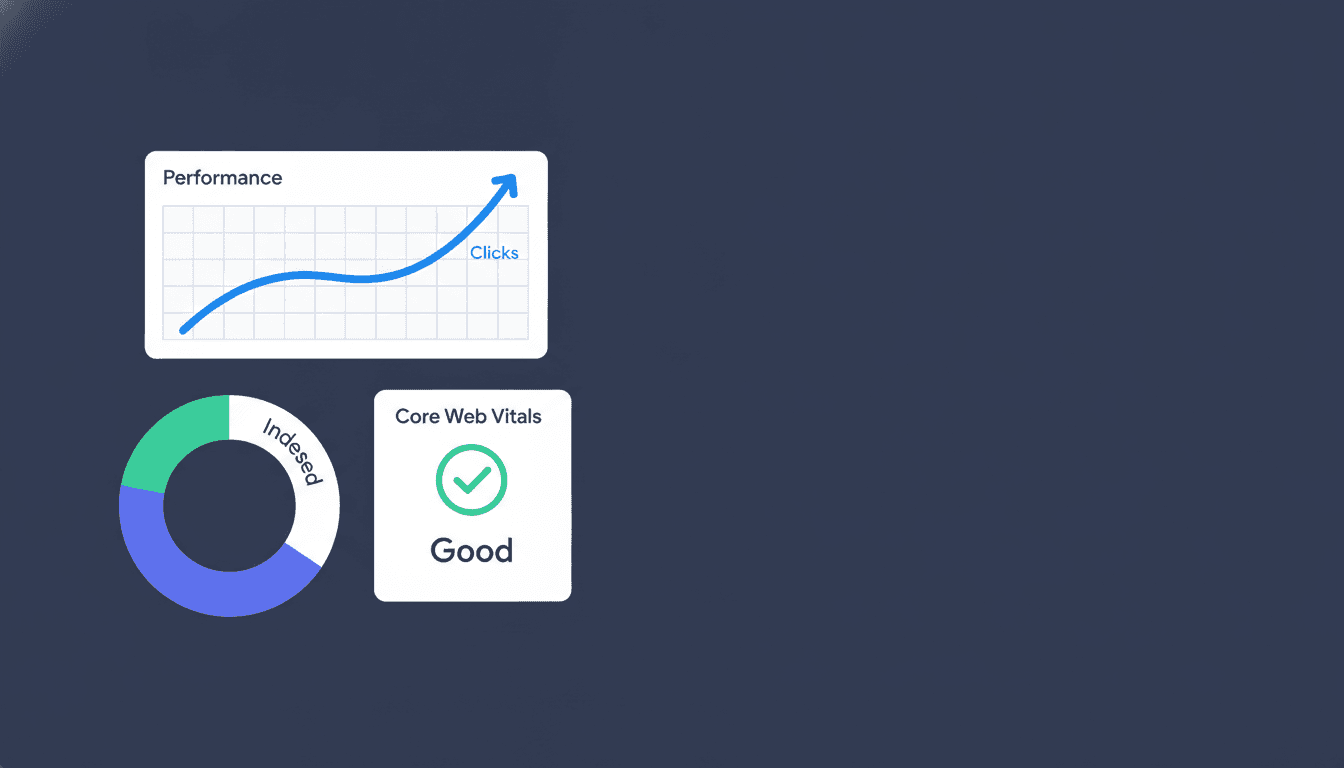
Most teams treat Google Analytics as a dashboard to glance at once a month, not a diagnostic tool. That's backward. Used right, Google Analytics tells you exactly which pages lose visitors, which keywords bring people who never convert, and where your SEO spend is quietly going to waste.
This guide walks through a real audit process: what to pull from Google Analytics, how to read it against Google Search Console data, and what decisions each number should drive. No fluff about "understanding your audience." Just the checks that change what you do next.
What Google Analytics measures (and what it doesn't)
Google Analytics measures behavior after a visitor lands on your site: sessions, engagement time, conversions, and the paths people take between pages. It does not measure rankings, impressions, or click-through rate from search results, that data lives in Google Search Console, not here.
This distinction trips up more marketers than anything else in SEO reporting. Google Analytics 4 (GA4), the current version of the platform, tracks events: page views, scrolls, form submits, purchases (Google Analytics developer docs). Google Search Console tracks search visibility: which queries triggered your page, how often, and at what position. You need both, paired, to run a real audit. Analytics alone tells you a page gets traffic. Search Console tells you why, and what query brought it.
Google Analytics is also free for standard use, which is why it remains the default behavior-tracking tool for most sites regardless of size (Google Marketing Platform). The paid tier, Google Analytics 360, adds higher data limits and BigQuery export for enterprise volumes, but the free version covers the audit work in this guide for the vast majority of sites.
Start with the Acquisition report: where is your SEO traffic going?
Filtering to organic search
Open Reports, then Acquisition, then Traffic acquisition, and filter the channel to Organic Search. This single view answers the question every stakeholder asks first: is SEO working?
Choosing the right time window
Open Reports, then Acquisition, then Traffic acquisition, and filter the channel to Organic Search. This single view answers the question every stakeholder asks first: is SEO working? Look at sessions over the last 12 months, not 30 days, so seasonal noise doesn't fool you into a false panic or false win.
Three numbers matter more than total sessions:
-
Engaged sessions per channel - organic traffic should show higher engagement than paid or social, since search visitors arrive with intent already formed.
-
Average engagement time - a 15 second average on a 2,000 word article means something upstream is broken: wrong keyword match, bad meta description, or a slow page.
-
Conversions by channel - if organic drives half your traffic but 10% of conversions, you have a targeting problem, not a traffic problem.
Google Analytics groups reports into five core categories, covering acquisition, engagement, monetization, retention, and user demographics (Google Analytics Help). For an SEO audit, Acquisition and Engagement carry most of the weight. Monetization matters once you're checking whether organic traffic pays for itself.
If your organic sessions have flattened or dropped and you can't explain it from the Acquisition report alone, the next step is a full technical pass. A technical SEO audit catches the crawl and indexing issues that Google Analytics can't see, because Analytics only counts visitors who successfully loaded the page.
Landing pages: find the pages bleeding traffic silently
Sorting by organic sessions and spotting drops
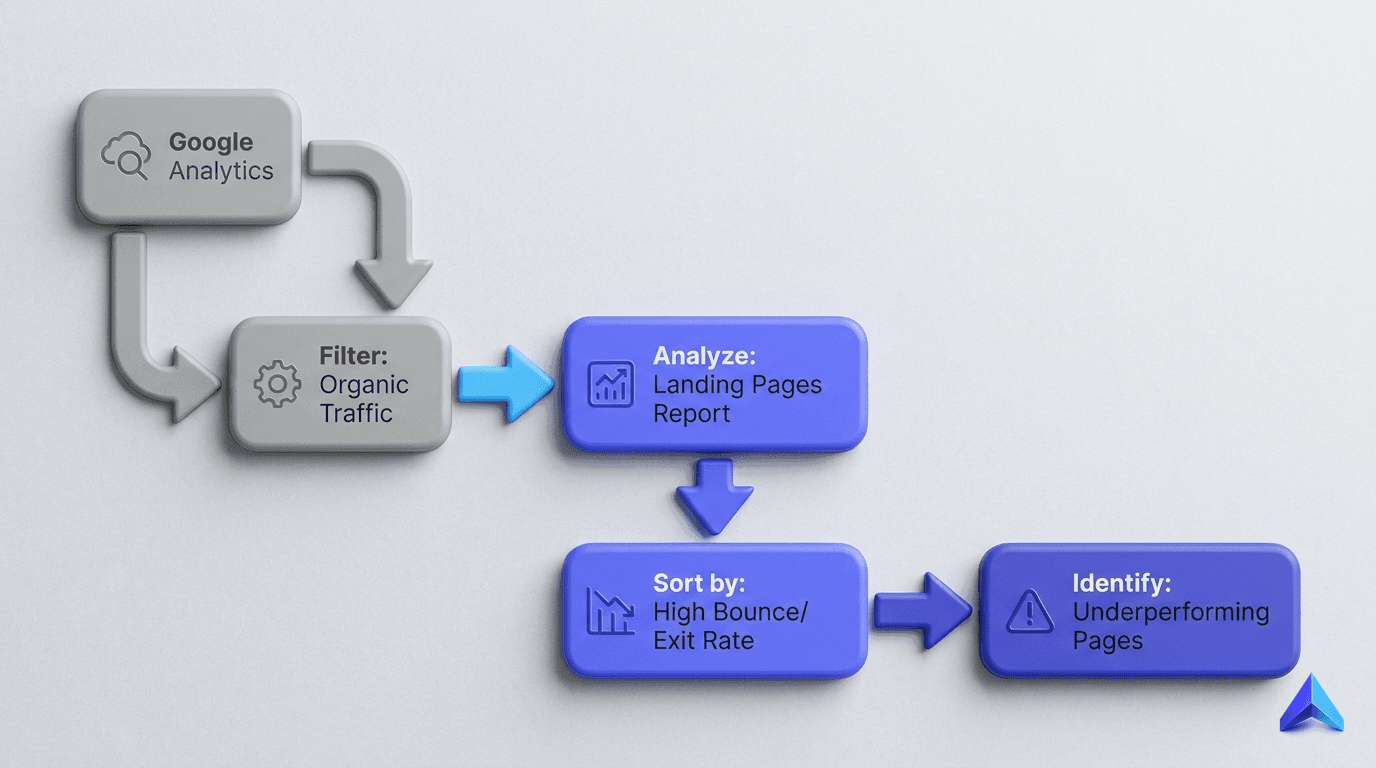
Go to Engagement, then Pages and screens, and sort by organic sessions. This report exposes your highest value real estate and, more usefully, the pages that used to perform and now don't.
Using year-over-year comparison
Go to Engagement, then Pages and screens, and sort by organic sessions. This report exposes your highest value real estate and, more usefully, the pages that used to perform and now don't. Compare the current period against the same period last year using the built-in date comparison. A page that lost 40% of its sessions year over year, with no site-wide drop to match, almost always points to one of three causes: a ranking drop for its primary query, a content competitor outranking it, or a technical fault like a slow load or broken internal link.
Here's the table to build before you touch anything else:
| Metric | What it tells you | Red flag |
|---|---|---|
| Sessions (YoY) | Whether the page's traffic is growing or shrinking | Drop over 25% with no site-wide cause |
| Average engagement time | Whether content matches search intent | Under 30 seconds on long-form content |
| Bounce-adjacent exit rate | Whether the page satisfies or disappoints | High exits right after entry, not after scroll |
| Conversions | Whether traffic is commercially useful | High sessions, zero conversions |
| Entrance vs. total sessions | Whether the page is a first-touch or support page | Low entrances despite strong rankings |
Prioritize the pages with high sessions and low engagement first. Those are costing you the most, because they're the ones search engines still trust enough to show, but readers don't trust enough to stay on. A content refresh (updated stats, tighter answer-first intro, stronger internal links) often recovers these within 8 to 12 weeks, based on typical crawl and reindex timelines for mid-authority sites.
Pairing Google Analytics with Search Console: the audit most teams skip
Google Analytics shows what happened after the click. Google Search Console shows what happened before it, impressions, position, and click-through rate by query. Neither tool alone gives you the full funnel, which is why linking them inside GA4's Search Console integration (under Admin, then Product Links) is the single highest-leverage setup step in this whole guide.
Once linked, you can see, for any landing page, the exact queries driving impressions next to the engagement and conversion data for visitors who clicked through on those queries. This answers the question raw rank-tracking can't: is this keyword worth chasing, or does it rank fine and just convert badly?
Run this cross-check on your top 20 landing pages by organic traffic:
-
Pull impressions, clicks, and average position from Search Console for each page.
-
Pull engaged sessions and conversion rate from Google Analytics for the same pages, same date range.
-
Flag any page with high impressions, low click-through rate, that's a title tag and meta description problem, not a content problem.
-
Flag any page with high click-through rate, low engagement time, that's a content-to-query mismatch, the page doesn't answer what the title promised.
-
Flag any page with strong engagement but no conversions, that's a missing or weak call to action, not an SEO issue at all.
This five-step cross-check is the backbone of a proper SEO audit, and it's the step most freelancers skip because it requires two tools open at once instead of one clean export.
Conversion tracking: the step that separates vanity traffic from revenue
Setting up Key Events in GA4
GA4 calls these Key Events (previously called "conversions" in Universal Analytics), and setting them up correctly is non-negotiable before you report SEO performance to anyone holding a budget.
If Google Analytics isn't tracking the actions that matter, form fills, calls, purchases, demo requests, every other number in this guide is cosmetic. GA4 calls these Key Events (previously called "conversions" in Universal Analytics), and setting them up correctly is non-negotiable before you report SEO performance to anyone holding a budget.
For e-commerce sites, this means enabling enhanced measurement or the ecommerce event set so purchases, add-to-carts, and checkout steps all flow into Monetization reports automatically. For SaaS and service brands, it means marking form submissions, demo bookings, or trial signups as Key Events manually inside Admin, then Events.
The mistake to flag for clients: agencies often report "organic sessions up 30%" as the headline win. That number means nothing if those sessions don't convert at a rate close to your site average. A brand running SEO services for small business should ask, every month, what the organic conversion rate is next to paid and direct. If organic converts at half the site average, the content is attracting the wrong intent, not the right volume.
One honest caveat: Google Analytics undercounts cross-device and privacy-restricted users, since cookie consent rules and browser tracking prevention block a share of sessions from ever registering. Treat the numbers as directionally accurate and trend-worthy, not as an exact headcount.
User behavior and content gaps: what Google Analytics reveals about what to write next
Finding patterns in top-performing pages
The Engagement report doesn't just flag broken pages, it tells you what to build next. Sort Pages and screens by engagement time, then look at your top quartile.
The Engagement report doesn't just flag broken pages, it tells you what to build next. Sort Pages and screens by engagement time, then look at your top quartile. Those pages share something: a format, a topic depth, a content type. That pattern is your content brief for the next quarter, pulled from actual reader behavior instead of guesswork.
Cross-reference this with exit pages. A high exit rate on a page late in a logical content funnel, blog post to comparison page to pricing, usually means the next step wasn't obvious or the internal link wasn't there. This is where internal linking audits earn their keep: Google Analytics shows you the drop-off, and a site crawl shows you whether a link was missing or buried.
For sites going through a redesign or platform move, this behavioral data becomes even more important to capture before you touch anything. A site migration SEO checklist should include a full export of current engagement and conversion benchmarks by page, so you have a clean before/after comparison once the new site goes live. Teams that skip this step can't prove a migration succeeded or failed; they can only guess.
If you're running Google Analytics on a Webflow build, pay attention to how GA4 handles single-page app style navigation and anchor-based sections, since some themes don't fire page_view events correctly on scroll-based content. This is a known gap covered in more depth in our Webflow SEO guide, worth checking before you trust any engagement numbers from that platform.
Reading Google Analytics in the AI search era
Google Analytics was built to measure clicks from a results page. AI Overviews, ChatGPT, and Perplexity change that model, because a growing share of answers never generate a click at all, the user gets the answer inside the AI interface itself. This means your Google Analytics organic numbers can look flat or declining even while your content gets cited and read inside AI answers, a visibility channel Analytics has no way to track.
Recent coverage of Google's own product direction backs this shift: Google's unified measurement push (Google, May 2026) signals that cross-channel and cross-surface tracking, beyond the simple session count, is becoming the standard expectation for marketers, not an edge case. Google Analytics also recently added app conversion tracking to cross-channel reports (Search Engine Journal, 2026), another sign the platform is expanding past the single-website model it started with.
What this means practically: don't treat a flat organic sessions line as proof your content strategy failed. Check Search Console for impression trends on branded and informational queries, check whether your content gets referenced in AI answers for your target queries, and treat Google Analytics as one input, not the full picture. Brands and content teams running AEO vs SEO strategies side by side need to build this gap into how they report results internally, or risk pulling budget from content that's working in a channel nobody measured.
Setting up the audit you'll repeat
A one-time Google Analytics audit is useful. A repeatable one is what moves rankings over a year, because SEO decisions compound only when you check them against the same baseline every month. Build a saved exploration in GA4 with these dimensions locked in: channel, landing page, engagement rate, Key Event conversions, and a comparison period set to year over year.
Pin this report, share it with whoever owns content decisions, and review it on a fixed schedule rather than reactively. Stats on Google Analytics usage context show the platform remains the dominant choice for web analytics across both small sites and large enterprise deployments (The Social Shepherd, 2026), which means most of your competitors are looking at the same data categories you are. The advantage isn't access to the tool, it's the discipline to read it the same way every month and act on what changes.
If your team doesn't have the bandwidth to run this audit properly every month, this is exactly the kind of recurring diagnostic work we build into client reporting at Project Rankup. Get in touch and we'll show you what your Google Analytics data is telling you about your SEO.
常见问题
Does Google Analytics show keyword rankings?
No. Google Analytics measures what visitors do after they land on your site, including sessions, engagement time, conversions, and the paths they take between pages. It does not report rankings, impressions, or click-through rate from search results. That data lives in Google Search Console. Link the two tools so you can see the full funnel, from the search query through to the conversion.
How do I see organic search traffic in Google Analytics?
In GA4, open Reports, then Acquisition, then Traffic acquisition, and filter the channel to Organic Search. This view tells you whether SEO is actually driving visits. Look at the last 12 months rather than 30 days. A short window lets seasonal swings pass for a real problem or a real win, and a full year of data gives you a trustworthy baseline.
How do I find pages that are losing organic traffic?
Go to Engagement, then Pages and screens, sort by organic sessions, and compare against the same period last year. A page that drops sharply while the rest of the site holds steady usually points to one of three causes. Its primary query lost rankings, a competitor's content now outranks it, or a technical fault such as slow loading or broken internal links is dragging it down.
How do I connect Google Search Console to Google Analytics?
In GA4, go to Admin, then Product Links, and set up the Search Console integration. Once the two are linked, you can see impressions, average position, and click-through rate alongside on-site behavior and conversions. This setup step gives you more leverage than any other in an SEO audit. It shows both what happened before the click and what happened after it.
What are Key Events in GA4?
Key Events are GA4's name for what Universal Analytics called conversions. They are the actions that matter to your business, such as sign-ups, purchases, or demo requests. Without them, you can only report traffic, not revenue impact. Set up Key Events correctly before you present SEO performance to anyone holding a budget. They are what separate vanity traffic from results that pay off.
Why is my organic traffic flat when my content is getting more visibility?
AI Overviews, ChatGPT, and Perplexity often answer questions directly, so the user never clicks through to your site. Your content can be cited and read inside those AI answers while your Google Analytics organic numbers stay flat or decline. Analytics only measures visits that reach your site. It cannot track visibility inside AI interfaces, so read flat organic numbers with that limitation in mind.