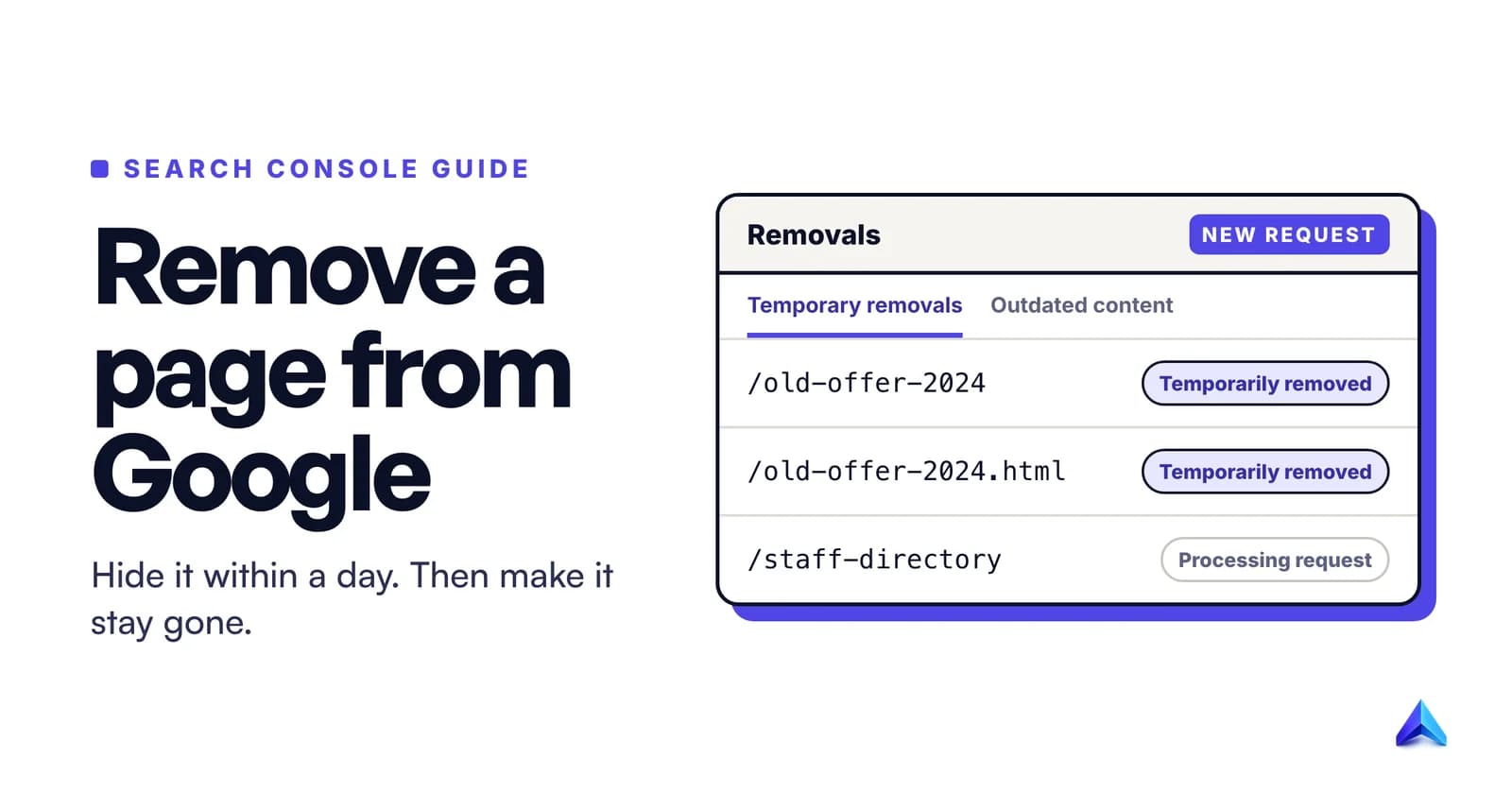
To remove a page from Google, hide it first with the Removals tool in Google Search Console, which usually takes effect within a day, then make the removal permanent by deleting the page so it returns a 404 or 410, putting it behind a password, or adding a noindex tag. The temporary block lasts about six months. If the page is on a site you do not own, you need a different set of tools.
That second sentence is where most removals fail. People use the Removals tool, watch the page disappear, and six months later it is back in the results because nothing on the server changed. This guide covers both halves in the order that works, then the separate route for pages about you on someone else's site.
Which removal do you need?
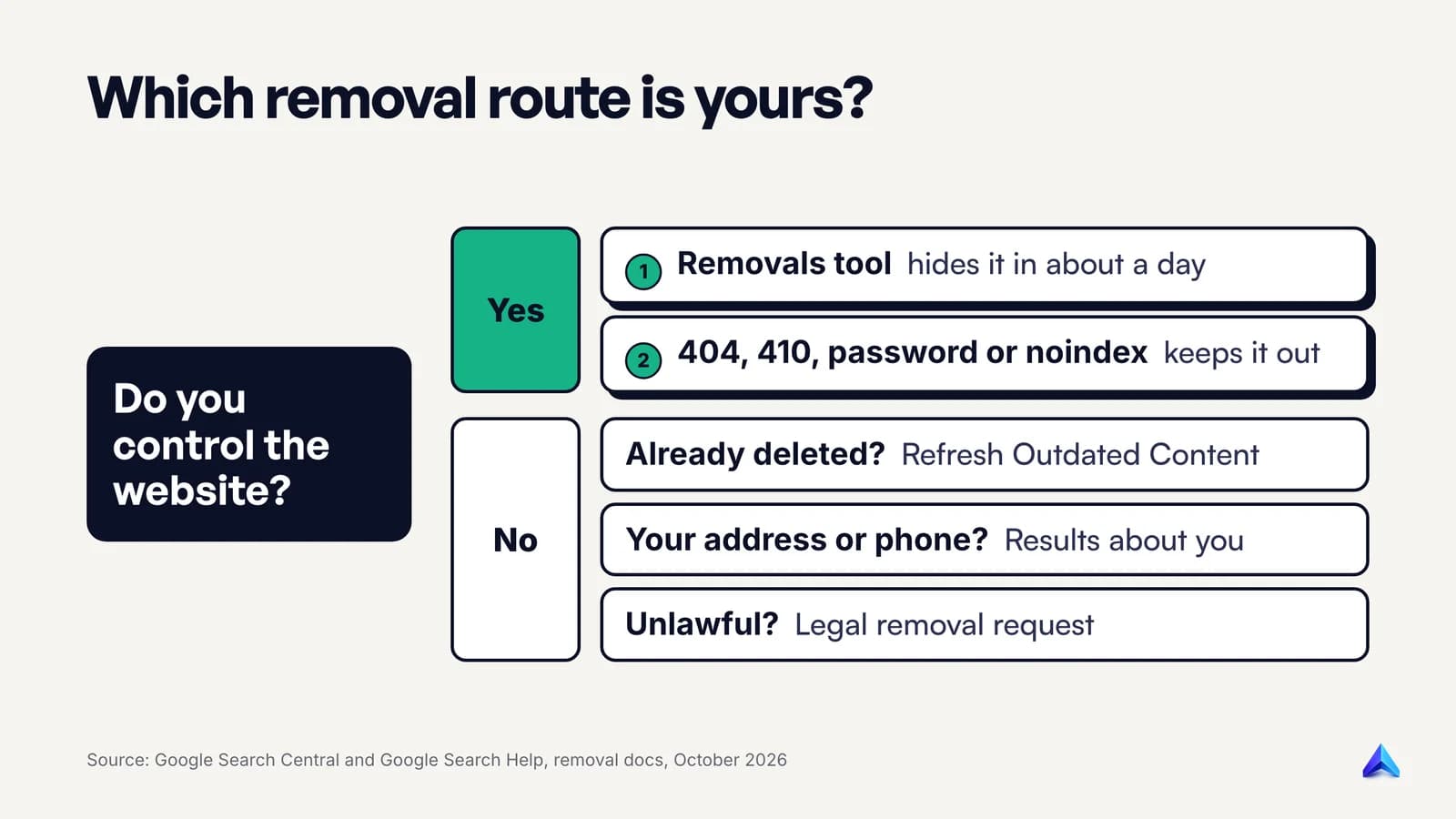
Google runs two completely separate systems, and picking the wrong one wastes a week. The question that decides it is simple: can you prove to Google that you control the website?
| Your situation | The tool | What it does |
|---|---|---|
| It is your site and the page must vanish now | Search Console Removals tool | Hides the URL for about six months |
| It is your site and the page should never return | 404/410, password or noindex | Removes it from the index for good |
| It is someone else's site, and the page is already deleted or changed | Refresh Outdated Content tool | Updates Google's stale copy |
| It is someone else's site and shows your phone, address or ID numbers | Results about you | Requests removal under Google's personal content policies |
| It is someone else's site and breaks the law | Google's legal removal request | Google reviews it under the relevant law |
If you meant deleting a page inside a Google Doc or a Google Sites project, that is an editing job in those products, and nothing below applies.
Step 1: List every URL that shows the page
Before you touch any tool, collect every address the page is reachable at. Google treats each URL separately, and a removal for one does not cover the others.
Google's own guide to removing a page hosted on your site gives the classic example: example.com/puppies, example.com/PUPPIES and example.com/petchooser?pet=puppies can all show the same content. Add tracking parameters such as ?utm_source=newsletter, print versions and old category paths.
A quick way to build the list:
- Search Google for a distinctive sentence from the page in quotation marks, and copy every URL from your domain that appears.
- Run
site:yourdomain.comwith a keyword from the page title. - Open Search Console, go to Performance, filter Pages by a word in the slug, and note every variant that has impressions.
- Use URL Inspection on each one to see whether Google has it indexed.
Our guide on how to check if a page is indexed covers these checks in detail. A URL Google never indexed needs no removal request.
Step 2: Hide it fast with the Removals tool
The Removals tool is the emergency brake. It does not delete anything. It tells Google to stop showing a URL in Search for a while, which buys you time to fix the page properly.
It works only on a property you have verified in Search Console, so verify the site first if nobody has.
The steps, as set out in the Search Console Removals tool help:
- Open Search Console and select the property.
- Open Removals from the Search Console menu and stay on the Temporary Removals tab.
- Click New Request.
- Choose Temporarily remove URL.
- Paste the exact URL, then pick Remove this URL only or Remove all URLs with this prefix.
- Click Next and submit. Repeat for every variant from Step 1.
A few rules decide whether the request does what you expect:
- Exact match means exact. The single-URL option blocks only that URL, "including the page extension (for example, .html) and parameters."
/pageand/page.htmlare two requests. - Protocol and www are handled for you. All http, https, www and non-www versions match. Other subdomains such as
m.oramp.do not, so file those separately. - Fragments are ignored. Anything after a
#never matches, so leave it off. - It is not instant or guaranteed. Google says a request usually takes up to a day and may be denied.
Clear snippet: when the page should stay but the text should not
The same dialog offers Clear snippet in search. Use it after editing sensitive text, such as a staff phone number, out of a page that stays live. Google wipes the description until it reindexes the page, showing something like "No page description available." in the meantime.
The trap: do not 404 the page before you file the request
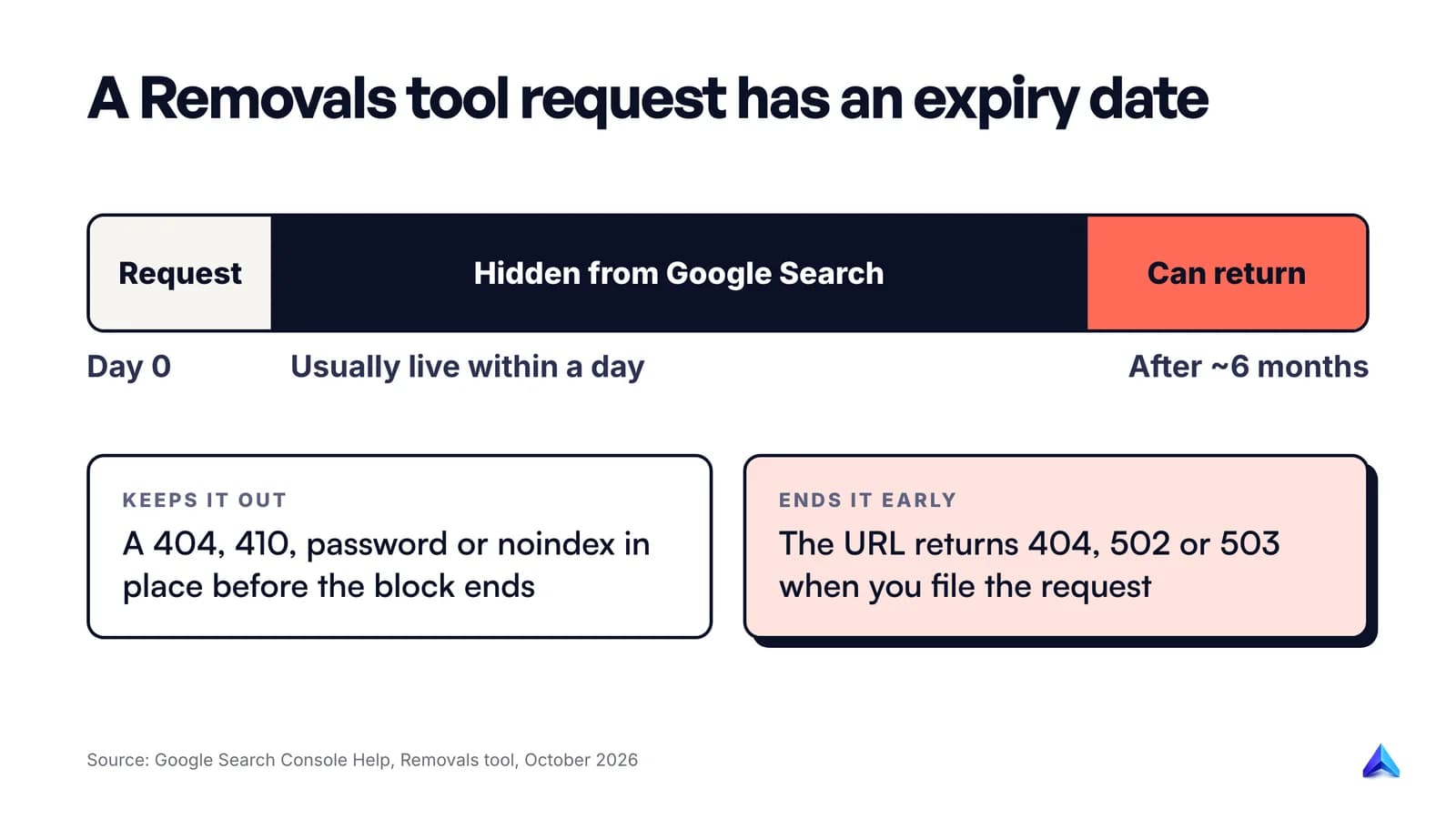
Google documents a detail that most guides leave out. If the URL returns a 404, 502 or 503 when you use the tool, Google assumes the page is gone and lets the block expire. Anything that appears at that URL later is treated as a new page that can appear in results again.
So a server that happens to throw a 503 during maintenance, or a CMS that later puts a new page on the old address, quietly ends your block. File the temporary removal while the page still loads normally, then make your permanent change.
Step 3: Make the removal permanent
Every Removals tool request runs out after roughly six months. What keeps a page out of Google after that is a change on your server. Google offers three methods and explicitly rules out a fourth.
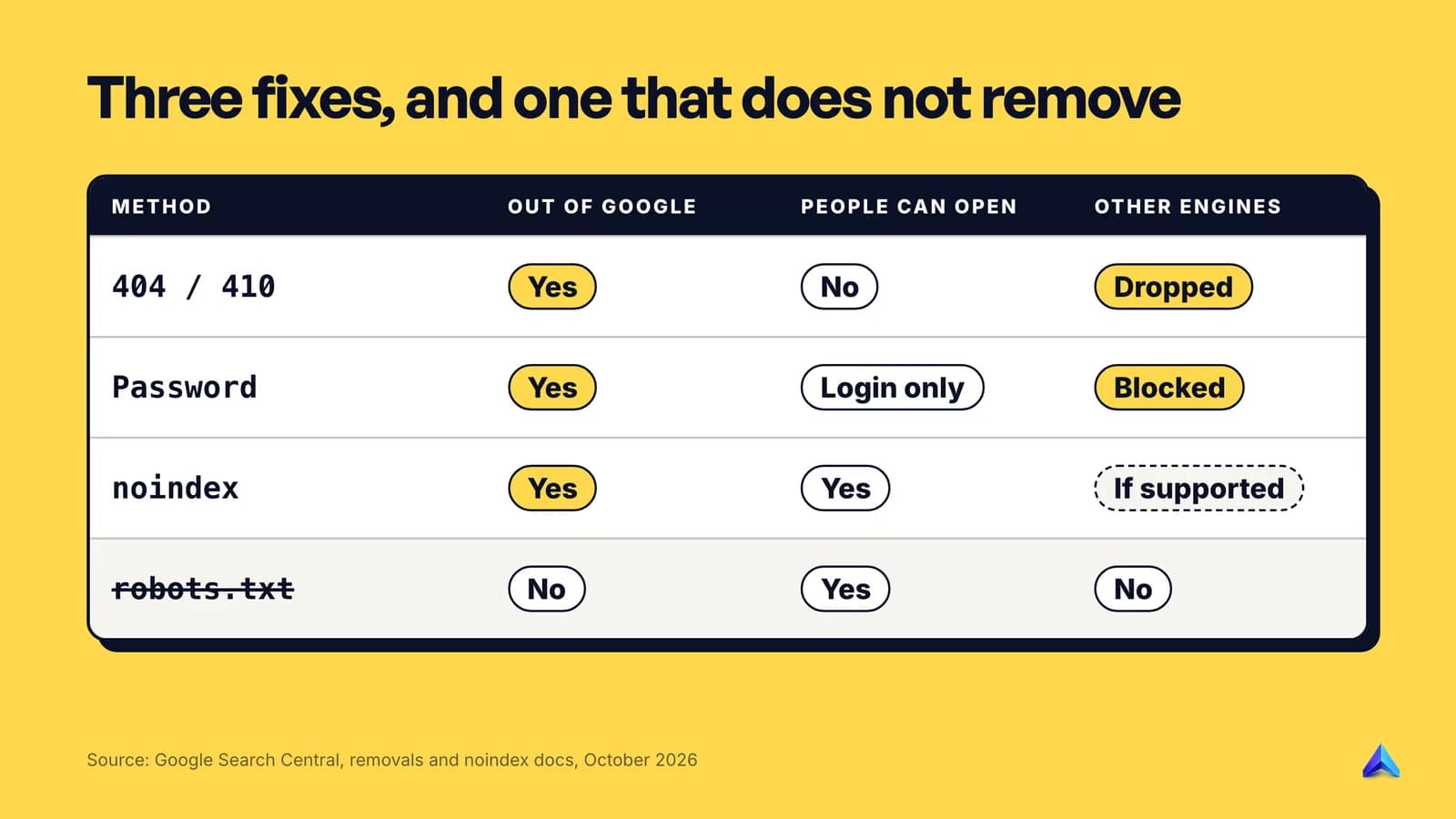
| Method | Gone from Google? | Can people still open it? | Other search engines |
|---|---|---|---|
| Delete it: return 404 or 410 | Yes | No | Removed as they recrawl |
| Password-protect it | Yes | Only people with the login | Blocked |
| noindex tag or header | Yes | Yes | Only those that support noindex |
| robots.txt disallow | No, not reliably | Yes | Not a removal method |
Delete the page and return 404 or 410
If the page has no reason to exist, delete it. Google calls removing the content "the most secure way" because it also keeps the page out of search engines that ignore noindex, and nobody can reach it by a saved link.
Check the status code your server actually returns. It must be a real 404 Not Found or 410 Gone, not a friendly error page served with a 200 OK, which Search Console reports as a soft 404. Google's documentation on HTTP status codes says all 4xx errors except 429 are treated the same, and indexed URLs that return a 4xx are removed from the index. So 404 and 410 lead to the same outcome. Our explainer on what a 404 error is covers how to check the code and when a 404 is a problem rather than a fix.
For PDFs, spreadsheets and other files, delete the file from the server entirely. A PDF on a CDN is just as findable as a web page.
Redirect instead, if the page has a replacement
Removal is the wrong move when a better page covers the same topic. If /pricing-2024 is outdated and /pricing replaces it, a 301 redirect sends visitors, bookmarks and links to the current page instead of a dead end. Use the Removals tool only if the old version is harmful in the meantime. Our guide to what a redirect is explains which status code to use.
Password-protect it
Use this when the content must exist but only for some people: a client portal, a staging site, internal pricing for a reseller in Manchester or Mumbai. A login wall stops Googlebot and every other crawler from reading the page. A page that is merely hidden from the menu is not protected.
Add noindex
noindex keeps the page live for visitors while telling Google not to list it. It suits thank-you pages, internal search results and thin tag archives. You can set it two ways, and Google's noindex documentation treats them as equivalent:
<meta name="robots" content="noindex">
X-Robots-Tag: noindex
The HTTP header version is the one to use for PDFs and images, which have no <head> to hold a meta tag. Google itself calls noindex less secure than the other two methods: anyone with the URL can still read the page, and search engines that do not support the rule may still list it.
Two conditions apply. Google has to crawl the page to see the tag, and Google warns that it "may take months for Googlebot to revisit a page." Request indexing in URL Inspection after you add it to speed that up. The second condition is the subject of the next section.
Why robots.txt will not remove a page
Google's removal guidance is blunt: "Don't use robots.txt as a way to block your page." A Disallow line stops Googlebot from fetching the URL. It does not tell Google to drop a URL it already knows about.
It also breaks noindex. If robots.txt blocks a page, Googlebot never downloads it, so it never sees the noindex tag you added. Google's documentation says the page "can still appear in search results" in that situation. The fix is counterintuitive: allow crawling until the page has dropped out, then decide whether to block it.
Putting Noindex: inside robots.txt does nothing either. Google does not support that rule.
Step 4: Confirm the page is gone
Do not trust a search you ran from your own browser five minutes after the change. Check in this order:
- Removals tool history. Under Temporary Removals, your request should read "Temporarily removed". "Processing request" means wait; "Request denied" comes with a reason.
- URL Inspection. Run a live test. A deleted page should show the 404 or 410 you set. A noindexed page should report that it cannot be indexed because of the noindex rule.
- Google Search. Search for the exact URL and a quoted sentence from the old page, ideally in a private window.
- Six weeks later, check again. Look at Search Console's Page indexing report to confirm the URL now sits under "Not found (404)" or "Excluded by 'noindex' tag" rather than under indexed pages.
One step in Google's process almost nobody mentions: if Google recrawled the page during the block but before your permanent fix went live, the old version can sit in the index underneath the block. Google's instruction is to unblock and then reblock the page, which clears it.
When the Removals tool is the wrong tool
Google keeps a list of jobs people try to do with the Removals tool that it will not do well. These are the ones that come up most on small business sites:
- Old URLs that already return 404. Google says these "will naturally drop out" as it recrawls. Filing requests for hundreds of them changes nothing.
- Duplicate versions of the same page. Blocking
http://to keephttps://can remove all versions, because the tool matches every protocol and www variant. Use canonical tags or redirects for duplicates. - A site move or a new URL structure. The tool will not move anything. Redirect the old URLs.
- A hacked site. Block the spam URLs the attacker created, such as a fake pharmacy page under your blog folder, but do not block your whole domain. Clean the site and let Google recrawl.
- Errors in Search Console reports. Hiding a URL does not clear it from your reports. Those entries age out on their own.
Removing many pages at once
If a whole folder needs to go, for example /2019-offers/ or an old /events/ section, use Remove all URLs with this prefix in the Removals tool. One request then covers every URL under that path. Be precise with the prefix: without a trailing slash, /page also matches /pageB, which can hide pages you meant to keep.
Bulk removals usually come at the end of a content audit, when you have decided which thin, outdated or duplicate posts to delete, merge or redirect. Our method for how to do a content audit covers how to make that call page by page. In Project Rankup, the free site scan groups a site's URLs by section before any deep audit, which is a quick way to spot an archive folder nobody remembers publishing.
Keep a spreadsheet of what you removed and why. If you removed something by accident, the checks in why your website is not showing on Google will help you get it back.
How to remove a page about you from someone else's site
The second group of people searching this phrase do not own the site. A directory lists their home address, an old news story ranks for their name, or a former employer still shows their phone number. Google can help in specific cases, but it does not delete anything from the web. Each route below affects Google Search only.
Ask the website owner first
This is the only route that removes the content everywhere, including Bing, social shares and archive copies. Look for a contact or privacy email on the site, or a removal form if it is a people-search directory. Once the owner deletes or edits the page, Google's results update when it next crawls.
If the page has already changed: Refresh Outdated Content
When the owner has removed the page or the text, but Google still shows the old version, use the Refresh Outdated Content tool. You need a Google account but no ownership of the site. Paste the URL from the search result. If the page still exists, Google asks for one or two words that appeared in the old snippet and are no longer on the live page.
It will not help if the information is still on the page. Google is explicit that the tool "is not for you" in that case.
If it shows your personal details: Results about you
Google's Results about you tool finds results that show your home address, phone number or email address, and lets you request their removal. You can also add details such as a passport number or driver's licence number for it to look for.
To use it, go to myactivity.google.com/results-about-you on desktop or mobile, or tap your profile picture in the Google app and choose Results about you. Enter your name and the details to watch for, turn on notifications, then review matches under "To review" and select Request to remove. You can also start a request from a search result: open the three-dot menu next to it, choose Remove result, then "It shows my personal info and I don't want it there."
Know the limits before you start. Google says it will not remove results from government or educational sites or newspapers, and it will not act on information you control yourself, such as a profile you can edit. Some features are still rolling out to adults in certain markets. Google's wider personal content policies, which cover doxxing, personal sexual content and sites with exploitative removal practices, apply globally, and you or a representative can file the request.
If the content is unlawful: a legal removal request
For defamation, copyright infringement, trademark issues or a court order, use Google's legal removals troubleshooter. Give the specific URLs, not the site's home page, and explain exactly what on the page breaks the law and why. You will receive a confirmation email and a reference number. Google may block or restrict access in its products, but it notes the content can still exist elsewhere on the web.
UK and EU: the right to be forgotten
If you live in the UK, the EU or another country with a similar law, you can ask Google to delist results for searches of your name under data protection law. Google traces this right to a May 2014 European court ruling. Submit it through Google's right to be forgotten form with the URLs, how the content relates to you, the name you want it delisted for and why.
Google weighs the request against the public interest, including your role in public life, the age of the content and whether it is true. Companies generally cannot use this route for a brand name. The effect is narrow by design. Google delists only for queries related to your name, and its transparency report FAQ gives the example of a UK requester: people in the UK stop seeing the URL for that name on every Google domain, while people outside the UK can still find it on non-European Google domains. If Google refuses, UK residents can take a complaint to the Information Commissioner's Office.
India: Google's grievance mechanism
Google publishes a grievance mechanism for India. For content you believe breaks Indian law or your rights, it sends you to the same legal removals webform, and it explicitly invites you to attach a court order if you have obtained one in your favour. Google says the general support email on that page should not be used for removal requests, and that requests sent by email, fax or post take longer to review.
常見問題
How long does it take for Google to remove a page?
A Removals tool request usually takes effect within a day. A permanent removal through a 404, 410 or noindex takes effect when Google next crawls the URL, and Google says that can take months for pages it rarely visits. You can ask for a recrawl in URL Inspection after you make the change.
Can I remove a page from Google without Search Console?
Yes, if you control the server. Deleting the page so it returns a 404 or 410, adding noindex, or putting it behind a login all remove it once Google recrawls. Search Console only adds speed through the Removals tool. Without ownership of the site, your options are Refresh Outdated Content, Results about you and legal requests.
Does deleting a page remove it from Google automatically?
Eventually, yes, provided the server returns a real 404 or 410 status. Google removes indexed URLs that return a 4xx code when it next crawls them. If your site shows a "page not found" message with a 200 status, Google sees a soft 404 instead and the page can linger, so check the response code.
Why is my removed page back in Google?
Usually because the temporary removal expired after about six months and the page still loads normally. Another cause: the URL returned an error when you filed the request, which ended the block, and content later reappeared there. Make the change on the server permanent, then check the URL in URL Inspection to confirm what Google now sees.
Can Google remove a negative news article about my business?
Rarely. Google does not remove accurate reporting from newspapers through Results about you, and companies usually cannot use right to be forgotten requests for a brand name. If the article is defamatory or breaks a court order, a legal removal request is the route. Otherwise, contacting the publisher about a correction is more realistic.