A content brief is a short written document that tells a writer what one piece of content must achieve before anyone drafts it: who it is for, the search query it targets, the question it answers first, what it adds that other pages do not, and the sources and links it must use. A good brief settles the decisions. The writer still writes.
That last line is where most briefs go wrong. They either say too little ("1,500 words on staff rotas, SEO-friendly") or try to write the article in bullet points. This guide answers the questions people ask about content briefs in the order they tend to ask them, then shows a complete filled-in brief for a real keyword that you can copy.
What is a content brief?
A content brief is the agreement between whoever decided the piece should exist and whoever will write it. It is usually one to two pages, sometimes a single screen in a project tool, and it is written down. A call where someone explains the idea is not a brief. Neither are the notes from that call.
For search content, the brief also carries the research a writer should not have to repeat: the target keyword, what the first page of Google shows for it, the questions searchers ask, and which of your own pages the new one should link to.
Blog posts, landing pages, case studies and ebooks all use briefs. The fields shift a little by format; the job does not.
Why write a brief if you already have an outline?
Because an outline answers "what order do the sections go in?" and a brief answers "why does this page exist, and how will we know it worked?" You can have a perfect outline for a page nobody needed.
A brief earns its keep in three places.
It moves arguments to the cheap stage. A disagreement about the angle or the title costs five minutes in a brief. The same disagreement after the draft costs a rewrite, and after publishing it costs a rewrite plus lost weeks of ranking time.
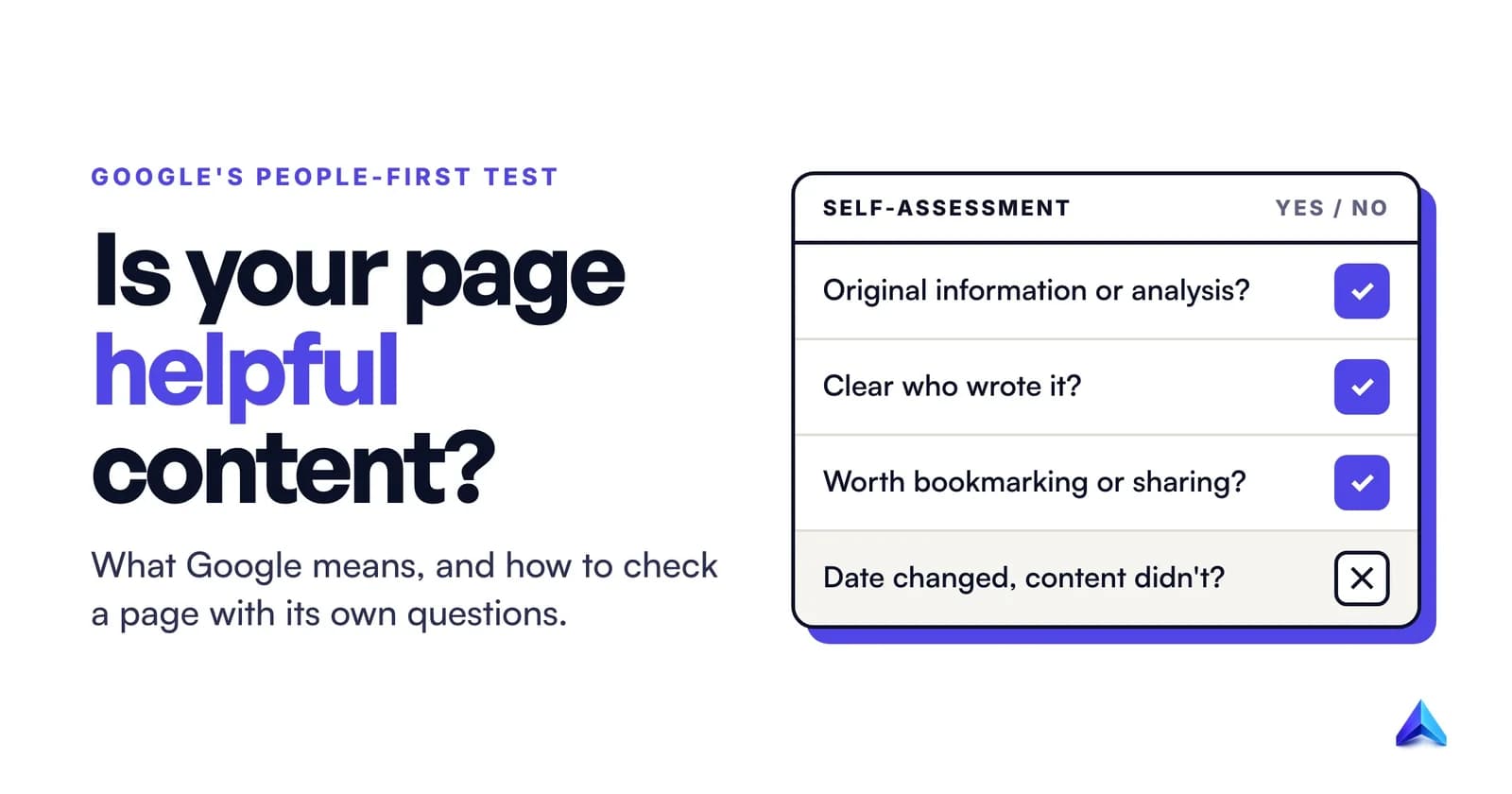
It protects the reason the page exists. A page that repeats what already ranks gives Google little reason to rank it as well. Google's guidance on helpful, people-first content asks whether a page provides "original information, reporting, research, or analysis", and whether content that draws on other sources adds "substantial additional value and originality". Hand a writer only a keyword and they will summarise the top ten results. A brief that names the gap stops that.
It makes freelance and agency work fair. If the brief says what success looks like, the writer can be judged against it. Without one, feedback turns into taste, and taste is impossible to deliver to.
What goes in a content brief?
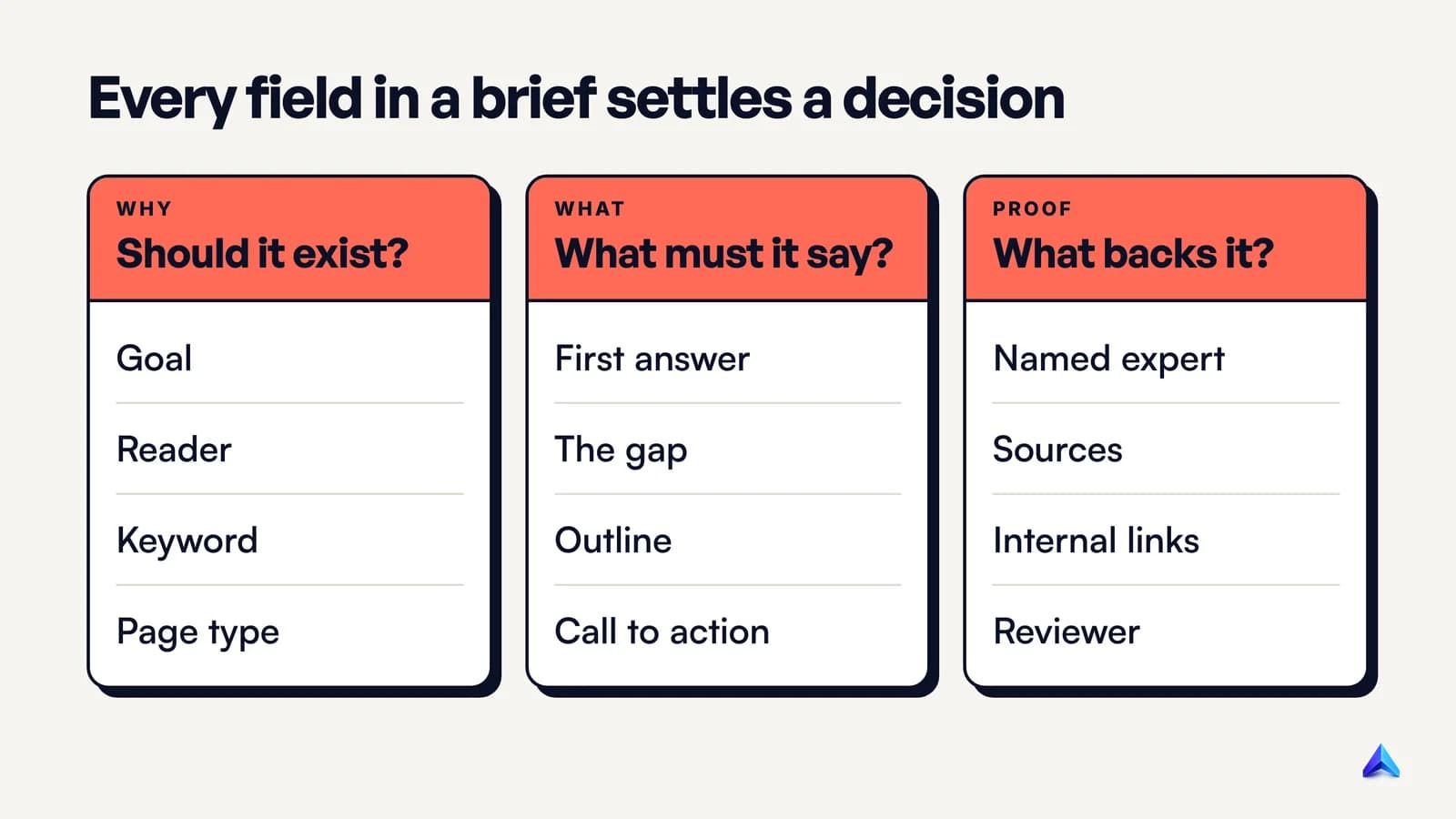
The useful way to decide what goes in a brief is to list the decisions a writer cannot make alone. Each field below settles one of them. If a field does not settle a decision, it is padding.
| Field | The decision it settles | Example of a good entry |
|---|---|---|
| Goal | What this page should do for the business | "Rank for staff rota template; get downloads that lead to free trials" |
| Reader | Who is searching, and what they already know | "Owner-manager of a UK café, 6 to 15 staff, builds the rota on a Sunday night" |
| Primary keyword and close variants | Which search the page is built for | "staff rota template; weekly rota template; rota excel template" |
| Search intent and page type | What kind of page can win | "Download first. The template must be above the fold, not after 800 words" |
| The first answer | What the opening lines must say | Two sentences a reader could stop after |
| The angle or gap | What this page adds that the top results do not | "None of the top results flags UK rest-break rules on the rota itself" |
| Who supplies the expertise | Where the first-hand knowledge comes from | "15-minute call with our ops lead, who ran rotas for a 40-cover restaurant" |
| Outline | The order of sections, each with a reason | H2s tied to a PAA question or the gap |
| Sources | Which facts need a citation, and from where | "GOV.UK rest break rules; no stats from vendor blogs" |
| Internal links | Which of your pages it links to and from | Two to four named URLs |
| Title and meta description draft | How the page appears in results | A plain title that matches the content |
| Call to action | The one next step for the reader | "Try the free rota builder", once, at the end |
| Owner, reviewer, deadline | Who signs it off and when | Names and dates |
Three of those fields do most of the work, and they are the ones most published templates leave out.
Search intent and page type
Before anyone writes a heading, someone has to look at the first page of results and decide what kind of page wins. If the top results for a keyword are downloadable templates, a 2,500-word essay is unlikely to rank, however good it is. The brief should say this in one blunt line, because writers trained on "long-form wins" will drift toward the essay.
The angle or gap
This is the field that answers Google's question about original information. Write it as a sentence about the other pages, not about yours: "Every top result covers X; none of them covers Y." If nobody can fill this field, the honest decision is often not to write the page yet.
Who supplies the expertise
Google's guidance asks whether content shows "first-hand expertise and a depth of knowledge", for example from having actually used a product or service. A freelance writer rarely has that. The brief should name the person who does, and book the time with them. Twenty minutes with someone who has done the job is worth more than any number of extra sources.
What does not belong in a content brief?
Many brief templates are built on SEO folklore. When a brief encodes a myth, the writer follows it faithfully, and the page gets worse. These are the fields to delete or rewrite.
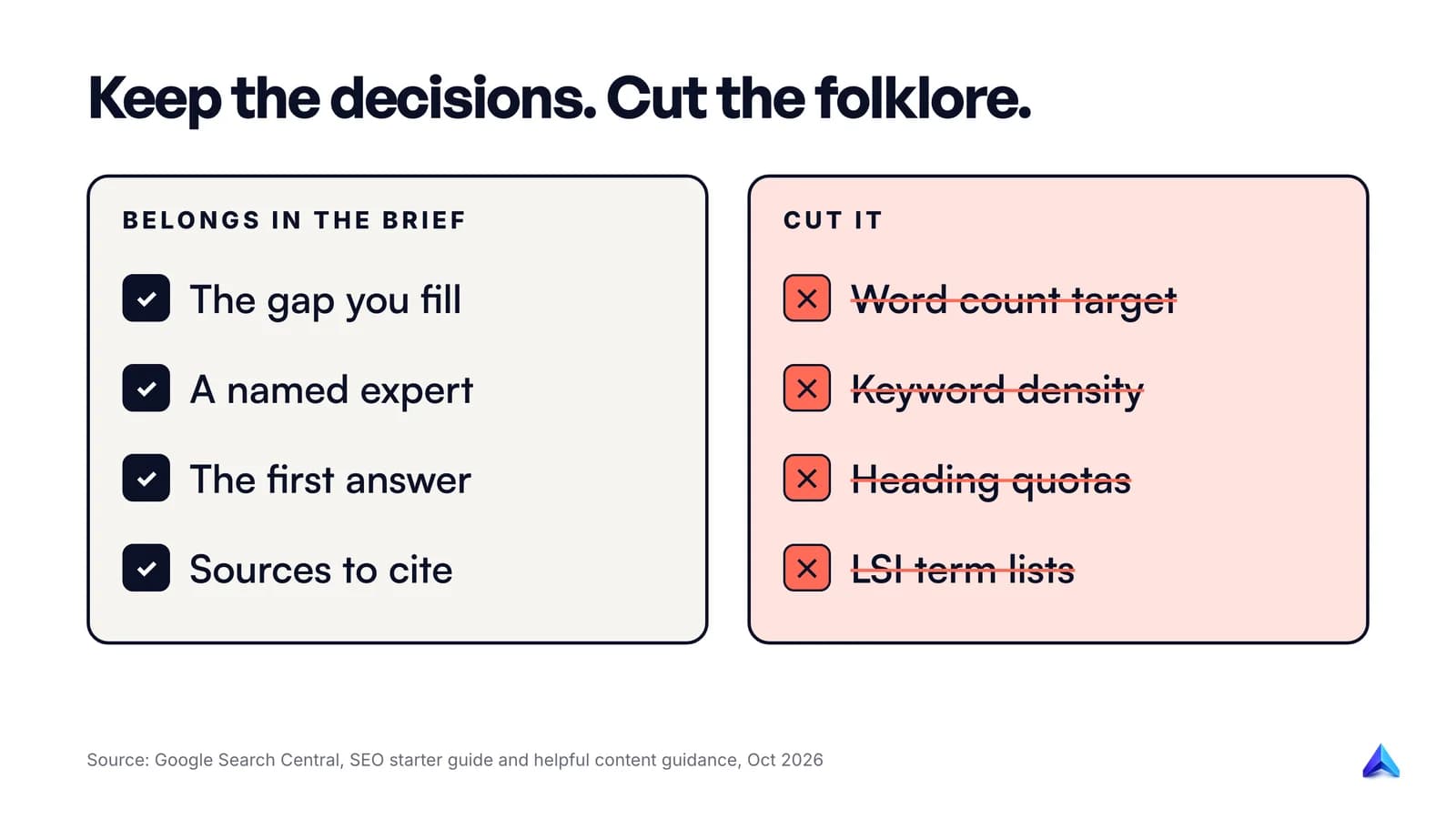
A hard word count. Google's helpful content guidance lists writing to a word count as a warning sign, and answers its own question in brackets: does Google have a preferred word count? "(No, we don't.)" Its SEO starter guide says the same in plainer words: there is "no magical word count target, minimum or maximum". A range taken from what currently ranks is useful as a sanity check. A number the writer must hit invites padding.
Keyword density and keyword counts. "Use the keyword 12 times" produces the repetition Google's starter guide warns about: keyword stuffing is against its spam policies. Give the writer the primary keyword, a few close variants, and the questions people ask. Then trust them to write naturally.
A required number or order of headings. The starter guide says heading order does not matter for ranking: from a Google Search perspective, "it doesn't matter if you're using them out of order". Use a logical order for readers and screen readers. Do not set a quota.
Meta keywords. Google does not use the keywords meta tag. If your template still has a field for it, remove the field.
A list of 40 "semantic" or "LSI" terms. Most tools build these lists from the pages that already rank. Handing that list to a writer is a polite way of asking them to rewrite the competition, which is the opposite of the gap field. Pick the handful of terms that reflect real subtopics and put them in the outline instead.
A meta description length rule. Google's documentation on snippets says there is "no limit on how long a meta description can be", although results are cut to fit the screen. Ask for a description that summarises the page accurately. A character range is a style choice, not a ranking rule.
A competitor's outline pasted in. It is fine to note which subtopics every ranking page covers. It is not fine to give the writer someone else's H2s as a skeleton. Google's guidance also notes that attribution does not replace original effort, so citing the competitor does not fix it.
What remains after the cuts is shorter and much harder to fill. That is the point.
Who writes the content brief?
The person who owns the decision writes the field. In practice that is usually two people, and in a small business it is one person doing two jobs on different days.
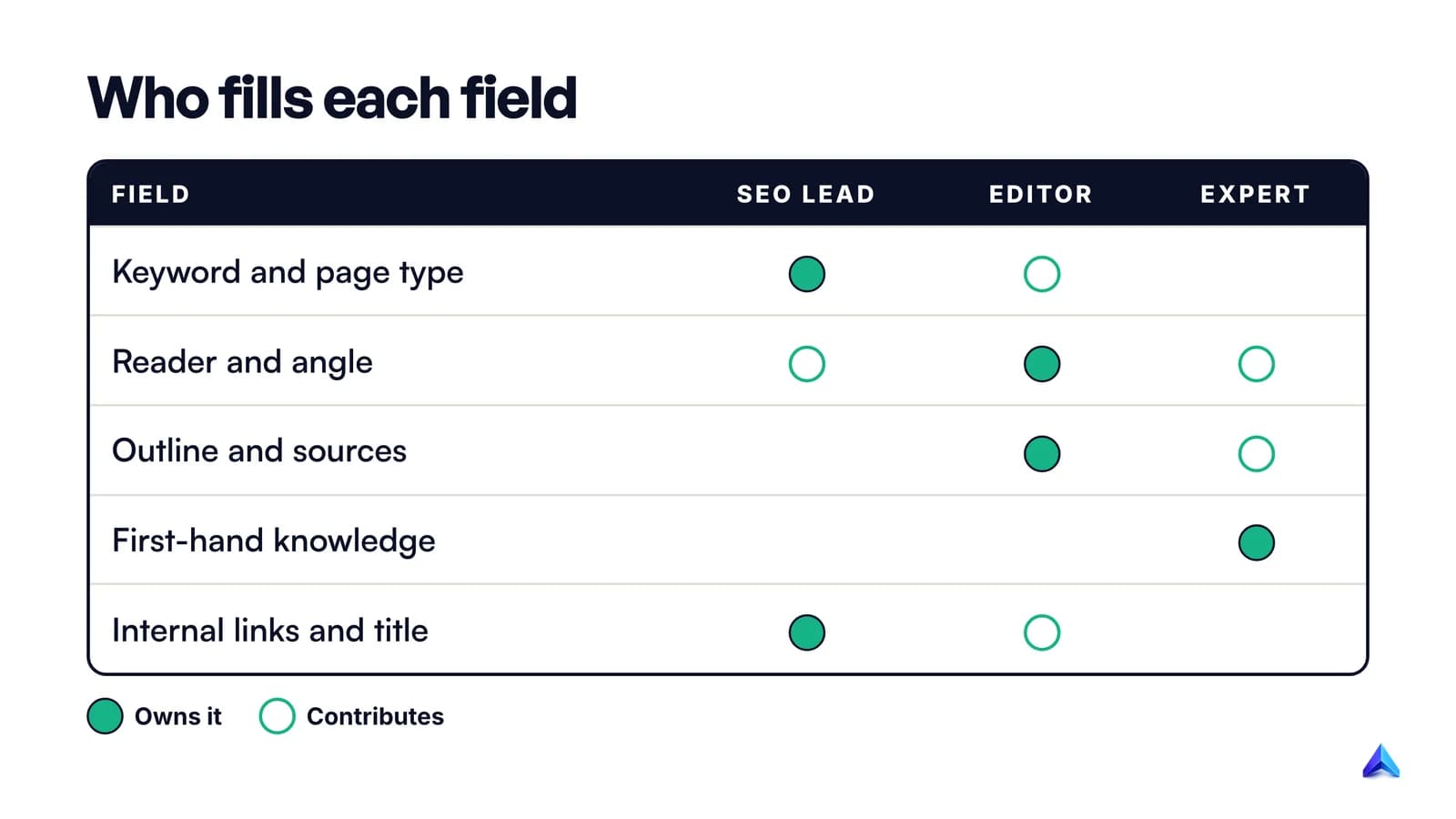
- The SEO lead owns the keyword, the intent and page type, whether the site can realistically rank (our explainer on keyword difficulty covers how to judge that), the internal links and the title tag.
- The editor or content lead owns the reader, the angle, the outline, the sources and the call to action. On anything about what the reader needs, they get the final say.
- The subject expert does not write the brief but is named in it. Their input is the part no one else can supply.
- The writer reads it and pushes back before starting. A writer who spots a weak angle on day one has saved you a rewrite on day ten.
The split mirrors the wider division of labour covered in our comparison of SEO and content marketing: SEO decides whether a page can be found, content decides whether it deserves to be.
For a founder writing their own blog, the brief still matters. Writing it for yourself forces the one decision people skip when they work alone: what this page adds that page one does not.
Agencies have a fourth reader: the client. A brief the client signs off before drafting is the cheapest protection against "this isn't what we meant", and on per-article rates it also defines what counts as a revision.
How do you write a content brief?
The research steps overlap with planning the article itself, which our guide to writing a blog post for SEO covers in depth. The brief is where that research is written down for someone else.
- Start from the goal and the reader. One sentence each. If you cannot name the reader more specifically than "small businesses", talk to sales or support first.
- Confirm the keyword is winnable. Check difficulty against your own site's authority before you invest in a brief.
- Read the first page of results in the target country. Note the page type that wins, the subtopics every result covers, the People Also Ask questions, and what nobody covers well.
- Write the gap sentence. If you cannot, stop here and pick another keyword or find the expert who can supply something new.
- Draft the first answer. Two or three sentences that a reader could stop after. This becomes the opening of the article and the text you most want quoted in snippets and AI answers.
- Outline the H2s, each with a reason. A PAA question, a subtopic every result covers, or the gap. Any heading without a reason gets cut.
- List the facts that need sources and where to get them. Prefer primary sources: official documentation, government pages, original studies. Rule out the pages competing for the same keyword.
- Pick two to four internal links in both directions: pages the new one links to, and older pages that should link to it.
- Draft the title and meta description, then name the reviewer and the deadline.
- Send it to the writer for questions before they start. A brief that produces no questions was probably too vague to argue with.
Give the brief a home, too. Put its link on the entry in your content calendar, so nobody drafts from an old version.
What does a finished content brief look like?
The example below is for a fictional UK company, Rotawren, that sells rota software to cafés and small restaurants. The keyword data is real: Ahrefs puts "staff rota template" at 450 searches a month in the UK with a keyword difficulty of 0 in October 2026, and close variants such as "weekly rota template" and "rota excel template" add more. The company, the people and the SERP notes are invented for illustration. Copy the structure, not the content.
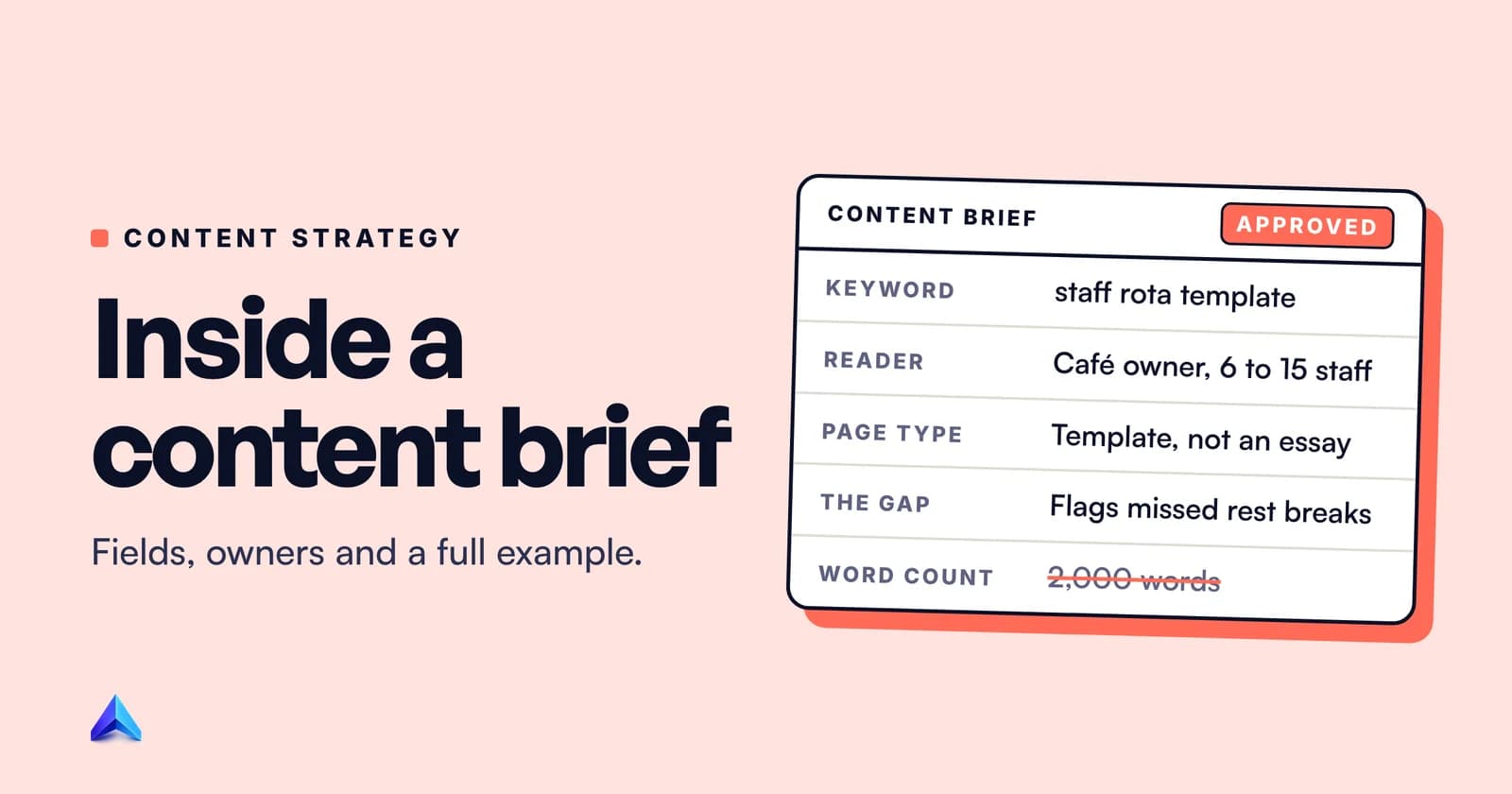
CONTENT BRIEF (EXAMPLE)                    Rotawren blog  |  v2  |  9 Oct 2026

GOAL
Rank in the UK for "staff rota template". Get template downloads from small
hospitality owners; a share of them should start the free rota builder trial.

READER
Owner-manager of an independent UK café or restaurant, 6 to 15 staff, many
part-time. Builds next week's rota in Excel or on paper on a Sunday evening.
Not an HR specialist. Worried about getting breaks and hours wrong.

KEYWORDS (Ahrefs, UK, Oct 2026)
Primary:   staff rota template             450/mo   KD 0
Variants:  weekly rota template            250/mo   KD 1
           rota excel template             200/mo   KD 1
           printable staff rota template   150/mo   KD 1
Use naturally. No target counts.

INTENT AND PAGE TYPE
Download intent. Page one is template pages, not essays. The free template
(Excel + Google Sheets + printable PDF) and a preview image go directly under
the opening paragraph. Everything else is support for using it well.

FIRST ANSWER (opening paragraph, about 50 words)
Say what the template is, that it is free with no email required, and the
three formats. Then one sentence on what makes it different (see angle).

ANGLE / GAP
Top results are blank grids. None flags UK working-time rules on the rota
itself. Ours highlights any shift over 6 hours without a 20-minute break and
any gap under 11 hours between shifts, using the rules on GOV.UK.

EXPERTISE
15-minute call with Priya (Rotawren ops lead, ran rotas for a 40-cover
restaurant in Leeds). Capture: how she handles split shifts, last-minute
swaps, and the one mistake new managers always make. Quote her by name.

OUTLINE
H1  Free Staff Rota Template (Excel, Google Sheets and PDF)
    Opening + download block
H2  How to fill in the rota template, step by step   (how-to intent)
H2  Rest break and hours rules your rota must follow   (the gap)
H2  Weekly vs monthly rotas: which to use              (PAA)
H2  How to handle swaps, sickness and split shifts     (expert section)
H2  When a spreadsheet stops working                   (soft CTA, once)
H2  Frequently asked questions                          (PAA leftovers)

FACTS THAT NEED A SOURCE
- Rest break, daily rest and weekly rest rules: GOV.UK "Rest breaks at work"
  only. Link it. Do not paraphrase from other rota blogs.
- Any rule for workers under 18: GOV.UK young workers page.
- No statistics unless from a named primary source. None are required.

INTERNAL LINKS
Out: /guides/hospitality-scheduling, /features/shift-swaps
In:  add a link from /blog/how-to-cut-staff-costs-in-a-cafe

TITLE + META (drafts, writer may improve)
Title: Free Staff Rota Template (Excel, Google Sheets and PDF)
Meta:  Download a free staff rota template for UK cafés and restaurants.
       Flags missed breaks and short turnarounds. Excel, Sheets and PDF.

CTA
One line in the last section: "Try the free rota builder". No pop-ups.

NOT REQUIRED
Word count (expect 1,200 to 1,800 for the support text), keyword counts,
LSI term lists.

OWNER      Tom (SEO)          REVIEWER  Priya (ops)
DRAFT DUE  16 Oct 2026        PUBLISH   21 Oct 2026
A few choices in that brief are worth copying.
The page type line overrules the usual blog instinct. The writer knows before starting that the download comes first.
The gap is specific and checkable. It names the rule the template will flag, and the rules themselves are simple enough to verify on GOV.UK's rest breaks page: one uninterrupted 20-minute break for a working day longer than six hours, 11 hours between working days, and an uninterrupted 24 hours without work each week. When a real SERP check confirms a gap like this, three numbers like these turn a blank grid into something the other results do not offer.
The expertise field names a person, a time slot and the exact questions. Compare that with "include expert insights", which in practice means none.
The "not required" block exists because writers have been trained to expect word counts and keyword quotas. Saying "not required" out loud removes the anxiety. It still gives a rough length expectation, because a writer quoting a fixed fee reasonably wants one.
How is a content brief different from a creative brief?
A creative brief sets direction for a campaign or a piece of design: the message, the audience, the tone, the deliverables across channels. A content brief sets the requirements for one specific piece of content, and for search content it adds the keyword, intent, sources and links.
| Content brief | Creative brief | |
|---|---|---|
| Scope | One article, page or asset | A campaign, ad set or design project |
| Written for | A writer, sometimes an editor | Designers, copywriters, agencies |
| Core question | What must this page say, and why will it rank? | What should this campaign make people think or feel? |
| Search fields | Keyword, intent, page type, links | Usually none |
| Typical length | One to two pages | One to two pages |
A communications brief sits close to the creative brief. It covers a message that has to go out, such as an announcement, a policy change or a crisis update, and focuses on audiences, key messages, channels and timing rather than search.
In practice, teams that run campaigns often write a creative brief first and then several content briefs from it, one per asset.
Can AI write your content briefs?
AI is good at the parts of a brief that are research and assembly. It can summarise what the top results cover, group People Also Ask questions, suggest an outline and draft a meta description quickly. Google has no objection to the tool itself. Its post on AI-generated content says "appropriate use of AI or automation is not against our guidelines."
AI is bad at exactly the fields that matter most. It cannot know what your ops lead learned running rotas in Leeds. It cannot decide that your business should not chase a keyword. And when it writes the gap field, it tends to describe what the top results already say, because that is what it read.
The bigger risk sits downstream. A team that automates briefs usually automates drafts next, and Google's spam policy on scaled content abuse is aimed at precisely that pattern: "using generative AI tools or other similar tools to generate many pages without adding value for users". A human-written gap and a named expert in every brief are a cheap brake on that slide.
Our view: let AI do the SERP summary and the first outline. A person writes the goal, the reader, the gap and the expertise fields, and signs the brief off. For what it is worth, Project Rankup works the same way upstream of every article: it reads your own site and a few competitor homepages once, and keeps that as the project brief that shapes keyword choices, tone and internal links, rather than starting each article from a bare keyword.
If you publish briefs-to-drafts at volume, check the output against Google's questions on helpful content before it goes live, not after a traffic drop.
常见问题
How long should a content brief be?
Most good briefs fit on one or two pages. Length should follow the number of decisions, not a template. A short post on a familiar topic needs a few lines; a pillar page with an expert interview and original data needs more. If a brief runs past three pages, it is usually turning into a draft.
Should writers see the keyword data?
Yes, in summary. Show the primary keyword, a few variants and why the page was chosen, so the writer understands the reader's intent. Leave out full exports of volume and difficulty for hundreds of terms. They do not change how the piece is written and they tempt writers to squeeze in every term.
What is an example of a good brief angle?
A good angle names something the ranking pages lack and your business can supply. "A more comprehensive guide" is not an angle. "The only template that flags UK rest-break problems on the rota itself" is, because a reader can check whether you delivered it, and so can you.
Do short blog posts need a content brief?
Yes, but a short one. Five lines covering the reader, the keyword, the first answer, the gap and the links is enough. The time a brief saves comes from catching a wrong angle early, and a short post can have the wrong angle as easily as a long one.
How do you know a content brief worked?
Judge the brief by three things: how many rounds of edits the draft needed, whether the published page delivered the gap the brief promised, and how the page performs in search after a few months. If drafts keep coming back for the same reason, add that decision to the template.
Can one brief cover several articles?
Not well. Each article targets its own query, reader question and gap. A campaign or cluster can share a parent document with the audience and voice, but each page needs its own brief so two articles do not end up competing for the same keyword.