The best website content audit tool links each page to its search data and tells you what to keep, fix, merge or cut. Our ranking puts Project Rankup first for teams that want the audit and the fix in one place. Google Search Console is the best free data source and Ahrefs Site Audit has the deepest crawl. SE Ranking suits agencies, Seobility fits small sites, Seomator gives quick AI visibility checks, and Screaming Frog is for hands-on crawls.
One disclosure first: we build Project Rankup, so weigh our top pick with that in mind. We ranked it first because it closes the loop from weak page to republished page. That is the step where audits stall. The rest of this guide shows how we judged each tool, so you can test our call against your own needs.
The cost of a stalled audit is real. You pay for the hours spent, and you keep losing traffic from pages you already flagged. Old posts with stale facts weaken trust. Two pages chasing one keyword split the clicks. In 2026, pages without clear, quotable answers also get skipped by Google AI Overviews, ChatGPT and Perplexity, even when they rank.
What Does a Website Content Audit Tool Do?
A website content audit tool lists each page on your site, pulls in how it performs (clicks, impressions, rankings, links), and flags what is weak: thin pages, duplicates, outdated posts, and pages that compete for the same keyword. The good ones go one step further and suggest an action for each URL. A crawler that only checks status codes and meta tags is a technical audit tool, not a content audit tool.
That split matters because the two get mixed up all the time. Many tools sold as content audit tools are site crawlers with a content tab bolted on. They are useful, but they answer a different question. The table below shows four audit types that often get lumped together, so you can tell which job a tool does before you pay for it.
| Audit type | Question it answers | Example tool | Red flag if you confuse it |
|---|---|---|---|
| Content audit | Is each page worth keeping, and what should change? | Project Rankup, Google Search Console | You polish title tags on pages that should be cut |
| Technical SEO audit | Can crawlers reach, render and index each page? | Ahrefs Site Audit, SE Ranking, Seobility | A high health score while organic traffic keeps falling |
| Privacy and compliance audit | Which cookies and trackers load on each page? | EDPB website auditing tool | Assuming an SEO crawl checks consent or tracking |
| AI visibility audit | Can answer engines lift and cite your passages? | Seomator, Project Rankup | Pages that rank in Google but never get cited in AI answers |
The privacy row surprises people. The European Data Protection Board publishes its own open-source website auditing tool for checking what a site collects and sends (EDPB). No SEO crawler on this list replaces it. If you run e-commerce in the EU, treat it as a separate audit with its own owner.
For a content audit, you need the first row at minimum. Add a technical crawler once your site passes a few hundred URLs, and add an AI visibility check if answer engines matter to your pipeline. In 2026, they should.
How We Ranked These Tools
We scored each tool on six criteria, in this order of weight. Pick your own top two before you read the list, because no tool wins on all six.
- Page-level performance data. Can it show clicks, impressions and rank per URL over 12 months or more? Without this, you are judging content by feel.
- Content quality signals. Does it flag thin, duplicate, outdated and cannibalising pages, not just broken links?
- Action output. Does it end in a clear keep, update, merge or prune call per page, or in a raw export you sort by hand?
- AI search readiness. Does it check for direct answers, quotable passages and schema such as FAQPage and Article markup?
- Path to the fix. Can you rewrite and republish from the same place, or does each fix mean three tool hops?
- Fit for scale and budget. Does the pricing and project model suit a single brand, a startup, or an agency with 20 clients?
We weighted the first three most heavily. A tool that crawls 50,000 pages but cannot tell you which 40 to rewrite this month has failed the core job.
The 7 Best Website Content Audit Tools, Ranked
Use this summary table to shortlist two or three tools, then read the detail for each below.
| Rank | Tool | Best for | Standout | Weak spot |
|---|---|---|---|---|
| 1 | Project Rankup | Teams that want audit, rewrite and republish in one loop | Pre-publish GEO scoring and CMS publishing | Not a deep technical crawler |
| 2 | Google Search Console | Free first-party performance data | Real clicks and impressions from Google | No action plan or content scoring |
| 3 | Ahrefs Site Audit | Large, content-heavy sites | Deep crawl plus backlink context | Cost climbs fast; content calls are yours |
| 4 | SE Ranking Website Audit | Agencies running many clients | 115+ automated checks | Leans technical over editorial |
| 5 | Seobility | Small sites and tight budgets | Easy crawl reports | Light on content strategy signals |
| 6 | Seomator | Fast AI visibility spot checks | 172 checks with real-browser rendering | Page-level, not a site-wide audit |
| 7 | Screaming Frog SEO Spider | Hands-on SEOs who like raw data | Flexible crawl and custom extraction | Steep learning curve; no built-in plan |
1. Project Rankup: best for closing the loop
Project Rankup treats content audits as one step in a full SEO workflow, next to keyword research, competitor audits, editorial planning, content writing, pre-publish checks, CMS publishing and rank tracking. It draws on Google Search Console, Ahrefs and DataForSEO data, then turns weak pages into a fix list you can act on.
The part other tools lack is what happens after the audit. Rewrites run through rule-based pre-publish checks for direct answers, citable passages and schema markup. Then they go out to WordPress, Shopify or Strapi in one click, with no unattended auto-publishing. A human signs off on each change. Rank tracking then shows whether the update moved the page.
Pick it if you are a SaaS founder, lean content team or agency that loses weeks between audit and action. Skip it if you need deep crawl diagnostics such as render paths or log files. Pair it with a crawler for that.
2. Google Search Console: best free performance data
Search Console is the one source on this list that shows what Google records: queries, clicks, impressions and average position per page. Each content audit should start here. Filter the Pages report to 12 or 16 months, export it, and you have the backbone of your inventory.
Its limits are just as clear. It will not score content quality, find duplicates or tell you what to do. It is raw material, not a verdict. Our Search Console strategy guide shows how to turn that export into decisions.
3. Ahrefs Site Audit: best crawl depth for content-heavy sites
Ahrefs Site Audit crawls the whole site and flags technical and on-page issues, then puts them next to backlink data. That pairing matters for content calls. A weak page with strong referring domains should be updated or redirected, never deleted outright.
The catch is cost and judgment. Pricing scales with usage, and the tool hands you issues, not editorial choices. If the budget does not fit, our roundup of Ahrefs alternatives for audits and backlinks compares cheaper options.
4. SE Ranking Website Audit: best for multi-client agencies
SE Ranking runs 115+ automated checks and recommends regular audits to catch broken links, duplicate content, loading speed and security issues as they appear (SE Ranking, 2026). For an agency, the value is repeat scheduling and white-label reports across many client projects.
Treat it as a technical health monitor first. Its duplicate content flags help with content work, but you still need performance data to decide which duplicate to keep.
5. Seobility: best budget crawler for small sites
Seobility's website audit crawls your site and groups issues into clear, plain reports covering technical, on-page and structure problems (Seobility). It suits a Shopify store owner or freelancer who wants a readable crawl without enterprise pricing.
It is lighter on content strategy. You get the problems, but not much help ranking which pages matter most to revenue.
6. Seomator: best quick AI visibility check
Seomator's free audit renders each page in a real browser and runs 172 on-page checks across 16 weighted categories, including technical SEO, content, links and structured data, plus an AI visibility layer (Seomator, 2026). Real-browser rendering matters for JavaScript-heavy SaaS sites, where a basic fetch misses content.
Use it to spot-check your top 20 pages, not to audit a 2,000-URL blog. It works page by page.
7. Screaming Frog SEO Spider: best for hands-on crawls
Screaming Frog is the desktop crawler many technical SEOs reach for first. Custom extraction lets you pull word counts, publish dates or author names into one sheet, which makes it a strong inventory builder. The free version caps how many URLs you can crawl.
It gives you everything and decides nothing. If you are not comfortable joining crawl exports with Search Console data in a spreadsheet, start elsewhere.
Read the ranking as a stack, not a single pick. Rank 2 is free and belongs in each setup. Ranks 3 to 7 are crawlers of varying depth, so pick one that matches your site size. Rank 1 is where the audit becomes shipped updates.
Which Website Content Audit Tool Fits Your Team?
The right website content audit tool depends less on features and more on who owns the fixes. A freelancer needs cheap, fast reports. An agency needs repeatable client workflows. A SaaS founder needs the shortest path from weak page to live update. Match the tool to the person who will act on the results, or the audit dies in a shared drive.
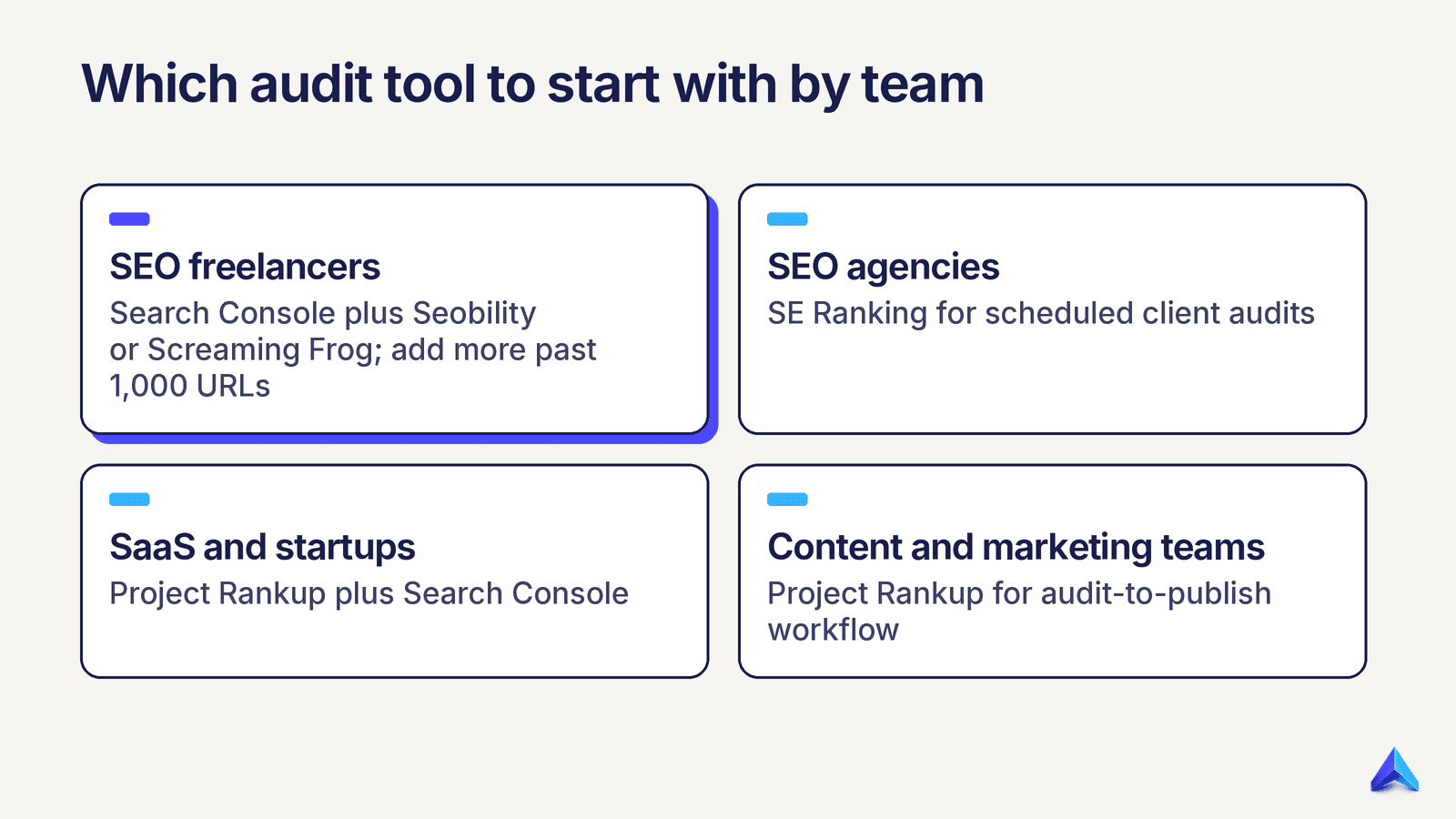
| Team | Start with | Add when | Red flag |
|---|---|---|---|
| SEO freelancers | Search Console plus Seobility or Screaming Frog | A client site passes about 1,000 URLs | Billing hours to sort exports by hand each month |
| SEO agencies | SE Ranking for scheduled client audits | You need rewrites and publishing at volume | Reports go out but fixes never ship |
| SaaS and startups | Project Rankup plus Search Console | You have a large docs or help center to crawl | Blog traffic flat while posting keeps rising |
| Brands and e-commerce | Search Console plus Ahrefs Site Audit | Category and product pages start to cannibalise | Thin product pages indexed by the thousand |
| Content and marketing teams | Project Rankup for audit-to-publish workflow | AI citations become a reported KPI | Pages rank but never appear in AI answers |
If you sit between two rows, choose the tool that cuts the most handoffs. Each extra tool hop adds a week of delay in our experience running content pipelines.
How Do You Run a Content Audit With These Tools?
A content audit runs in five steps: build an inventory of each URL, attach performance data, score quality, assign an action per page, then ship and measure. Yale's web team frames the core of the process the same way in its guide to conducting a content audit: list what you have, judge it against your goals, then decide what stays, changes or goes (YaleSites). The tools speed up each step but do not replace the judgment.
- Inventory. Crawl the site with a crawler from the list, or export from your CMS. Capture URL, title, publish date, word count and target keyword.
- Attach performance. Join 12 months of Search Console clicks, impressions and position per URL. Add referring domains from your backlink tool.
- Score quality. Flag thin pages, stale facts, duplicate targets and missing direct answers.
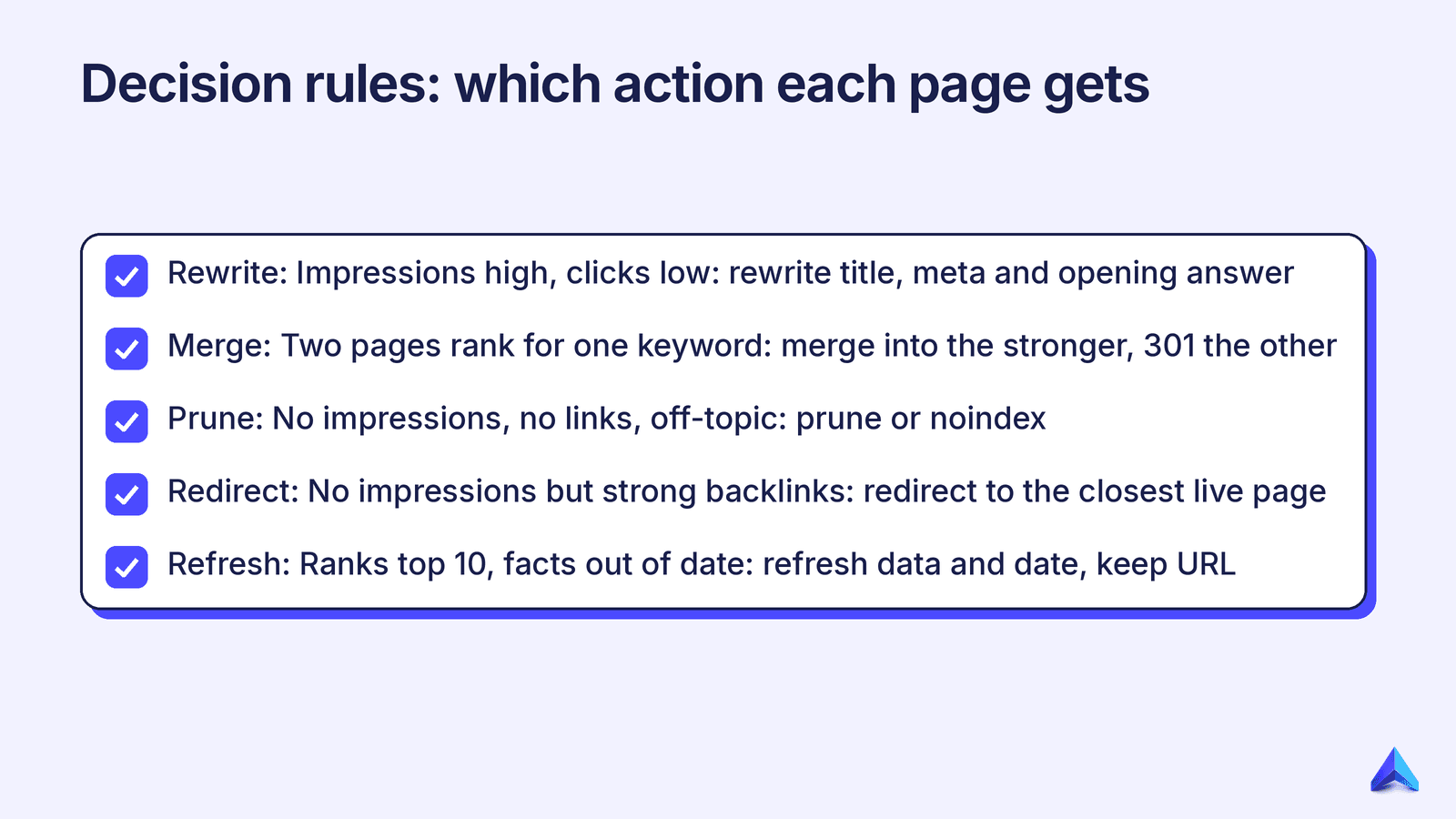
- Assign actions. Use the decision rules below so calls stay consistent across writers.
- Ship and measure. Republish, request indexing, and track rank for six to eight weeks before judging.
These rules turn messy data into consistent calls. Apply them to each URL in order and stop at the first match.
| Signal | Action | Why |
|---|---|---|
| Impressions high, clicks low | Rewrite title, meta and opening answer | Google sees relevance; searchers are not convinced |
| Two pages rank for one keyword | Merge into the stronger page, 301 the other | Split signals hold both back |
| No impressions, no links, off-topic | Prune or noindex | Dead weight dilutes topical focus |
| No impressions but strong backlinks | Redirect to the closest live page | Keeps the link equity |
| Ranks top 10, facts out of date | Refresh data and date, keep URL | Protects a winning page |
A worked example shows the rules in motion. Picture a SaaS blog with 300 posts. After the join, you find 40 posts with impressions but almost no clicks, 12 pairs chasing the same keyword, and 60 posts with nothing at all. That is a quarter of focused work: rewrite the 40, merge the 12 pairs, and review the 60 for prune or redirect. It is not a full site rewrite. For the full walkthrough, see our guide on how to do a content audit.
Why Does a 2026 Content Audit Need an AI Visibility Check?
A 2026 content audit needs an AI visibility check because ranking and being cited are now two separate wins. A page can sit in the top five on Google and still be ignored by AI Overviews, ChatGPT or Perplexity if it lacks a clear, self-contained answer the model can lift. Auditing only for classic SEO signals misses the pages that are losing the new kind of visibility.
In practice, add three checks to your quality score. First, does each key section open with a direct answer of about 40 to 90 words? Second, are there passages that make sense quoted alone, with facts tied to a named source? Third, is FAQPage or Article schema present and valid where it fits?
Most crawlers on this list check schema validity. Fewer judge whether your prose is quotable. Seomator's AI visibility layer gives a page-level read, and Project Rankup's pre-publish GEO scoring checks rewrites against those rules before they go live. If the gap between SEO and answer engines is new to your team, our breakdown of AEO vs SEO explains what changes. Our guide to ranking in Google AI Overviews covers passage-level edits, and generative engine optimization covers citations across other answer engines.
Frequently asked questions
Is a free website content audit tool enough?
For sites under a few hundred pages, yes. Google Search Console plus a free crawler covers inventory and performance data. You will do the scoring and action calls by hand in a spreadsheet. Paid tools earn their cost once that manual work takes more than a day each quarter, or once you manage several sites.
How often should you run a content audit?
Run a full audit once or twice a year, and a light check each quarter. The quarterly pass reviews your top 20 pages by traffic and any page whose clicks dropped sharply. Fast-moving SaaS and e-commerce sites with frequent launches benefit from the quarterly rhythm most, since stale pages pile up quickly.
Can a technical SEO audit tool replace a content audit tool?
No. A technical audit checks whether crawlers can reach, render and index your pages. A content audit asks whether each page deserves to exist and what should change. You need both, but a perfect technical score will not fix pages that target the wrong keyword or answer nothing clearly.
Do you need more than one tool for a content audit?
Usually, yes. Ryan Tronier's 2025 roundup of content audit tools shows marketers combining several tools for crawling, performance data and analysis (Ryan Tronier, 2025). The goal is a lean stack: one free data source, one crawler sized to your site, and one place where fixes ship.
Key Takeaways
- A content audit decides what each page should become; a technical audit checks whether pages can be crawled. Do not confuse the two.
- Google Search Console belongs in each audit stack because it is free, first-party performance data.
- Pick a crawler by site size: Seobility or Screaming Frog for small sites, SE Ranking for agencies, Ahrefs for large content libraries.
- Use fixed decision rules (rewrite, merge, prune, redirect, refresh) so calls stay consistent across writers.
- Add an AI visibility check in 2026: direct answers, quotable passages and valid schema decide whether you get cited.
- The audit only pays off when fixes ship, so choose the tool that cuts the most handoffs.
If your last audit is still sitting in a spreadsheet, run your next one in Project Rankup and take each weak page from finding to republished, GEO-checked update in one workspace. For more AI-focused picks, see our list of the best AI content audit tools.